
Apple Photos in iOS 27 Unveils Advanced AI Editing and Enhanced Organizational Intelligence

The release of iOS 27 marks a significant evolution for the Apple Photos application, shifting the focus from simple image management toward a more proactive, AI-driven creative suite. While the core interface remains consistent with the design language introduced in recent iterations, the underlying engine has received a substantial overhaul powered by Apple Intelligence. This update introduces sophisticated editing capabilities, improved organizational structures, and advanced slideshow customization that align with the growing ecosystem of Apple hardware, including the HomeView display unit.
The Evolution of Apple Intelligence in Photography
The integration of Apple Intelligence into the Photos app represents a strategic pivot for the company. By leveraging on-device neural processing, Apple has moved beyond basic filters and cropping, offering users generative tools that were once the exclusive domain of professional-grade desktop software.
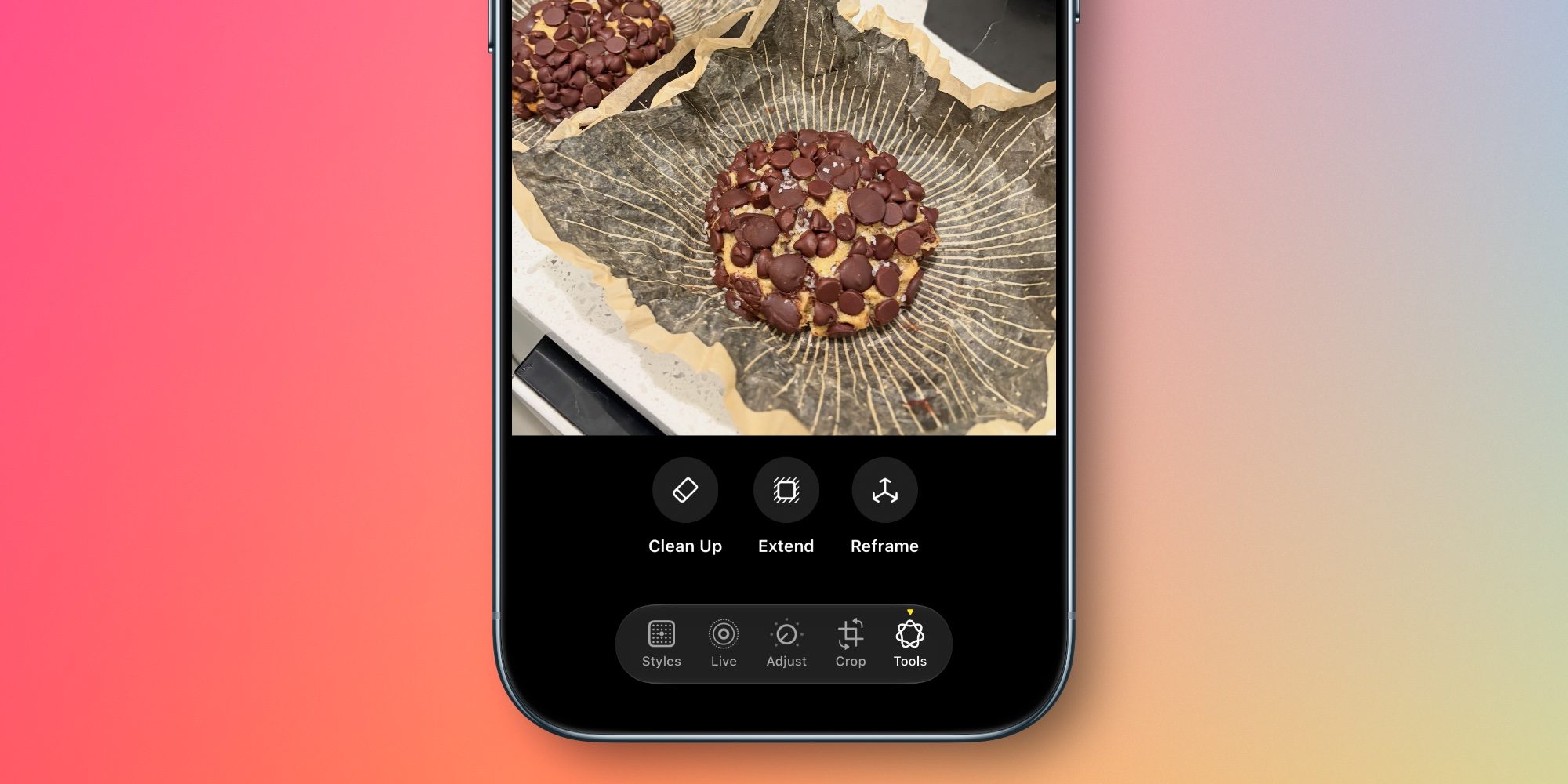
The standout features of this update are Extend, Reframe, and an overhauled Clean Up tool. The Extend feature addresses one of the most common frustrations in mobile photography: the inability to adjust the composition of a captured image due to tight framing. By utilizing generative fill, the app can synthesize missing pixels to extend the edges of an image, effectively allowing users to straighten a crooked horizon or widen an aspect ratio without sacrificing the primary subject matter.
Spatial Reframing, meanwhile, demonstrates a direct technological lineage from the development of the Apple Vision Pro. The tool utilizes spatial models to allow users to manipulate the perspective of a photo in real time. By touching and dragging the image, the user can simulate a shift in camera position, with the AI generating the necessary perspective corrections to maintain visual consistency. This is not merely a digital zoom; it is a reconstruction of the scene based on depth data and spatial geometry.
The Clean Up feature, which debuted in iOS 18 to remove unwanted background elements, has been refined for higher precision. In complex environments—such as crowded streets or busy landscapes—the algorithm now provides more realistic infill, minimizing the "smudging" artifacts that often plagued earlier versions of object-removal tools.
A Chronology of Image Management Improvements
Apple’s journey toward an AI-assisted gallery has been steady, moving from the simple categorization of memories to the active curation of personal history.
In early versions of iOS, the Photos app was a passive container. By iOS 15 and 16, Apple introduced OCR (Optical Character Recognition) to scan text within images, setting the stage for more advanced document handling. The introduction of the "Clean Up" tool in iOS 18 marked the first major foray into generative editing. Now, with the June 2026 release of iOS 27, the focus has shifted toward granular organization and user-defined metadata, providing a more robust archival experience for the modern smartphone user.
Organizational Enhancements and Metadata Control
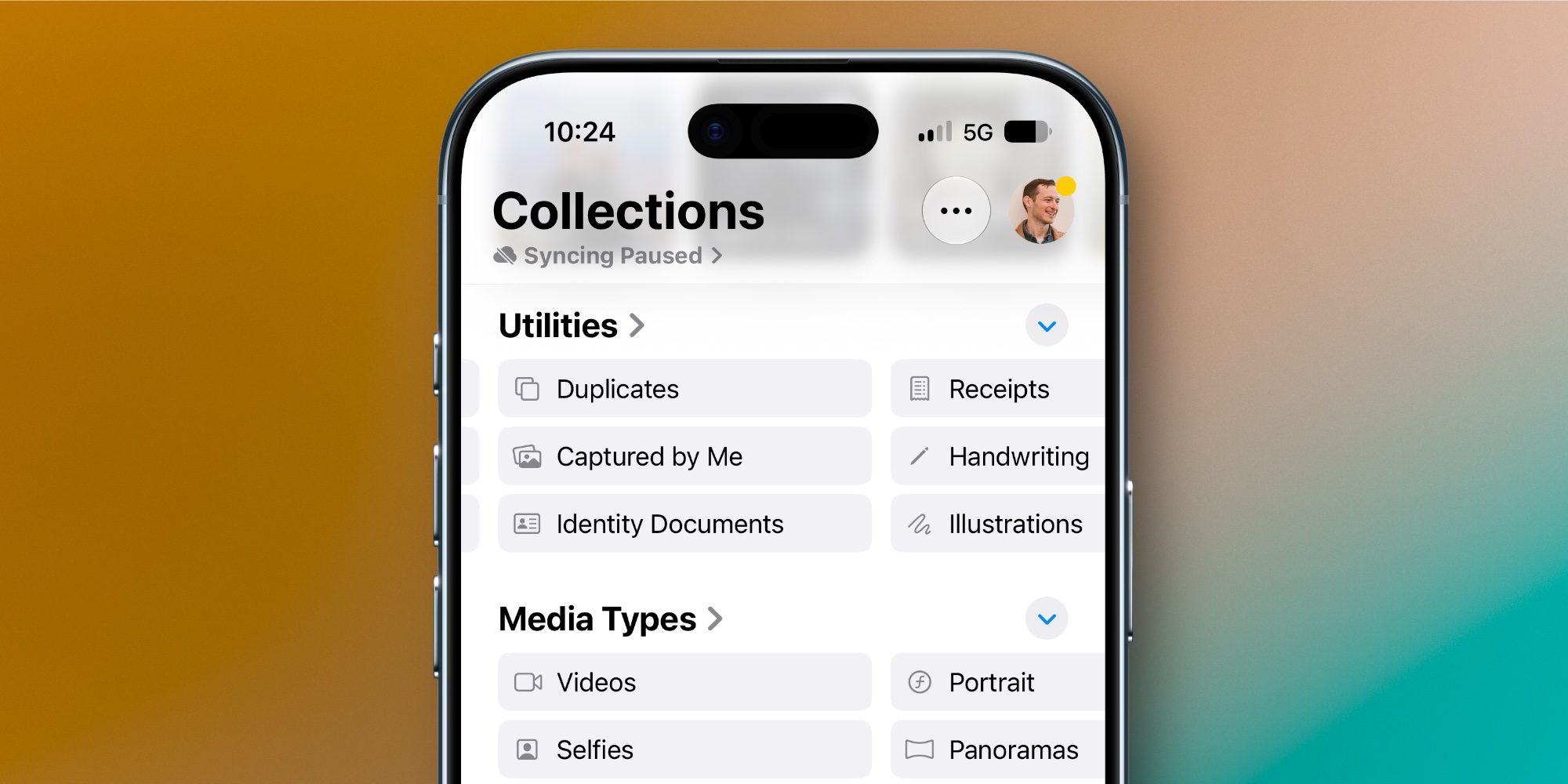
As the average user’s photo library continues to grow into the tens of thousands, effective management has become a critical pain point. iOS 27 attempts to solve this through two primary new collections: "Captured by Me" and "Identity Documents."

The "Captured by Me" collection serves as a refined filter that automatically excludes screenshots, saved memes, and content synced from third-party messaging applications. This ensures that a user’s primary timeline is dedicated solely to original photography, drastically reducing the clutter that often makes finding a specific memory difficult.
The "Identity Documents" feature utilizes machine learning to identify and categorize sensitive reference material, such as passports, driver’s licenses, and insurance cards. This is a clear response to user demand for better utility; rather than requiring the user to create a specific album and manually move files, the app now treats these documents as a distinct data set, allowing for faster retrieval when needed at airports, banks, or during administrative tasks.
Furthermore, the introduction of a manual "Add Keywords" feature is a major departure for Apple. Historically, the company has relied on its internal tagging system to categorize photos based on location, faces, and objects. By allowing users to input their own keywords, Apple is acknowledging the need for more granular, user-specific organization that automated systems often miss. This functionality, accessible by swiping up on any image, bridges the gap between consumer-grade photo storage and professional asset management.
Advanced Slideshow Customization and HomeView Integration
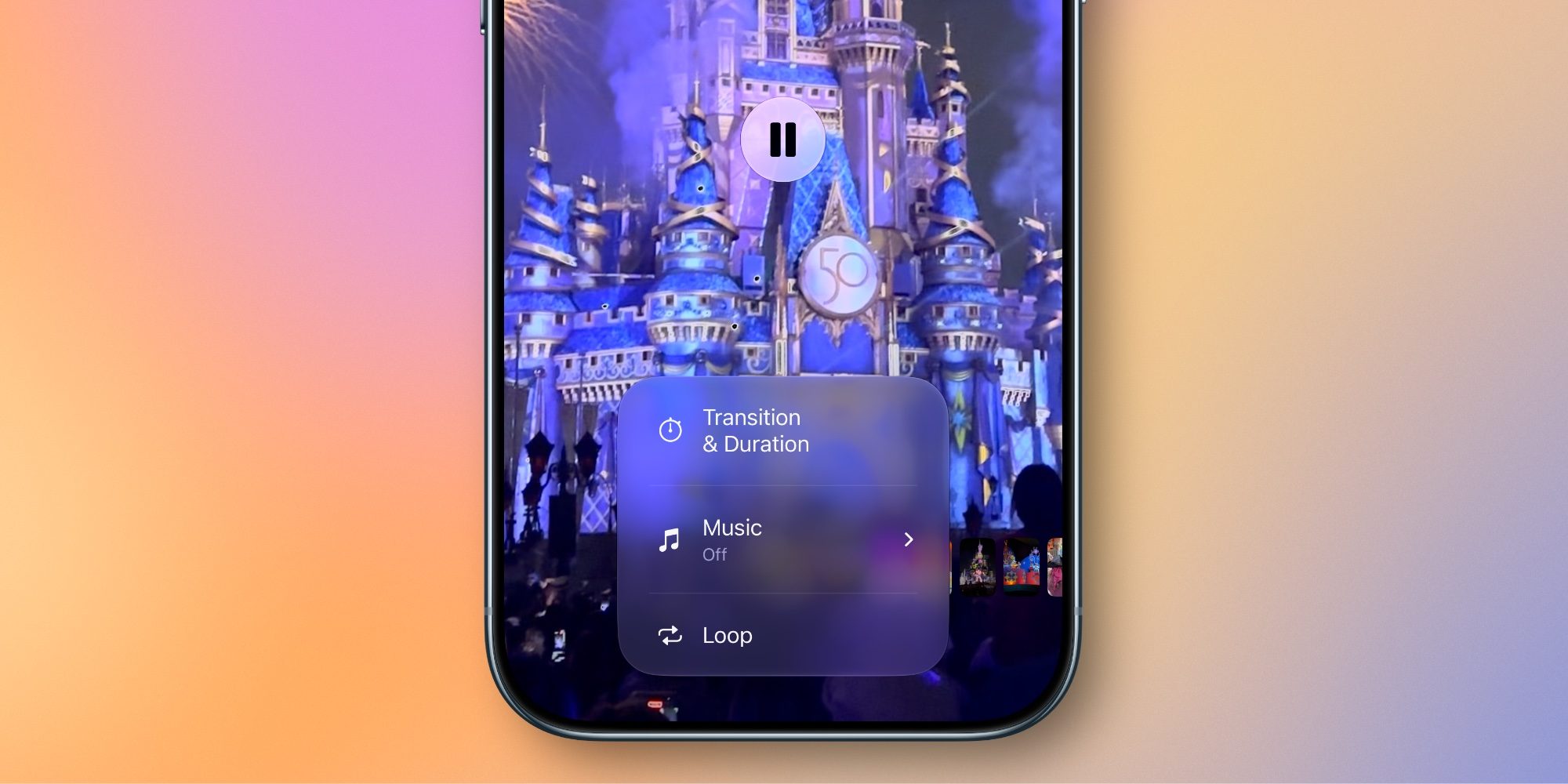
A critical, if under-reported, aspect of the iOS 27 update is the overhaul of the Slideshow engine. For years, the Photos app offered automated "Memory" movies that, while impressive, offered little in the way of user control. With the release of the HomeView hardware, Apple needed a way to make these slideshows more versatile for ambient display.
The new customization suite allows for precise control over transition types, timing, and sequence. Users can now set the duration for individual photos within a slideshow and choose specific transition styles, moving away from the "all-or-nothing" approach of the past. Additionally, the ability to export any slideshow as a video file with a single tap provides a seamless way to share high-quality, curated memories across different social platforms or to store them in a standardized video format.
Analysis: Implications for the Ecosystem
The implications of these updates are twofold. First, Apple is positioning the iPhone as an essential tool for content creators who require on-the-go editing capabilities that don’t rely on cloud-based processing. By keeping these AI models on-device, Apple reinforces its commitment to user privacy, a core pillar of its brand identity.
Second, the update acts as a catalyst for the HomeView product line. By improving the quality of slideshows and the organization of the photo library, Apple makes it more compelling for users to invest in a dedicated display for their images. A well-organized, AI-enhanced library is a more valuable asset to the user, and therefore, a stronger motivator for staying within the Apple hardware ecosystem.
From a technical perspective, the reliance on the same "spatial models" used in the Vision Pro suggests that Apple is standardizing its internal development across all its platforms. As these models become more efficient, we can expect to see further integration between the spatial photography captured by Apple’s high-end devices and the everyday management tools found in the standard Photos app.
Broader Impact and Industry Context
The mobile photography market is currently in a state of rapid acceleration, with competitors like Google and Samsung also investing heavily in generative AI for their respective galleries. Apple’s approach, however, remains distinctly focused on the "human element"—prioritizing ease of use and high-fidelity results over the more experimental, sometimes erratic, generative outputs seen in some third-party applications.

By refining the "Clean Up" tool and introducing "Extend," Apple is not just competing on features; they are competing on the quality of the user experience. The expectation for iOS 27 is that it will serve as the baseline for the next several years of mobile photography, setting a standard for how personal libraries should be organized, edited, and displayed.
For the professional, the inclusion of keyword tagging and more granular editing suggests a move toward bridging the gap between hobbyists and power users. For the casual user, the automation provided by "Identity Documents" and "Captured by Me" offers a cleaner, more intuitive way to manage the digital clutter of modern life. As the industry continues to integrate AI into every facet of the operating system, the Photos app stands as the primary example of how these technologies can be applied in a way that is both functional and deeply integrated into the user’s daily workflow.