Massive Data Breach Exposes 153 Million North American Identity Records Through Verification Firm Nexus

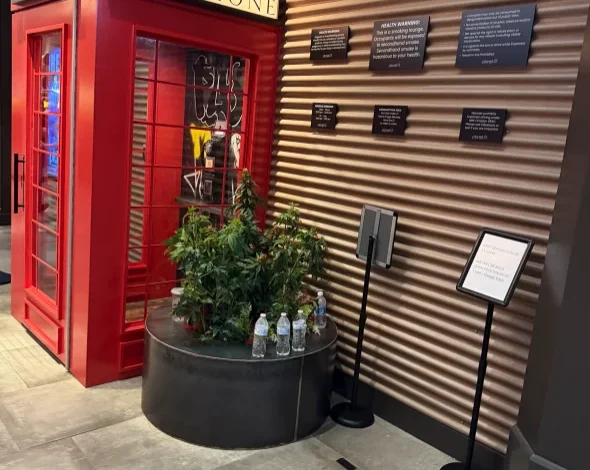
A catastrophic breach of digital identity data has sent shockwaves through the cybersecurity landscape, as a dark web service known as Nexus began offering high-resolution scans of more than 153 million driver’s licenses and government-issued identification cards belonging to residents of the United States and Canada. The scope of the leak is historic, encompassing not only standard driver’s licenses but also commercial driver’s licenses (CDLs), international travel documents, and sensitive medical marijuana dispensary identification cards. The emergence of this data has triggered a formal investigation by the Federal Bureau of Investigation (FBI), which is currently scrutinizing the security protocols of a Louisiana-based identity verification firm suspected of being the original source of the exfiltrated files.
The Nexus Operation and the Mechanics of the Breach
The Nexus service surfaced on the Russian-language cybercrime forum known as Exploit on August 31, 2026. The platform functioned as a searchable database, allowing malicious actors to browse and purchase individual identity records. By late last week, the repository contained approximately 153 million driver’s license records, alongside 10 million identification cards, three million travel documents, and at least 579,000 medical cards.

Security researchers analyzing the database noted its sophisticated architecture. The service did not merely offer text-based credentials; it provided comprehensive image files for each record, often including front and back high-resolution scans. In many instances, the data included infrared and ultraviolet versions of these documents—security features typically used by law enforcement and high-security establishments to verify the authenticity of an ID. Each file was appended with precise metadata, including date and time stamps, which investigators believe align with the exact moments these individuals presented their IDs at various points of service.
Chronology of the Incident
The timeline of the breach suggests a long-term, systematic harvesting operation. Based on the metadata attached to the compromised files, the perpetrators were exfiltrating data for over a year before the service’s public launch.
- June 2025: Initial data collection points identified in metadata; affected individuals report presenting IDs for car rentals and security screenings during this period.
- August 2026: The Nexus service officially launches on the Exploit forum, offering a "free sample" of records to establish credibility.
- August 31, 2026: Investigative journalists and security researchers receive alerts regarding the service, confirming the inclusion of high-ranking government officials, including members of the U.S. executive branch.
- September 2026: The FBI’s New Orleans field office opens an inquiry. Simultaneously, researchers trace the source to idscan.net, a major provider for Fortune 500 companies and public-facing entities.
- September 8, 2026: idscan.net publicly acknowledges an "unauthorized third-party" incident.
- Post-Publication: The Nexus website abruptly goes offline, displaying a message stating the service is no longer available.
The Role of idscan.net and Third-Party Vulnerabilities
The investigation into the source of the leaked data points toward idscan.net, a Louisiana-based company that provides identity verification hardware and software to over 20,000 locations globally. The company’s technology is designed to scan IDs using specialized light spectrums, which explains the presence of infrared and ultraviolet images in the Nexus database.

Idscan.net’s client list is extensive, including major rental car agencies like Hertz, retail giants like Target, and various logistics and financial institutions. By aggregating data across these diverse sectors, the firm created a massive central repository of sensitive information. Security experts argue that this "centralization of trust" created a singular, high-value target for cybercriminals.
When questioned, idscan.net representatives initially provided limited information but confirmed they were cooperating with authorities. In a subsequent notice, the company admitted that an unauthorized party may have accessed or copied customer information, including full names and ID numbers, though they stopped short of confirming the full 153 million figure claimed by the Nexus operators.
Broader Implications for Privacy and Security
The impact of this breach extends far beyond the immediate risk of identity theft. Because the stolen data includes high-resolution scans of government-issued documents, the compromised information is sufficient to facilitate sophisticated "synthetic identity" fraud, where criminals combine real, stolen information with fake data to create new, fraudulent identities.

Risks to High-Risk Populations
Cybersecurity analysts have raised alarms regarding the potential impact on vulnerable populations. For individuals in the witness protection program or those fleeing domestic violence, a compromised identity is not merely a financial inconvenience—it is a physical security threat. Because these IDs often contain current home addresses and biometric photographs, the ability of these individuals to remain hidden is severely compromised.
The Erosion of "Proof of Identity"
The breach highlights a fundamental flaw in modern authentication. As more industries—from cannabis dispensaries to hotel chains—move to scan IDs under the guise of "protecting the youth" or enforcing regulations, they are creating a vast, unsecured ecosystem of personal data. Security researcher Zach Edwards, who identified his own license in the database, noted that the current trend of mandatory ID scanning by third-party vendors lacks the necessary federal oversight and data retention limitations.
Official Responses and Remediation
The FBI’s involvement underscores the severity of the threat, particularly given that the leaked records included documents belonging to federal government officials. The agency is currently working to determine the full extent of the data exfiltration and whether foreign state actors were involved in the breach or the subsequent hosting of the Nexus service.

For the general public, the fallout of the Nexus breach serves as a stark reminder of the limitations of credit monitoring. While credit freezes can prevent new accounts from being opened, they cannot "reset" a compromised driver’s license. State departments of motor vehicles are now faced with the monumental task of determining how to reissue millions of IDs if the underlying identity documents are permanently circulating on the dark web.
Conclusion
The collapse of the Nexus service does not equate to the removal of the stolen data. Once exfiltrated, such a massive dataset is likely to be sold and resold across various criminal marketplaces. As organizations continue to outsource identity verification to third-party providers, the Nexus incident stands as a definitive case study in the dangers of data over-collection. Without a radical shift in how businesses handle, store, and dispose of government-issued identification data, the potential for similar, or even larger, breaches remains an ongoing, structural risk to the digital and physical safety of citizens across North America. The coming months will likely see a wave of class-action litigation and a renewed push for federal data privacy legislation aimed at curtailing the unchecked storage of sensitive personal documentation.