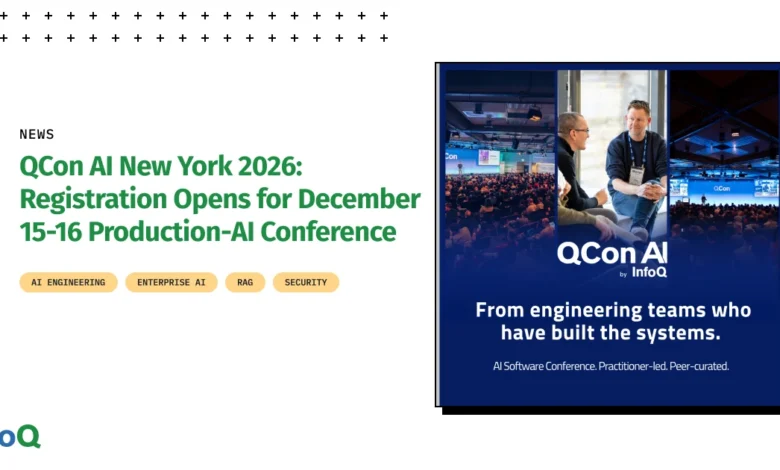
QCon AI New York 2026, scheduled for December 15-16, has officially opened registration for its highly anticipated event. Returning to the vibrant New York area, the conference will be hosted at The Westin Jersey City Newport, offering convenient access with a single PATH train ride from Lower Manhattan. This two-day intensive program is meticulously designed for senior software engineers, architects, and engineering leaders who are actively managing AI systems in production environments. The focus is distinctly on those who have moved beyond the initial decision-making phase of AI adoption and are now grappling with the practical challenges of deploying and scaling artificial intelligence in real-world applications.
The program committee has curated a robust agenda, organizing the content around six critical pillars of production AI. These key areas are designed to address the persistent challenges that teams encounter once an AI feature transcends the experimental demo phase and must withstand the rigors of live, high-traffic production environments. While the specific six areas were not detailed in the initial announcement, QCon AI events historically delve into crucial aspects such as MLOps best practices, model monitoring and observability, scaling AI infrastructure, data management for production AI, AI security and governance, and the economic considerations of running AI at scale. Each of these domains represents a significant hurdle in the journey from AI development to reliable production deployment.
Esteemed Leadership Guiding the Production AI Discourse
The program for QCon AI New York 2026 is under the distinguished leadership of Eder Ignatowicz, a Senior Principal Software Engineer and Architect at Red Hat AI. Ignatowicz brings a wealth of experience to the role, having previously chaired QCon AI Boston earlier this year, demonstrating his deep understanding of the production AI landscape. He is joined by a formidable steering committee. Faye Zhang, a Staff Software Engineer and GenAI search tech lead at Google, brings cutting-edge insights from one of the world’s leading AI research and development organizations. Wes Reisz, a Technical Principal Consultant at Thoughtworks and a well-known figure in the tech community as the creator and co-host of The InfoQ Podcast, further solidifies the committee’s expertise. This trio represents a confluence of deep technical knowledge, practical application, and industry thought leadership, ensuring the conference content will be both relevant and impactful.
A cornerstone of the QCon AI conference series, and particularly emphasized for the New York 2026 edition, is its rigorous content selection process. The program committee meticulously reviews every proposed session. The primary criterion for acceptance hinges on two critical questions: firstly, whether the prospective speaker has direct, hands-on experience running the discussed systems and models in a production setting; and secondly, whether the presentation will offer a candid account, detailing not only what succeeded but, crucially, what failed and the lessons learned from those setbacks. This commitment to authenticity and practical wisdom ensures that attendees gain actionable insights from real-world experiences, avoiding theoretical discussions or superficial overviews. Furthermore, sessions are selected by a practitioner-led committee, and the main conference schedule remains free of sponsored talks or overt product pitches, fostering an environment of genuine knowledge sharing and peer-to-peer learning.
A Legacy of Practitioner-Led Innovation
QCon AI New York 2026 marks the second of two QCon AI events planned for the 2026 calendar. The series began earlier this year with QCon AI Boston, both events upholding QCon’s longstanding tradition of practitioner-led programming, a methodology that has been a hallmark of QCon conferences for over two decades. This approach ensures that the content is directly relevant to the challenges faced by engineers and leaders in the trenches, rather than being dictated by market trends or vendor agendas. The QCon brand has established a reputation for attracting senior-level attendees and delivering high-quality, in-depth technical content across various software engineering domains. The expansion into AI-specific events reflects the rapidly growing importance and complexity of artificial intelligence in modern software development and operations.
Beyond the scheduled talks, a key feature of the QCon AI experience is its deliberate structure designed to facilitate meaningful engagement and discussion. Attendees are provided ample time to interact directly with speakers and fellow engineers who are actively working on production AI systems. These informal yet focused discussions are invaluable for delving deeper into complex topics such as defining and managing agent boundaries in complex AI workflows, the intricacies of evaluation (evals) methodologies for AI models, robust security protocols for AI systems, and effective cost control strategies for AI infrastructure. This emphasis on networking and collaborative problem-solving is a critical component of the QCon philosophy, recognizing that many of the most valuable takeaways come from shared experiences and peer insights.
Anticipated Timeline for Program Unveiling
The journey towards the full QCon AI New York 2026 program is set to unfold over the coming months. Attendees can anticipate the initial announcement of selected sessions in August. This will be followed by the release of a preliminary schedule in October, offering an early glimpse into the conference’s thematic and technical focus. The complete and final program is expected to be published by early November, providing a comprehensive overview of all talks, speakers, and tracks. This phased announcement strategy allows potential attendees to plan their participation and prioritize sessions that align with their specific professional interests and challenges.
Background and Context of QCon AI Events
QCon, originally an acronym for "Quality Conference," has a long-standing history of providing highly technical and in-depth content for software professionals. Founded in 2006, the conference series has expanded globally, with events in San Francisco, London, Shanghai, and now, with its AI-focused tracks, in Boston and New York. The core philosophy of QCon has always been to cater to senior engineers and architects who are building and managing complex systems. The introduction of QCon AI events specifically targets the burgeoning field of artificial intelligence, acknowledging its transformative impact on software development and the unique challenges associated with deploying and maintaining AI in production. Unlike general software engineering conferences, QCon AI is dedicated to the practical realities of making AI work at scale, addressing the specific needs of teams that have already committed to AI adoption and are now navigating its operational complexities.
The decision to host QCon AI New York in Jersey City, a location that offers excellent connectivity to New York City’s financial and tech hubs, underscores the conference’s strategic positioning. This accessibility ensures that professionals from a wide range of industries, including finance, technology, and healthcare, all of which are increasingly leveraging AI, can attend and contribute to the discourse. The conference’s emphasis on "production AI" is a critical differentiator. It signals a move away from theoretical AI research or introductory AI concepts, focusing instead on the engineering challenges of integrating, deploying, monitoring, and scaling AI models and systems within demanding operational environments. This includes topics such as robust data pipelines, continuous integration and deployment (CI/CD) for machine learning models, model drift detection and mitigation, ethical AI considerations in deployment, and the economic viability of AI solutions.
Supporting Data and Industry Trends
The timing and focus of QCon AI New York 2026 are particularly relevant given the current landscape of AI adoption. Industry reports consistently highlight the significant investment and rapid growth in AI technologies across all sectors. For instance, Gartner forecasts that worldwide AI software spending will reach $272 billion in 2026, an increase of 28.4% over 2025, underscoring the escalating reliance on AI solutions. However, this growth also brings significant challenges. A study by Forrester found that a substantial percentage of AI initiatives fail to reach production or scale effectively due to a lack of operational expertise and robust MLOps practices. QCon AI events directly address this gap by providing a platform for engineers and leaders to share best practices and lessons learned from their experiences in overcoming these hurdles.
The emphasis on "what didn’t work" is especially pertinent. Many organizations are still in the early stages of understanding the full lifecycle of AI systems. Failures in production can range from subtle performance degradations due to data drift to catastrophic security breaches or significant cost overruns. Conferences like QCon AI New York are crucial for fostering a culture of transparency and continuous improvement within the AI engineering community. By encouraging speakers to share their failures, the event aims to accelerate the learning curve for all participants, helping them avoid common pitfalls and build more resilient and reliable AI systems.
Official Statements and Reactions (Inferred)
While specific official statements beyond the initial registration announcement have not been released, the established reputation and editorial approach of QCon conferences provide strong indicators of the event’s intended impact. Eder Ignatowicz, in his capacity as Program Chair, likely emphasized the critical need for such a focused event during the planning stages. His previous leadership at QCon AI Boston would have provided invaluable insights into the types of discussions and challenges that resonate most with practitioners. Similarly, the involvement of industry leaders like Faye Zhang from Google and Wes Reisz from Thoughtworks suggests a shared commitment to advancing the field of production AI through practical, experience-based knowledge sharing.
The QCon AI series, by its very nature, acts as a barometer for the state of production AI. The topics that emerge and gain traction in these forums often reflect the most pressing challenges and emerging solutions in the industry. The consistent practitioner-led approach and the focus on real-world applications signal to the market that QCon AI New York 2026 is poised to be a vital forum for those at the forefront of AI implementation.
Broader Impact and Implications
The success of QCon AI New York 2026 and similar events has significant implications for the broader technology landscape. By fostering collaboration and knowledge sharing among senior engineers and architects, these conferences contribute to the maturation of MLOps practices and the overall reliability and security of AI systems. As more organizations move their AI initiatives into production, the insights gained from events like QCon AI New York will be instrumental in driving responsible innovation, mitigating risks, and unlocking the full potential of artificial intelligence. The event serves not just as a learning opportunity but as a catalyst for establishing industry standards and best practices in a rapidly evolving domain. The focus on senior practitioners ensures that the discussions are grounded in practical engineering realities, leading to actionable outcomes that can be directly applied to complex production environments, ultimately accelerating the safe and effective deployment of AI across industries.
More information and registration details are available at QCon AI New York.