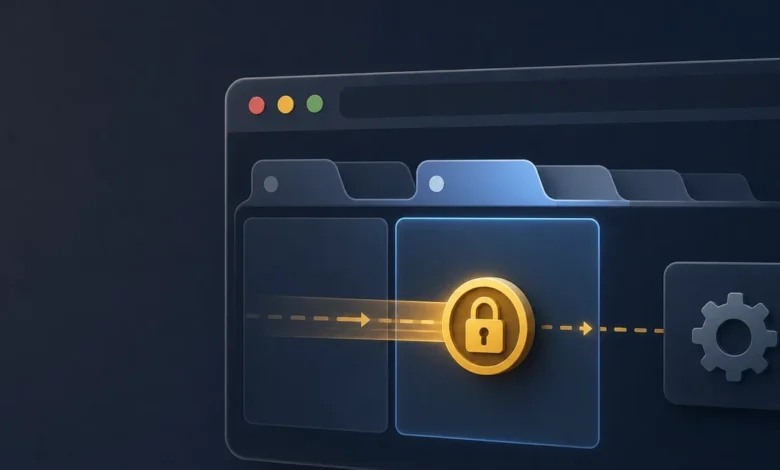
Modern web applications have evolved from simple, single-page documents into complex, multi-threaded ecosystems. Users frequently open the same web application across multiple browser tabs, background service workers, and dedicated web workers simultaneously. This multi-context reality introduces severe architectural challenges, particularly regarding state synchronization and data integrity. When multiple execution contexts belonging to the same origin attempt to execute short, side-effecting operations concurrently, traditional JavaScript synchronization primitives fall short.
Each browser context maintains an isolated memory heap. Consequently, standard boolean flags, promises, or module-level singleton guards are inherently limited to the specific JavaScript thread in which they reside. A module-level lock initialized in Tab A is completely invisible to Tab B or a background sync worker running in parallel. To bridge this architectural gap, developers must leverage the browser’s native Web Locks API, specifically utilizing the navigator.locks.request() method to achieve robust, origin-scoped coordination across disparate execution threads.
The Architectural Limitation of In-Memory Mutexes
In single-threaded application environments, developers traditionally rely on simple locking mechanisms—such as asynchronous mutex libraries or boolean state variables—to prevent race conditions. For example, if a user clicks a button that triggers an asynchronous network request and a subsequent database update, a local flag (isProcessing) can prevent the user from double-clicking and triggering duplicate transactions.
However, when that same application runs concurrently across a primary tab, a secondary dashboard tab, and an active service worker handling push notifications, local flags fail. Each environment operates within its own sandbox memory space. If a background synchronization worker initiates a batch data import while the user is actively modifying records in the foreground tab, both contexts can execute conflicting mutations simultaneously. This leads to silent data corruption, duplicate database entries, and unpredictable application behavior.
To solve this, developers require an inter-tab communication and synchronization mechanism managed at the browser level. While older paradigms relied on BroadcastChannel or localStorage events to pass messages between tabs, these methods are asynchronous, prone to race conditions, and lack deterministic queuing guarantees. They require developers to write complex boilerplate code to negotiate lock ownership manually, increasing the likelihood of deadlocks.

Understanding the Web Locks API and navigator.locks.request()
Introduced to provide a standardized solution for resource contention, the Web Locks API allows asynchronous JavaScript code to acquire a lock on a shared resource for a specific duration. Accessible via navigator.locks in the main thread and WorkerNavigator.locks within workers, the API is secure-context restricted and scoped entirely to the application’s origin.
The core method, navigator.locks.request(), accepts three primary parameters: a unique lock name string, an optional configuration object, and a callback function.
navigator.locks.request('my-critical-resource',  mode: 'exclusive' , async (lock) =>
  // Critical section: perform unsafe mutations here
);
The configuration object supports several crucial properties that dictate how the browser manages queueing and resource access:
mode: Can be set to'exclusive'(default) or'shared'. Exclusive mode ensures that only one context can hold the lock at a time, making it ideal for write operations. Shared mode allows multiple read operations to occur concurrently, but automatically blocks any incoming exclusive requests until all shared holders have released the resource.ifAvailable: A boolean flag that modifies the acquisition strategy. If the requested lock is currently held by another context, the browser immediately bypasses the queue, skips waiting, and invokes the callback withnull. This is particularly useful for UI polling or non-critical background tasks that should gracefully abort if the resource is busy.steal: A powerful and potentially dangerous option that forces the browser to immediately release any existing holders of the named lock and grant it to the new requester. Engineers must exercise extreme caution with this flag to avoid cutting off active, half-completed transactions in other tabs.
When a lock request is made, the browser evaluates the resource state. If available, it grants the lock, instantiates a Lock object containing the name and mode, and executes the provided callback function. Crucially, the browser maintains an internal queue. If a second context requests the same lock while it is occupied, the browser automatically queues the request, ensuring orderly, FIFO (First-In, First-Out) processing once the preceding callback settles or returns its promise.
Practical Implementation Strategies and Best Practices
Implementing cross-tab locking requires a disciplined approach to application architecture. Because locks manage access to shared resources rather than guaranteeing transactional atomicity across external databases, developers must design their critical sections with failure recovery in mind.
A robust implementation pattern follows three distinct phases:

- Idempotent Preparation Outside the Critical Section: Perform cheap validations, data sanitization, and network fetches prior to invoking
navigator.locks.request(). Keeping non-blocking logic outside the lock minimizes the duration that the resource remains blocked for other tabs. - Focused Execution Within the Callback: Confine unsafe mutations—such as updating indexedDB stores, finalizing shopping cart checkouts, or committing local state changes—strictly inside the lock callback.
- Durable Progress Tracking: The Web Locks API protects overlapping callbacks from executing simultaneously within the browser, but it does not provide automatic database rollbacks. If a script fails midway through a multi-record transaction, the lock will release, but the data may be left in an inconsistent state. Consequently, developers must record progress durably in underlying storage layers (such as IndexedDB or a remote server) to facilitate seamless recovery after a crash or process restart.
Implementing a Local Shim for Development and Testing
To better understand the mechanics of browser-level locking, engineers often study or implement local shims that replicate the behavior of the Web Locks API. Below is a production-grade JavaScript implementation of an in-memory lock manager demonstrating deterministic queueing, exclusive and shared modes, and deferred promise resolution:
class Deferred
  constructor()
    this.promise = new Promise((resolve, reject) =>
      this.resolve = resolve;
      this.reject = reject;
    );


function normalizeRequestArgs(optionsOrCallback, maybeCallback)
  if (typeof optionsOrCallback === 'function')
    return  options: , callback: optionsOrCallback ;

  return  options: optionsOrCallback ?? , callback: maybeCallback ;


export function createInMemoryLockManager()
  const state = new Map();
  let nextToken = 1;

  function getEntry(name)
    if (!state.has(name))
      state.set(name,  holders: [], queue: [] );

    return state.get(name);


  function canGrant(entry, mode)
    if (entry.holders.length === 0) return true;
    if (mode === 'shared' && entry.holders.every((h) => h.mode === 'shared')) return true;
    return false;


  function scheduleFlush(name)
    queueMicrotask(() => flush(name));


  function grant(entry, name, request)
    entry.holders.push( token: request.token, mode: request.mode );
    const finish = async () =>
      try
        const result = await request.callback( name, mode: request.mode );
        request.deferred.resolve(result);
       catch (error)
        request.deferred.reject(error);
       finally
        entry.holders = entry.holders.filter((holder) => holder.token !== request.token);
        scheduleFlush(name);

    ;
    finish();


  function flush(name)
    const entry = getEntry(name);
    while (entry.queue.length > 0 && canGrant(entry, entry.queue[0].mode))
      const request = entry.queue.shift();
      grant(entry, name, request);
      if (request.mode === 'exclusive') break;


  async function request(name, optionsOrCallback, maybeCallback)
    const  options, callback  = normalizeRequestArgs(optionsOrCallback, maybeCallback);
    if (typeof callback !== 'function')
      throw new TypeError('callback must be a function');


    const mode = options.mode ?? 'exclusive';
    const ifAvailable = Boolean(options.ifAvailable);
    const steal = Boolean(options.steal);

    if (ifAvailable && steal)
      throw new Error('NotSupportedError: ifAvailable and steal cannot both be true');

    if (mode !== 'exclusive' && mode !== 'shared')
      throw new Error('mode must be "exclusive" or "shared"');


    const entry = getEntry(name);
    const token = nextToken++;

    if (steal)
      entry.holders.length = 0;
      entry.queue.length = 0;


    if (ifAvailable && !canGrant(entry, mode))
      return callback(null);


    if (canGrant(entry, mode))
      const deferred = new Deferred();
      const requestRecord =  token, mode, callback, deferred ;
      grant(entry, name, requestRecord);
      return deferred.promise;


    const deferred = new Deferred();
    entry.queue.push( token, mode, callback, deferred );
    return deferred.promise;


  return  request ;


export async function runExclusiveTask(lockManager, lockName, work)
  return lockManager.request(lockName,  mode: 'exclusive' , async (lock) => work(lock));


export async function runSharedTask(lockManager, lockName, work)
  return lockManager.request(lockName,  mode: 'shared' , async (lock) => work(lock));


export  Deferred ;
Broader Industry Implications and Future Outlook
As web applications continue to shoulder workloads traditionally reserved for native desktop and mobile software, proper state management across browser contexts has shifted from a niche optimization to a core architectural requirement. Complex client-side applications—including collaborative document editors, offline-first project management tools, and real-time financial dashboards—depend heavily on predictable resource serialization.
Failing to implement cross-tab synchronization can result in catastrophic user experiences, ranging from overwritten form submissions to corrupted local databases (such as IndexedDB). While developers have historically attempted to solve these races using custom polling intervals or fragile event listeners, the standardization and widespread browser adoption of the Web Locks API provide a robust, native solution.
Ultimately, choosing the right locking primitive depends entirely on the scope of the race condition. When contention is strictly localized to a single JavaScript execution context, lightweight in-memory mutexes remain efficient and appropriate. However, whenever an application spawns multiple tabs, windows, or worker threads that share access to mutable origin-level data, adopting navigator.locks.request() is essential to maintaining absolute data integrity across the user’s browser session.