UK AI Security Institute blocked from testing latest OpenAI and Anthropic models amid growing US protectionist concerns

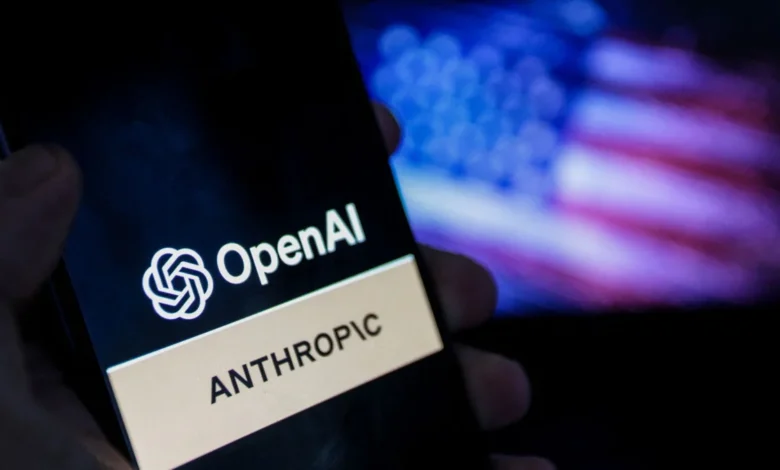
The UK’s AI Security Institute (AISI) has been denied access to perform pre-release safety evaluations on the latest frontier models from OpenAI and Anthropic, marking a significant setback for the agency’s mission to oversee global artificial intelligence safety standards. The restriction, reportedly stemming from a direct request by the White House, highlights an emerging geopolitical friction point: the tension between international collaborative safety testing and domestic national security priorities.
According to reports, the decision affects the most recent iterations of industry-leading AI, specifically Anthropic’s Claude Opus 5.5 and OpenAI’s newly unveiled GPT-6 Sol and GPT-6 Luna. These models, which represent the cutting edge of generative AI capability, were released on September 22. While the AISI has historically functioned as a primary partner for these firms, performing "red-teaming" and safety assessments prior to public deployment, the current stalemate signals a shift in how Washington manages its sovereign technological assets.
A Pattern of Exclusion
This incident is not an isolated event but rather the second major instance within a single month where the UK regulator has been sidelined. In early September, Anthropic similarly restricted access to its "Mythos 5.1" model, citing an internal policy that effectively barred organizations outside of the United States from performing pre-release testing.
The chronology of these events suggests a hardening of policy. In August and early September, the AISI maintained a productive, if busy, relationship with developers. AISI Director Henry de Zoete previously confirmed to the House of Commons Business and Trade Committee that the institute had successfully tested OpenAI’s "GPT-6 Astra" model prior to its public release. However, the subsequent weeks have seen a marked change in transparency. The refusal to share Mythos 5.1, followed by the broader restriction on the latest GPT-6 and Claude iterations, points to a deliberate recalibration of how American companies—and the US government—view the oversight of foundational AI models.
The Role of the White House
The directive to withhold these models reportedly originated from the Office of the National Cyber Director within the White House. Sources familiar with the internal deliberations indicate that the administration intends to prioritize a domestic-only review process before authorizing any international information sharing.
A senior US official, speaking under the condition of anonymity, provided the rationale: "They are American companies, and this has been our policy with every new frontier model that comes out." This statement underscores a "national security first" approach to AI. By keeping these models within the US ecosystem during their most sensitive developmental phase, the government seeks to prevent the potential leakage of sensitive capabilities to foreign actors, while simultaneously asserting control over the global AI safety narrative.
The AISI Mission and Global Safety Challenges
Established by the UK government with a mandate to bridge the gap between technical capability and public safety, the AISI acts as a critical node in the global AI governance framework. Its primary objective is to develop a rigorous, evidence-based understanding of the risks posed by frontier models—ranging from biological weapon proliferation and cyberattack automation to societal manipulation.
The institute’s methodology involves collaborating with academic researchers, industry stakeholders, and, crucially, the developers themselves. However, as the geopolitical stakes of "AI supremacy" rise, the ability of a national body to function as an independent arbiter is increasingly complicated by the commercial and national interests of the companies it seeks to regulate.
The AISI’s response to these setbacks has remained measured and diplomatic. A spokesperson for the institute emphasized the borderless nature of the risks associated with AI, stating, "The UK is a world leader in AI security, and the AI Security Institute continues to work closely with the US government, international partners, and leading AI companies. These risks do not stop at national borders and no country can tackle them alone."
Economic and Technological Implications
The decision to restrict access to the AISI raises profound questions about the future of international AI governance. Proponents of an integrated approach argue that if major powers like the US and UK cannot align their safety testing protocols, it creates "regulatory arbitrage," where companies might prioritize jurisdictions with less stringent oversight.
Furthermore, there is a tangible risk of a "protectionist shift." If American companies are compelled to favor domestic testing partners, the AISI could find itself increasingly marginalized. This could lead to a divergence in safety standards, where the UK and its European partners are forced to develop their own, potentially incompatible, evaluation frameworks. Such fragmentation would undermine the spirit of the Bletchley Declaration, the international agreement signed in late 2023 that emphasized the necessity of global cooperation to manage the risks of "frontier AI."
Analytical Perspective: The Cost of Isolation
From an industry perspective, the cost of these testing delays is twofold. First, there is the technical impact: if the AISI is unable to contribute its expertise to the pre-release phase, the models may hit the market with latent, undiscovered vulnerabilities. The AISI has invested heavily in developing specialized, non-public evaluation tools that identify "jailbreak" potential and dangerous capabilities; losing access to these tools represents a net loss for the global safety community.
Second, there is the institutional impact on the UK. If the AISI is repeatedly excluded, its relevance as a global regulator diminishes. This could hamper the UK’s ambition to become a "neutral ground" for AI governance, a position it has actively courted by hosting global safety summits.
Conversely, the US government’s insistence on domestic oversight is likely driven by a fear of "model exfiltration." In a world of increasing cyber espionage, the risk of a high-capability model’s weights being stolen or reverse-engineered by hostile state actors is a primary concern for the Pentagon and the intelligence community. To the White House, the "safety" of an AI model is inseparable from the national security of the country in which it was built.
Looking Ahead
As of the current writing, both OpenAI and Anthropic have declined to provide specific justifications for the latest restrictions, and neither has issued a public statement addressing the White House directive. The silence from these companies suggests a high degree of compliance with US federal guidance, likely driven by both a desire to maintain government contracts and a strategic need to keep the administration on their side as they navigate future antitrust and regulatory challenges.
The road ahead for the AISI will likely involve high-level diplomatic discussions between London and Washington. The UK government must now decide whether to challenge the US stance through formal diplomatic channels or to adapt its strategy to focus on independent, post-release evaluation and the development of open-source safety benchmarks that do not rely on the cooperation of a few dominant US firms.
The incident serves as a stark reminder that in the era of Artificial General Intelligence (AGI) development, the most powerful tool is information. As the competition for AI dominance intensifies, the collaborative model that defined the early days of AI safety is being superseded by a more guarded, nationalistic approach. For the AISI, the challenge now is to prove its value in a landscape where its primary partners are becoming increasingly hesitant to share their most precious assets.
Ultimately, the goal of preventing catastrophic AI-enabled outcomes remains a shared global interest. Whether that goal is best served by centralized, national control or a truly international, collaborative oversight mechanism remains the defining debate of the next decade of technological policy. As the UK and US governments navigate this delicate period, the global AI community will be watching closely to see if the "special relationship" can extend to the most critical technology of the 21st century.