The Chronology of the iPhone Duo Launch
The introduction of the iPhone Duo represents a significant pivot in Apple’s hardware roadmap, ending years of industry speculation regarding the company’s potential entry into the foldable smartphone market. The device was unveiled earlier this month during a high-profile hardware event, where it was showcased alongside the iPhone 18 Pro lineup.
Following the announcement, Apple released the Release Candidate (RC) version of iOS 27.0. While this update contained the complete suite of wallpapers for the iPhone 18 Pro—a collection that emphasized high-contrast textures and metallic gradients—the iPhone Duo’s unique visual assets were notably excluded from the build. This omission led to widespread curiosity among the tech community and developers who were eager to see how Apple would utilize the unique aspect ratio of a foldable display in its UI design.
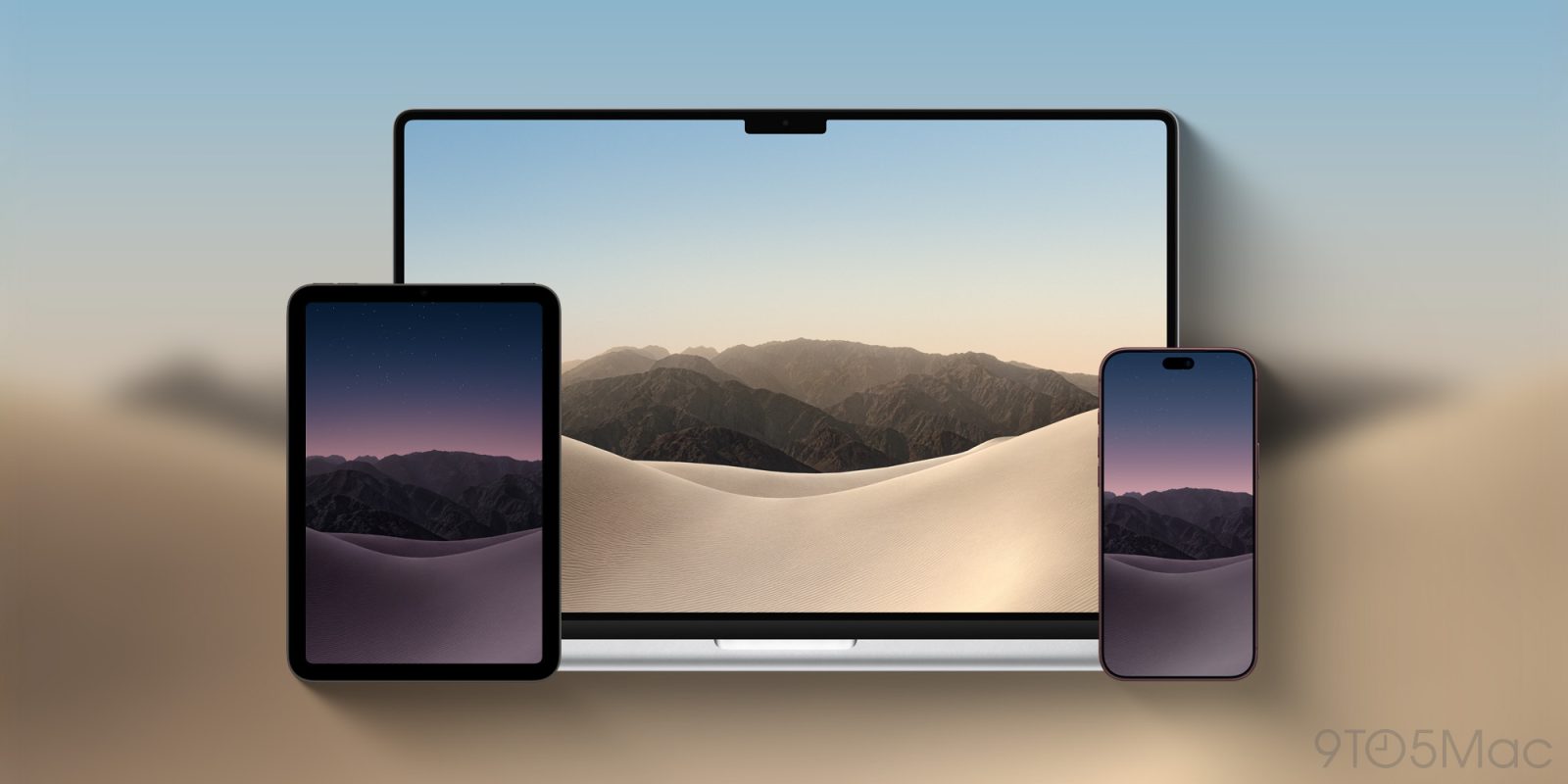
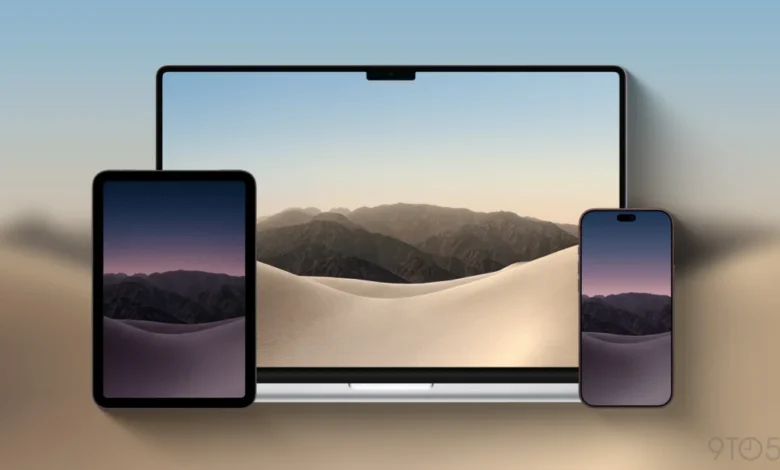
The resolution to this mystery arrived today with the distribution of the Xcode 27.1 beta. Developers accessing the iPhone Simulator within this new environment discovered the full collection of four wallpapers: two variants optimized for light mode and two for dark mode. By extracting these assets from the simulator, the imagery has become accessible to the public, allowing users to experience the "Duo" aesthetic on their existing devices.
Design Language and Aesthetic Direction
The design of the iPhone Duo wallpapers reflects a calculated shift toward organic, atmospheric themes. The imagery consists of stylized, minimalist dunes that suggest depth and perspective, contrasted against the rigid, jagged peaks of a distant mountain range.
The light mode variants utilize a palette of soft neutrals, muted earth tones, and warm highlights, designed to maximize the visibility of text and icons against a bright, airy background. Conversely, the dark mode versions invert this logic, employing deep shadows, slate blues, and obsidian highlights that capitalize on the high-contrast capabilities of the OLED display technology utilized in the iPhone Duo.

This dual-themed approach is consistent with Apple’s long-standing philosophy of "system-wide harmony," where the wallpaper is not merely a static image but a functional extension of the operating system’s appearance. The choice of a mountain-and-dune landscape suggests a thematic focus on "openness" and "expansion," which aligns with the marketing narrative of a foldable device that offers a larger, more versatile screen real estate compared to standard slab-style smartphones.
Technical Context and Developer Integration
The inclusion of these wallpapers within the Xcode 27.1 beta is more than a mere aesthetic update; it is a functional necessity for application developers. When designing software for a new form factor like the iPhone Duo, developers must ensure their apps adapt gracefully to different screen orientations, fold states, and aspect ratios. By providing these system-level wallpapers, Apple allows developers to test their interface layouts against the specific color profiles and contrast ratios that the iPhone Duo is expected to maintain as its default system state.
For the average user, the ability to download these images via the simulator underscores the interconnected nature of Apple’s ecosystem. Even when a feature or asset is not explicitly pushed to the general public in a standard OTA (Over-the-Air) update, the developer tools provide a window into the company’s design pipeline.

Broader Market Implications
The launch of the iPhone Duo and its associated design assets signals a maturation of the foldable device market. While competitors have populated this space for several years, Apple’s entry typically serves as a catalyst for mainstream adoption. The company’s decision to commission custom, high-fidelity artwork specifically for this device suggests that Apple views the iPhone Duo not as a niche experimental product, but as a primary pillar of its future hardware strategy.
From an industry perspective, the focus on visual branding for a foldable device is crucial. As form factors evolve, the "identity" of the phone must be easily recognizable at a glance. By pairing the device with a distinct, recurring visual theme, Apple is establishing a brand identity for the "Duo" line that differentiates it from the "Pro" and standard "iPhone" branding.
Analysts have pointed out that the release of these wallpapers acts as a soft-launch for the device’s marketing campaign. By allowing users to adopt the imagery ahead of the hardware’s widespread commercial availability, Apple is effectively building "visual anticipation." This strategy has been employed successfully with past iPhone generations, where wallpaper leaks often generate more social media engagement than the underlying technical specifications.

Technical Data and Specifications
The assets extracted from Xcode 27.1 represent high-bit-depth, high-resolution renders. The images are optimized to accommodate the unique physical dimensions of the iPhone Duo’s primary display, which is rumored to feature a near-square aspect ratio when fully unfolded.
- File Format: Lossless PNG.
- Resolution: 2853 x 2007 pixels (native aspect ratio).
- Color Space: P3 Wide Color gamut support.
- Variants: Two unique compositions, each with distinct light and dark mode versions.
The file sizes are relatively large, reflecting the high-resolution requirements of modern mobile displays. Users wishing to apply these wallpapers to other devices, such as the iPad or standard iPhone models, may need to crop or scale the images to fit their specific screen dimensions, as the source files are natively formatted for the unique geometry of the Duo.
Official Guidelines and User Best Practices
Apple’s standard approach to wallpaper implementation involves the use of the "Settings" application, where users can toggle between light and dark versions. Because these specific images were designed with the iPhone Duo’s display properties in mind, they are expected to be the default choices for the device upon its initial setup.

For users on older devices wishing to install these wallpapers, the process remains consistent with established iOS standards:
- Download: Save the full-resolution PNG files from the source to the Photos app.
- Access: Navigate to Settings > Wallpaper > Add New Wallpaper.
- Select: Choose the saved image from the photo library.
- Adjustment: Use the pinch-to-zoom gesture to ensure the mountain range or dune detail is centered appropriately for the specific aspect ratio of the user’s device.
Apple’s support documentation confirms that these images support the parallax effect, which adds a sense of depth as the phone is tilted. This is a key feature of modern iOS builds and remains an integral part of the user experience, particularly on high-refresh-rate displays.
Conclusion
The availability of the iPhone Duo wallpapers in the Xcode 27.1 beta marks a small but significant milestone in the rollout of Apple’s most ambitious hardware project in recent memory. While the technical specs of the device—its hinge mechanism, screen longevity, and software optimization for folding—will ultimately determine its success in the marketplace, the attention to detail in its visual assets demonstrates that Apple is maintaining its commitment to a premium, design-forward user experience. As the release date for the physical hardware approaches, these images will likely become the signature look of the next generation of mobile computing, serving as a reminder of the shift toward more flexible and expansive screen technologies.