Worktrunk Solves Git Worktree Friction to Power the Rise of Parallel AI Coding Agents

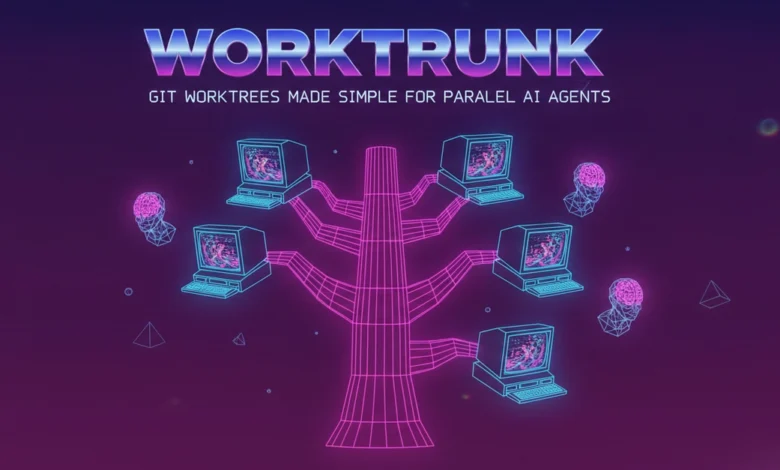
The rapid evolution of autonomous artificial intelligence software engineering tools has fundamentally transformed the modern developer workflow. Advanced AI coding agents, such as Anthropic’s Claude Code and OpenAI-powered Codex variants, are no longer limited to generating localized snippets or assisting with simple autocomplete queries. Modern developer agents possess the capability to autonomously navigate complex repositories, execute terminal commands, run test suites, and independently work on extended multi-file tasks over significant periods without continuous human supervision.
This leap in autonomy has unlocked a powerful new paradigm for human software engineers: the ability to manage multiple AI agents simultaneously. Instead of waiting for a single agent to finish refactoring a module, fixing a bug, or writing unit tests, a developer can realistically orchestrate several independent background tasks across different features at the same time. However, this multi-agent workflow immediately exposes a critical structural bottleneck inherent in traditional version control systems. When multiple agents or human engineers operate within the same local repository folder simultaneously, they inevitably overwrite each other’s changes, corrupt state files, and trigger cascading merge conflicts that derail productivity.
The Native Git Solution and Its Usability Barrier
Git has historically provided a built-in mechanism designed to address this exact isolation challenge: git worktrees. A git worktree allows a developer to attach a separate working directory to the exact same underlying repository. This architectural approach ensures that multiple branches can live in distinct, fully isolated folders simultaneously without sharing the same working tree state.
Despite its immense utility for parallel development, git’s native worktree implementation suffers from a notoriously clunky, unintuitive command-line interface. Setting up a single new worktree using native git commands requires a verbose and repetitive sequence of inputs:
git worktree add -b feat ../repo.feat
cd ../repo.feat
In this standard workflow, the developer is forced to type the exact branch name three times in different contexts, manage relative directory paths manually, and remember to execute an equally cumbersome multi-step ritual to clean up the directory and branch once the work is completed. When scaling this process up to handle a fast-paced development cycle where a programmer might spin up and discard ten different experimental branches a day, native git worktrees introduce unacceptable friction. The cognitive overhead of managing paths and directory transitions quickly outweighs the organizational benefits of branch isolation.
Enter Worktrunk: Bridging the Gap for Modern Multi-Agent Development
Recognizing this acute friction point, developer Max Sixt released an open-source command-line tool written in Rust at the beginning of 2026 named Worktrunk. Distributed under the permissive MIT or Apache-2.0 licenses, Worktrunk has rapidly gained traction across the global developer community, amassing over 5,000 stars on GitHub within weeks of its initial release.
Worktrunk was architected with a singular philosophy: to make git worktrees as seamless, intuitive, and frictionless to use as standard local git branches. Rather than forcing the user to manually track, create, and navigate relative filesystem paths, Worktrunk abstracts the underlying directory management entirely. Developers interact strictly with familiar branch names, while the tool automatically calculates, provisions, and maintains the necessary folder structures behind the scenes.
Core Architectural Mechanics and Command-Line Comparison
To understand the productivity gains offered by Worktrunk, it is helpful to examine how standard, repetitive git operations translate into Worktrunk’s streamlined syntax. The utility relies on a lean set of core commands that handle the vast majority of day-to-day version control maintenance tasks.
Switching between isolated worktrees in native git requires manually navigating directory paths using the command line, whereas Worktrunk unifies this into a single atomic instruction. The following comparative breakdown illustrates the efficiency delta between the two approaches:
For everyday tasks, Worktrunk reduces multi-step shell gymnastics into concise, intuitive commands. For instance, creating a new feature branch and immediately initializing an autonomous AI coding agent within its isolated directory requires a lengthy compound shell execution in plain git:
git worktree add -b feat ../repo.feat && cd ../repo.feat && claude
With Worktrunk, this entire sequence is abstracted into a single, elegant command structure that handles branch creation, directory traversal, and agent invocation simultaneously.
Installation and Shell Integration Protocol
Getting started with Worktrunk requires a standard package manager installation followed by a critical shell integration step. Developers on macOS and Linux can install the tool via Homebrew, while Rust developers can utilize Cargo:
brew install worktrunk && wt config shell install
or
cargo install worktrunk && wt config shell install
The execution of the wt config shell install command is vital for the tool’s core functionality. Because standard command-line programs cannot alter the working directory of their parent shell process due to operating system security boundaries, Worktrunk relies on custom shell integration functions. This integration allows the wt command to seamlessly manipulate the current working directory of the developer’s terminal session when switching between worktrees.
Once installed, creating an isolated worktree for a new feature requires only a single instruction:
wt switch –create feature-auth
This command provisions the underlying git branch, generates the separate working directory, and instantly relocates the user into the isolated environment. Developers can monitor all active worktrees and their respective modification statuses across the repository using the streamlined wt list command, which provides a comprehensive overview far exceeding the basic path-only output of native git.
When a feature is complete, developers can either open a standard pull request and clean up the worktree via wt remove, or leverage Worktrunk’s local merge automation:
wt merge main
This advanced command automatically commits any pending changes in the worktree, rebases the branch onto the specified target branch (such as main), executes the local merge, and safely cleans up both the temporary worktree directory and the local branch in one fluid motion.
Orchestrating Parallel AI Coding Agents
The true value proposition of Worktrunk becomes fully apparent when managing multiple AI coding agents concurrently. In a modern software engineering environment, developers frequently need to dispatch distinct agents to handle separate, non-overlapping tasks within the same codebase.
Using Worktrunk, a developer can spin up three separate, fully isolated worktrees and launch an independent instance of an AI agent like Claude Code in each directory simultaneously:
wt switch -x claude -c feature-a — ‘Add user authentication’
wt switch -x claude -c feature-b — ‘Fix the pagination bug’
wt switch -x claude -c feature-c — ‘Write tests for the API’
In this configuration, the -x flag instructs Worktrunk to execute a specified command immediately after switching into the newly created worktree, while everything trailing the -- delimiter is passed directly as arguments to that command. Because each agent operates within its own strictly isolated directory path mapped to a separate git worktree, none of the agents can overwrite, corrupt, or interfere with another agent’s modified files. This structural separation eliminates the risk of conflicting file writes during autonomous background execution.
Ecosystem Analysis, Caveats, and Strategic Implications
While Worktrunk presents a compelling solution for developers scaling up their multi-agent workflows, industry analysts and early adopters note several important caveats regarding its current maturity.
As a relatively young open-source project, Worktrunk experiences frequent updates, meaning users should anticipate regular releases and occasional syntax or configuration adjustments. Furthermore, because git worktrees maintain full, independent copies of the working files for each active branch, developers working within massive enterprise codebases must remain mindful of disk space consumption. Although Worktrunk incorporates cache-copying optimizations to mitigate storage overhead, running numerous concurrent worktrees on a very large repository will inevitably demand significantly more local disk capacity.
Platform-specific nuances also require consideration. On Windows operating systems, the native wt command abbreviation historically conflicts with the Windows Terminal application command. To resolve this naming collision without disrupting user workflows, Worktrunk automatically installs under the alias git-wt on Windows environments unless the user explicitly alters the configuration. Naturally, for developers whose standard daily routine involves focusing on a single sequential branch at a time, native git commands remain entirely sufficient.
However, for engineering teams and individual developers who have integrated parallel AI coding agents into their core development pipelines, Worktrunk successfully removes the administrative friction that has long plagued native git worktrees. By streamlining environment isolation, Worktrunk transforms multi-agent orchestration from a complex chore into an effortless, native component of daily software development.