Securing the Modern Distributed Workforce: A Strategic Guide for Small and Medium-Sized Enterprises


In an era where the traditional corporate perimeter has effectively dissolved, the modern small to medium-sized business (SMB) finds its operations stretched across kitchen tables, airport lounges, and client boardrooms. As work becomes increasingly decoupled from a fixed office location, the security architecture required to protect corporate assets must evolve from perimeter-based defenses to a zero-trust, device-centric model. For the contemporary IT administrator, the challenge is twofold: they must ensure that sensitive data remains encrypted and accessible only to authorized personnel, while simultaneously minimizing the friction that cumbersome security protocols can introduce to the end-user experience.
The shift toward hybrid and remote work is not merely a logistical change; it is a fundamental reconfiguration of the enterprise threat landscape. In 2026, the reliance on basic password hygiene and entry-level antivirus software is no longer sufficient. Modern threats, ranging from sophisticated firmware-level attacks to supply-chain compromises, require a more holistic approach that encompasses hardware-rooted security, identity verification, and automated lifecycle management.
The Evolution of the Perimeterless Workplace
Historically, security teams operated under the assumption that if an employee was inside the office, they were within a "trusted" environment. This model relied heavily on firewalls and physical office security. However, as the workforce has become mobile, the "trusted" environment has vanished. Data now resides on laptops that are frequently connected to unsecured public Wi-Fi networks and used in environments where physical theft or unauthorized access is a constant risk.
According to recent cybersecurity industry benchmarks, over 60% of data breaches in the SMB sector involve compromised credentials or vulnerabilities on remote endpoints. When a laptop leaves the office, it takes with it not just the hardware, but access to critical cloud-based CRM systems, financial databases, and proprietary intellectual property. For the IT team, this necessitates a move toward granular control, where security policies are applied to the individual and the device rather than the office building.

Chronology of the Modern Endpoint Security Shift
The transition to current security standards has been accelerated by several key developments in the hardware and software sectors over the past decade:
- 2018–2020: The rapid adoption of remote work during the global pandemic forced a reactive security posture, leading to an explosion in VPN usage and temporary access solutions.
- 2021–2023: As the "new normal" settled, organizations recognized that reactive measures were unsustainable. This period saw the integration of Zero Trust Network Access (ZTNA) and the maturation of hardware-based security features like TPM 2.0 as industry standards.
- 2024–2026: The current phase is defined by "Secure by Design" initiatives, where manufacturers and software providers are baking security into the silicon itself. The focus has moved from patching vulnerabilities to preventing them through supply-chain verification and firmware integrity monitoring.
Identifying and Securing Mobile Assets
The first step in securing a distributed workforce is comprehensive visibility. IT teams must move beyond the "office-wide" assumption and adopt a profile-based security strategy. This requires a rigorous audit of what each specific role necessitates. A sales representative may require mobile access to CRM data but not to the company’s core financial ledgers. Conversely, a finance professional’s machine may carry a higher inherent risk profile and require stricter endpoint controls.
By categorizing access levels based on job functions, IT departments can tailor the intensity of their security controls. If an employee is working from a remote location, the security protocols—such as multi-factor authentication (MFA) and data encryption—must be enforced at the device level, ensuring that the protection follows the worker, not the office infrastructure.
The Trust Crisis: Verifying Hardware Integrity
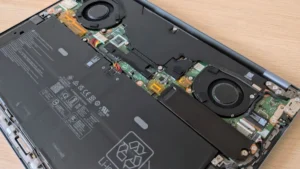
One of the most significant risks for modern SMBs is the "unboxing" phase of new hardware. With many companies now shipping devices directly from the manufacturer to the employee’s home, IT teams lose the ability to physically inspect the machine for tampering or hardware-level compromises.
To mitigate this, hardware manufacturers have introduced advanced verification protocols. For instance, technologies such as Dell’s Secured Component Verification (SCV) allow administrators to verify that the components installed in a machine—such as the memory, storage, and motherboard—match the exact, digitally signed configuration that left the factory. This process creates a "root of trust" before the machine ever connects to the corporate network, ensuring that the hardware has not been compromised during transit or assembly.

Protecting Credentials at the Silicon Level
Even when a device is verified as authentic, the problem of identity remains. Passwords, while necessary, are inherently vulnerable to phishing and brute-force attacks. The modern solution lies in biometric authentication backed by hardware-isolated credentials.
Modern PCs equipped with TPM 2.0 (Trusted Platform Module) provide a secure enclave for cryptographic keys. When combined with biometric tools like Windows Hello, this allows for a seamless user experience where the employee uses a fingerprint or facial recognition to unlock their machine. To further secure this, technologies like Dell’s ControlVault 3+ provide an isolated processor specifically for authentication data. By separating the biometric processing from the main operating system and memory, the system ensures that even if the OS is compromised, the sensitive credentials remain protected in an isolated environment.
Monitoring Below the Operating System: The BIOS/Firmware Layer
Sophisticated cyber threats often bypass the operating system entirely, targeting the BIOS or firmware. Conventional security software, which typically operates within the OS, is often blind to these "below-the-line" attacks.
Dell Trusted Device (DTD) has emerged as a critical tool for addressing this visibility gap. By monitoring the BIOS for unauthorized changes or indicators of attack, IT teams can detect potential compromises before they manifest as data breaches. If a vulnerability is detected, administrators can utilize tools like Dell Command Update to push patches directly to the firmware, effectively neutralizing the threat. This level of proactive monitoring is particularly vital for SMBs that lack the resources for 24/7 manual security operations.
Simplifying Maintenance for the Distributed Fleet
For an IT department managing dozens or hundreds of devices, complexity is the enemy of security. A diverse fleet of laptops with varying hardware configurations creates a nightmare for patch management and security policy enforcement.

Industry leaders are responding by consolidating hardware architectures. By utilizing unified BIOS packages across specific product lines—such as the Dell Pro 3, 5, and 7 series—manufacturers are allowing IT teams to streamline their update paths. Instead of managing dozens of distinct firmware versions, an administrator can deploy a single update across a range of different device configurations.
Furthermore, the integration of management portals with platforms like Microsoft Intune allows for cloud-native orchestration. IT teams can now push software updates, security policies, and configuration changes to devices located anywhere in the world, provided they have an internet connection. This eliminates the need for physical interaction with the hardware, significantly reducing the "time to patch" for critical security vulnerabilities.
The Broader Impact: Security as a Business Enabler
The transition to a secure, mobile-first environment is not merely a defensive necessity; it is a competitive advantage. Small and medium-sized businesses that can effectively secure their distributed workforce are better positioned to attract top-tier talent, who now demand flexibility as a baseline requirement.
Furthermore, as regulatory requirements—such as GDPR, CCPA, and industry-specific compliance standards—become more stringent, the ability to prove the integrity of every device and every data access point is becoming a legal imperative. By investing in hardware-rooted security, automated management, and identity-centric access controls, SMBs are not just protecting themselves from the next cyberattack; they are building a resilient, scalable foundation for future growth.
The message for the modern IT professional is clear: in a world where the office is everywhere, security must be everything. By focusing on device integrity, credential isolation, and automated maintenance, businesses can achieve the elusive balance of high-level protection and seamless operational efficiency. The technology to secure the mobile workforce exists, and for those ready to move beyond traditional, perimeter-based thinking, it offers a path toward a safer, more productive future.