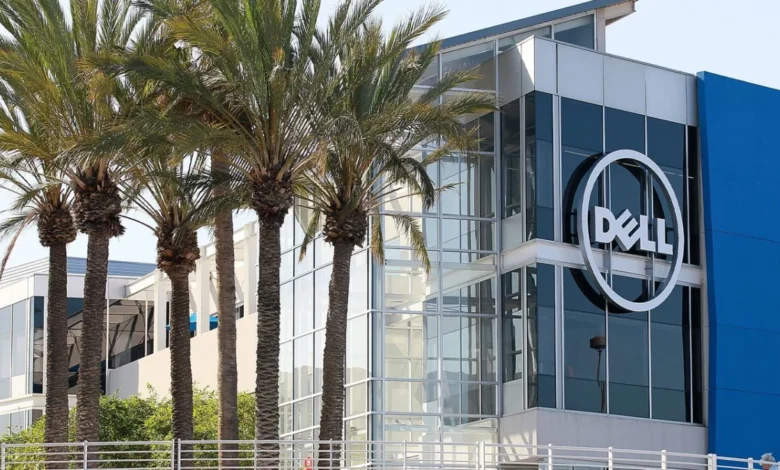
Dell Technologies has officially revised its annual revenue and profit expectations upward, signaling a period of robust growth driven by the global surge in artificial intelligence (AI) adoption. The Texas-based technology giant, a cornerstone of the enterprise computing market, has emerged as a primary beneficiary of the generative AI boom, as businesses and government agencies scramble to acquire the high-performance hardware necessary to power large language models and complex data analytics. The company’s latest financial disclosures reveal a significant leap in net income and a strategic maneuvering through a volatile global supply chain characterized by a persistent shortage of critical memory components.
The updated guidance reflects a growing confidence in the company’s Infrastructure Solutions Group (ISG), which has seen demand for AI-optimized servers skyrocket. Dell now anticipates its revenue from AI-related server sales to reach approximately $60 billion for fiscal year 2027, a substantial increase from its previous projection of $50 billion. This optimistic outlook is supported by a stellar quarterly performance where net income more than tripled, reaching $3.44 billion, compared to $965 million in the same period of the prior fiscal year.
A Strategic Pivot Toward AI-Optimized Infrastructure
The primary engine behind Dell’s financial resurgence is the rapid expansion of data centers tailored for artificial intelligence. As organizations transition from traditional cloud computing to specialized AI workloads, the demand for servers equipped with high-end graphics processing units (GPUs) and massive memory bandwidth has reached fever pitch. Dell’s Infrastructure Solutions Group, which encompasses the company’s server, storage, and networking portfolios, reported a staggering 181% increase in quarterly revenue.
This growth is not merely a byproduct of market trends but the result of a deliberate pivot toward high-margin, high-performance hardware. Dell’s AI-optimized servers are designed to handle the massive computational loads required by modern AI frameworks. By integrating advanced cooling solutions and high-speed interconnects, Dell has positioned itself as a preferred partner for enterprises looking to build out private AI clouds.
The broader market context also plays a role. While the venture capital landscape has seen the rise of "zombiecorns"—startups that are overfunded but struggle with sustainable revenue—the underlying infrastructure providers like Dell are seeing "hard" revenue. The cash flowing into the AI sector is increasingly being diverted toward the physical layers of the technology stack, benefiting hardware manufacturers that can guarantee delivery in a supply-constrained environment.
Navigating the Global Memory Shortage and Inflationary Pressures
Despite the record-breaking revenue figures, Dell’s path to growth has been complicated by a challenging macroeconomic environment. The global technology sector is currently grappling with a severe shortage of memory chips, specifically Dynamic Random-Access Memory (DRAM) and NAND flash storage. This shortage is largely a consequence of the same AI boom that is driving Dell’s sales; the production of high-bandwidth memory (HBM) for AI accelerators has cannibalized the production capacity for standard memory components.
Jeff Clarke, Dell Technologies’ Vice Chairman and Chief Operating Officer, addressed these challenges during a recent call with analysts. Clarke highlighted the necessity of frequent price adjustments to offset the rising costs of raw materials and components. "We’re repricing, it feels like, every day, and I’m sure our customers feel that pain," Clarke noted, emphasizing that the inflationary environment shows no signs of stabilizing.
The company’s strategy involves a delicate balancing act: passing on increased input costs to customers while maintaining a competitive edge in a crowded market. These price increases, implemented as recently as January, reflect the rising costs of fuel, CPUs, and the aforementioned memory chips. Dell’s ability to maintain high margins despite these costs suggests a strong "pricing power" in the enterprise sector, where the urgency to deploy AI capabilities often outweighs short-term budget sensitivities.
The $9.7 Billion Pentagon Deal: A Pillar of Stability
In addition to its hardware successes, Dell has secured a massive foothold in the public sector. The company recently landed a $9.7 billion contract with the U.S. Department of Defense (DoD) to manage Microsoft licensing across the military’s sprawling digital infrastructure. This five-year deal positions Dell as the primary contractor for providing Microsoft 365, cloud subscriptions, and various software licensing services for the Pentagon and the U.S. military.
This contract represents a significant strategic win for several reasons. First, it provides a reliable, long-term revenue stream that is less susceptible to the cyclical nature of hardware sales. Second, it deepens Dell’s relationship with Microsoft, a key partner in the AI ecosystem. By managing the cloud and productivity software for the world’s most powerful defense agency, Dell solidifies its reputation as a trusted provider of secure, large-scale enterprise solutions.
The Pentagon deal also underscores the convergence of hardware and software services in Dell’s business model. While servers and storage remain the core of the business, the ability to manage complex software ecosystems and cloud migrations is becoming an increasingly important differentiator for the company.
Recovery in the Personal Computing Segment
While the spotlight has remained firmly on AI servers and government contracts, Dell’s traditional stronghold—the PC market—is also showing signs of a robust recovery. PC sales rose by 17% in the most recent quarter, a welcome development after several years of post-pandemic stagnation in the consumer and commercial laptop markets.
The resurgence in PC sales is being driven by a corporate refresh cycle. Many businesses that purchased hardware during the remote-work surge of 2020 and 2021 are now looking to upgrade to newer machines capable of running localized AI applications. Dell’s introduction of "AI PCs"—laptops equipped with dedicated Neural Processing Units (NPUs)—is expected to further stimulate demand as Windows 11 adoption continues to grow and older operating systems reach their end-of-life status.
Chronology of Recent Events and Future Projections
The current trajectory of Dell Technologies can be traced through a series of pivotal moments over the last several months:
- January 2026: Dell implements a comprehensive price increase across its enterprise portfolio to combat rising component costs.
- March 2026: The company reports a significant backlog in AI server orders, signaling that demand is outstripping supply.
- May 2026: Dell secures the $9.7 billion Microsoft licensing deal with the Pentagon, significantly boosting its service revenue outlook.
- May 28, 2026: The company officially releases its Q1 earnings report, showing a tripling of net income and raising its annual revenue forecast to $60 billion for the upcoming fiscal cycle.
Looking ahead to fiscal 2027, Dell’s leadership remains focused on supply chain resilience. The company is reportedly working closely with key suppliers like Nvidia and various semiconductor foundries to ensure a steady flow of GPUs and high-performance silicon. The goal is to reduce lead times for AI servers, which currently stretch into several months for some high-end configurations.
Industry Implications and Competitive Landscape
Dell’s performance serves as a bellwether for the broader technology industry. The massive growth in its Infrastructure Solutions Group suggests that the "AI buildout" phase of the technology cycle is still in its early-to-mid stages. Competitors such as Hewlett Packard Enterprise (HPE) and Super Micro Computer are also vying for dominance in this space, but Dell’s massive scale and integrated supply chain give it a distinct advantage.
The tripling of net income also highlights a shift in investor expectations. Analysts are no longer looking just for revenue growth; they are looking for "profitable AI." Dell’s ability to raise prices and manage a memory shortage while simultaneously growing its bottom line demonstrates a level of operational maturity that is attractive to institutional investors.
However, risks remain. The "inflationary environment" cited by Jeff Clarke is a double-edged sword. While it allows for higher nominal revenue through price increases, it could eventually lead to a cooling of demand if enterprise budgets become overextended. Furthermore, the reliance on a few key component manufacturers creates a single point of failure in the supply chain.
Conclusion: A New Era for Dell Technologies
Dell Technologies has successfully transitioned from a traditional PC manufacturer to a cornerstone of the global AI infrastructure. By leveraging its supply chain expertise to navigate a global memory crunch and securing massive government contracts, the company has positioned itself to capture a significant share of the trillion-dollar AI market.
The revised revenue forecast of $60 billion for fiscal 2027 reflects more than just optimistic accounting; it is a testament to the fundamental shift in how modern enterprises and governments view their computing needs. As the world moves toward an AI-first paradigm, Dell’s role as the provider of the "picks and shovels" for the digital gold rush appears more secure than ever. The company’s ability to maintain this momentum will depend on its continued agility in a volatile market and its capacity to deliver the next generation of high-compute hardware to a world hungry for artificial intelligence.