Miro Collaborative Whiteboard Review 2024: Bridging the Distance for Modern Remote Workforces

Managing a distributed workforce across multiple time zones and geographical regions presents an intricate set of operational challenges for modern enterprises. As hybrid and remote work models transition from temporary solutions to permanent corporate structures, the demand for sophisticated real-time digital workspace tools has accelerated exponentially. Among the platforms vying for dominance in this sector is Miro, an advanced virtual whiteboard application engineered to replicate and enhance physical brainstorming environments. Founded in 2011, Miro has evolved from a basic digital canvas into a comprehensive visual collaboration ecosystem utilized by millions of professionals worldwide. This extensive review evaluates Miro’s core offerings, pricing structures, user interface, artificial intelligence capabilities, and competitive positioning within the enterprise software market.
Evolution and Background of Collaborative Whiteboarding
The concept of digital whiteboarding gained significant traction in the early 2010s as companies increasingly embraced telecommuting and decentralized team structures. Originally launched under the name RealTime Board, Miro was established to address the inherent friction in remote brainstorming, project planning, and visual communication. By providing an infinite digital canvas where participants could simultaneously add text, sticky notes, diagrams, and media, the platform sought to eliminate the communication barriers of distance.
Over the past decade, the platform expanded its scope beyond simple brainstorming. It integrated deeply with mainstream productivity suites such as Slack, Microsoft Teams, Jira, and Google Workspace, transforming the digital whiteboard into a centralized hub for project management. The historical trajectory of the company reflects a broader industry shift: tools that once served niche creative functions are now foundational infrastructure for corporate operations, product development, and cross-functional alignment.
Comprehensive Feature Set and Practical Applications
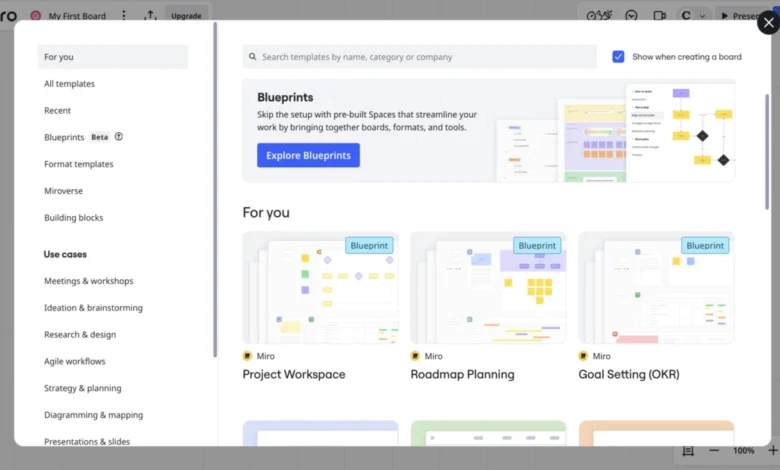
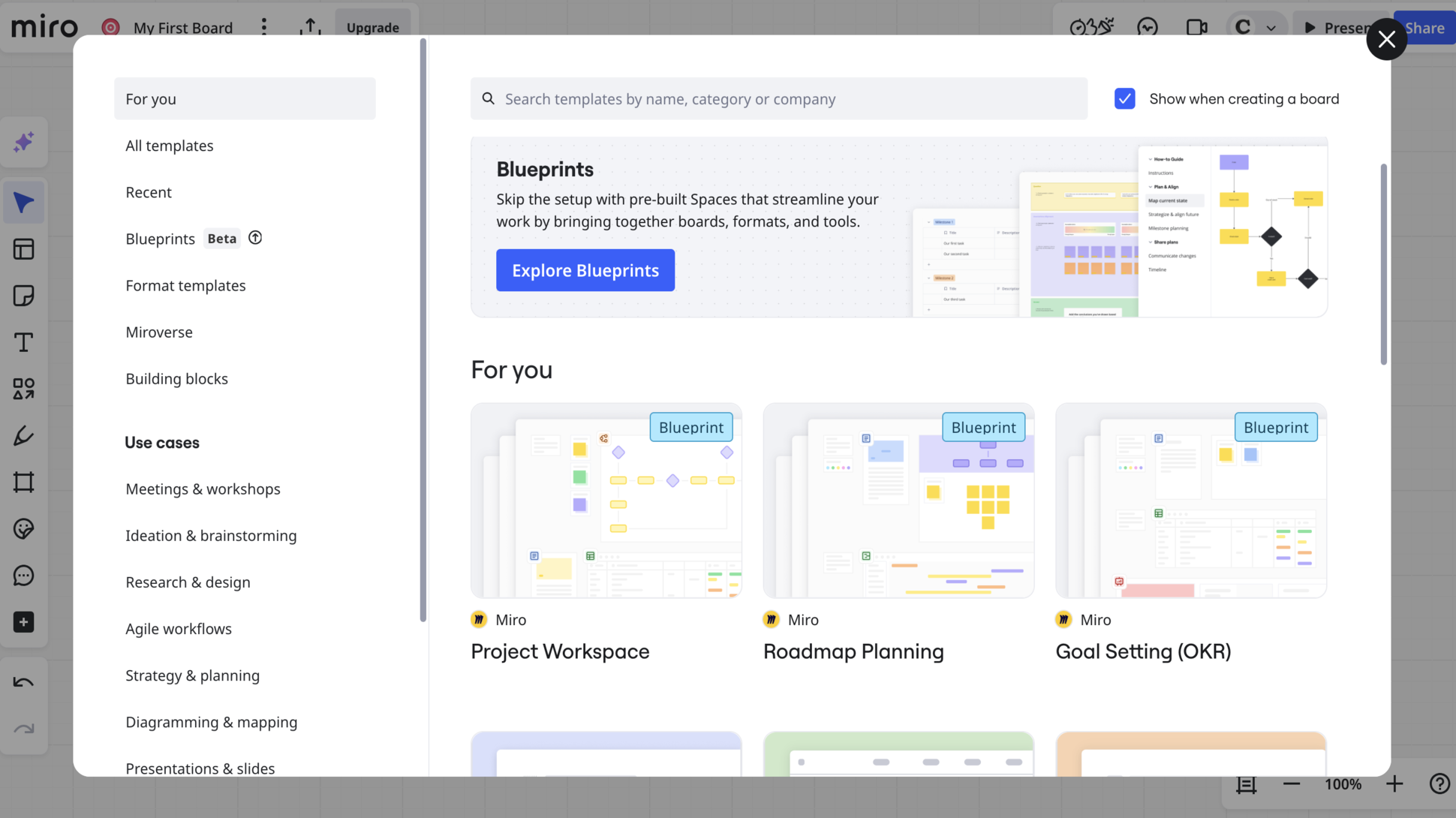
At the core of Miro’s utility is its infinite virtual canvas, designed to support real-time, multi-user interaction. Team members can populate the workspace with checklists, product prototypes, images, reference articles, presentation slides, and complex data tables. To minimize the time required to set up these environments, the platform provides an extensive library of pre-built templates tailored for specific methodologies, including Agile sprint planning, user journey mapping, design thinking workshops, and strategic retrospectives.

For example, in a complex software development lifecycle spanning multiple departments, a team can utilize segregated whiteboards for distinct project phases. An ideation board allows stakeholders to pitch and comment on conceptual features; a prototyping board enables UI/UX designers to evaluate wireframes; and a technical board gives software engineers a shared space to review code structures and architectural flowcharts.
External collaboration is streamlined through customizable sharing permissions. Administrators can generate secure links enabling external stakeholders—such as external clients or freelance contributors—to view or edit boards without necessarily requiring a full platform subscription for basic viewing. Furthermore, completed workspaces can be exported directly into PDF or high-resolution image formats (JPG) for formal reporting and client presentations.
In recent updates, Miro has aggressively incorporated generative artificial intelligence features to assist teams during the preliminary planning stages. Users can leverage AI prompts to automatically generate text summaries, cluster sticky notes by theme, draft initial flowcharts, and produce visual prototypes. While these capabilities significantly accelerate early-stage ideation, industry analysts and platform testers consistently advise maintaining rigorous human oversight to verify accuracy, detect algorithmic bias, and refine generated text.
Pricing Structure and Tiered Subscription Plans
Miro operates on a freemium business model, offering a baseline tier alongside several paid subscription levels designed to accommodate varying organizational scales and security requirements.
The Free Plan serves as an entry point for individual users or small experimental teams, though it imposes strict limitations. This tier supports a maximum of three editable boards and five "Talktracks"—a specialized feature enabling users to record interactive audio-visual walkthroughs of a dashboard. While suitable for light personal use or evaluation, growing organizations quickly outgrow these constraints.
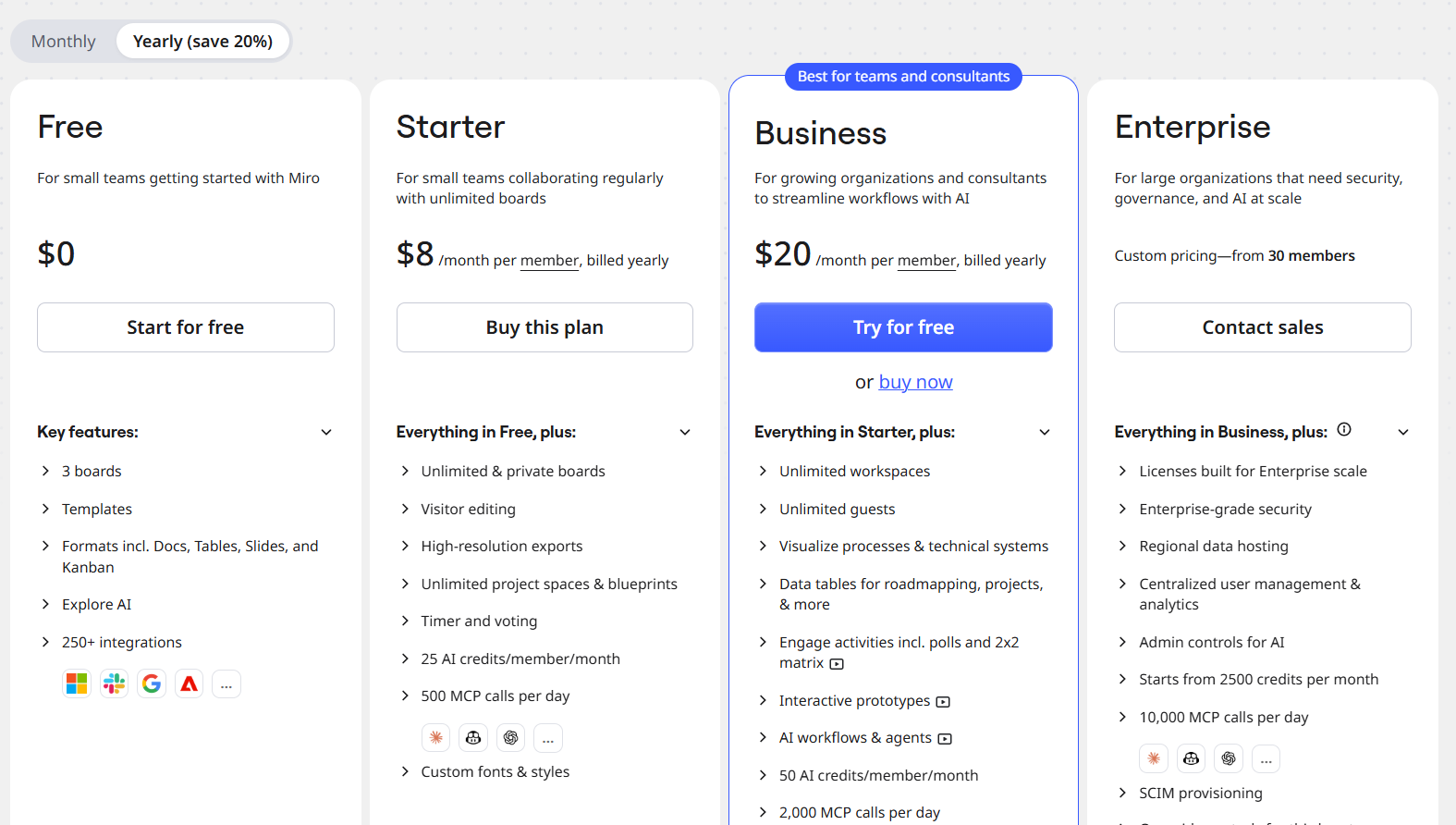
The Starter Plan is priced at $8 per user per month when billed annually. It lifts board restrictions entirely, allowing unlimited active whiteboards and Talktracks. Additionally, it introduces essential administrative controls, including the ability to export boards in PDF and JPG formats, access comprehensive version history to restore previous board iterations, establish private boards with restricted access, and invite unlimited view-only visitors.
For larger organizations requiring enhanced administrative oversight and robust security protocols, the Business Plan is available at $20 per team member per month. This tier encompasses all features of the Starter plan while adding single sign-on (SSO) capabilities, advanced visual processing performance, and expanded guest collaboration controls designed to safeguard proprietary corporate data.
Enterprise clients with a minimum threshold of 30 users can negotiate customized contracts through Miro’s dedicated sales division. The Enterprise tier provides advanced compliance certifications, centralized user provisioning via System for Cross-domain Identity Management (SCIM), data residency options, and dedicated customer success management to ensure seamless integration into existing corporate IT infrastructures.
User Interface and Experience Design
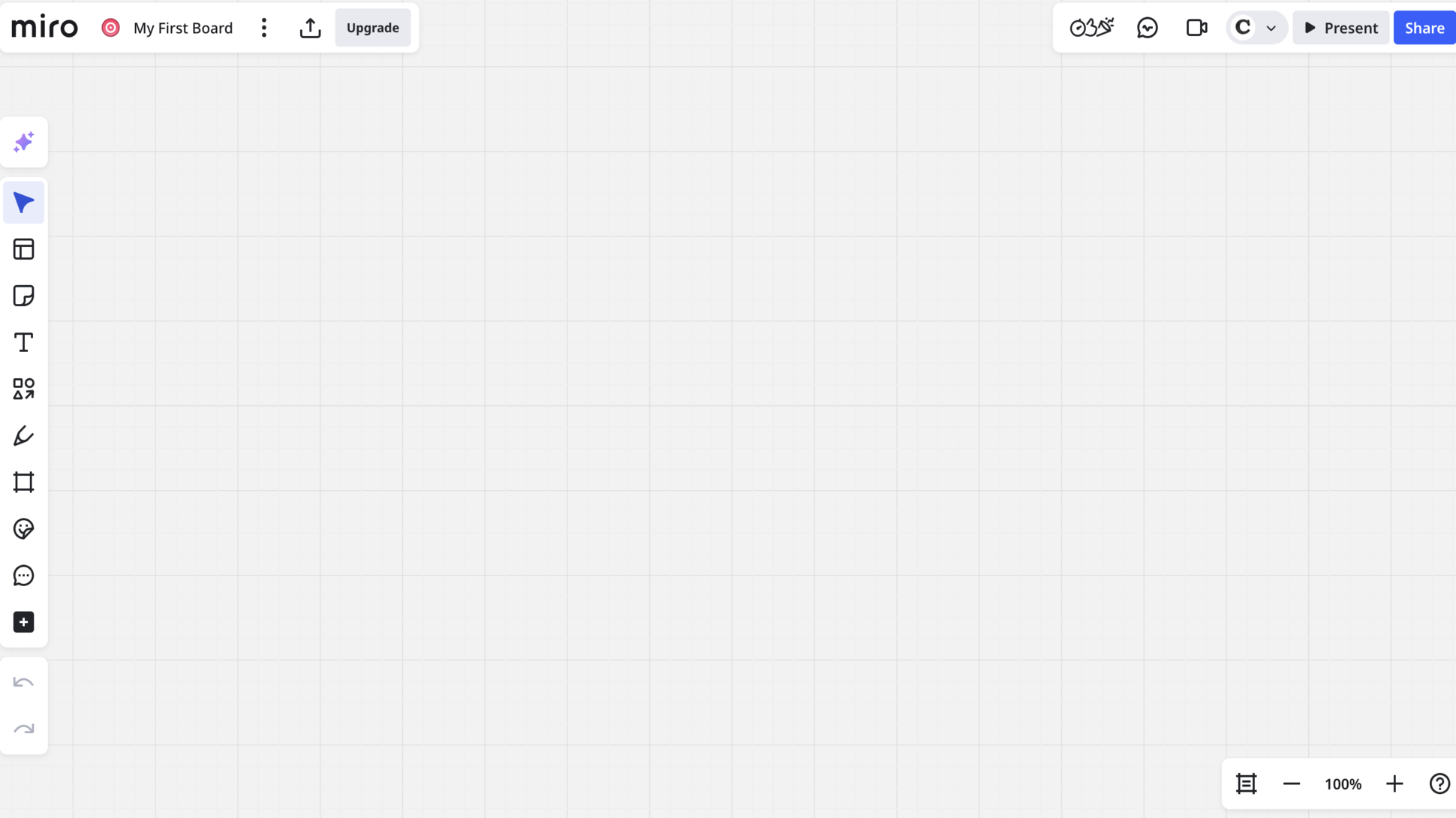
A defining characteristic of Miro is its polished, minimalist user interface, which frequently receives high marks in comparative software evaluations. The layout employs a restrained color palette and a light background canvas that prioritizes the user’s active workspace. Primary navigation tools and feature menus are unobtrusively anchored along the left and top margins of the screen, maximizing the viewable area for active projects.
Interactions such as dragging, dropping, copying, and pasting elements operate smoothly, reducing the learning curve for first-time users. To further ease onboarding, the platform incorporates interactive, on-screen tutorials that guide new participants through fundamental navigation and editing gestures. This design philosophy minimizes interface clutter, allowing non-technical personnel to adopt the tool with minimal formal training.
Customer Support Infrastructure
Technical assistance for Miro is anchored by its comprehensive online Help Center. The repository contains detailed documentation, user guides, and frequently asked questions (FAQs) covering everything from basic canvas operations to complex third-party application integrations and data migration procedures.
However, support channels present a notable limitation for enterprise users: live chat and telephone support are conspicuously absent from standard customer service offerings. Users requiring direct assistance must rely on email communication or submit inquiries through online support tickets. While response times from the support team are generally adequate, the lack of real-time troubleshooting assistance can prove frustrating during mission-critical project deadlines.
Competitive Landscape: Miro versus FigJam
The collaborative whiteboarding market features several formidable competitors, most notably FigJam, developed by the collaborative design platform Figma. FigJam shares many foundational capabilities with Miro, including real-time multi-user editing, extensive shape libraries, sticky notes, and flexible export options.
While FigJam boasts a similarly refined and responsive user interface, it is traditionally optimized for design-centric workflows and teams already deeply integrated into the Figma ecosystem. Consequently, FigJam offers fewer native third-party integrations and less robust project management functionality compared to Miro. For organizations seeking a dedicated tool exclusively for creative design handoffs, FigJam represents a compelling alternative; however, for enterprises requiring a versatile platform capable of supporting engineering, marketing, executive planning, and product development simultaneously, Miro maintains a distinct structural advantage.
Market Implications and Final Assessment
As remote and hybrid work models remain a permanent fixture of the global economy, the necessity for robust digital infrastructure will only intensify. Tools like Miro transcend simple novelty software, functioning instead as critical operational environments where corporate strategy, product design, and cross-departmental communication converge.
Miro successfully bridges physical distances through an intuitive user interface, rich template libraries, AI-assisted planning tools, and extensive third-party integrations. While limitations in direct customer support channels and the necessary vigilance required when utilizing generative AI features represent minor drawbacks, the platform’s overall versatility, scalability, and performance make it a leading solution for businesses across diverse industrial niches seeking to optimize collaborative efficiency.