Backglow app brings granular control to the newly returned glowing Apple logo on 2026 MacBook Pro models

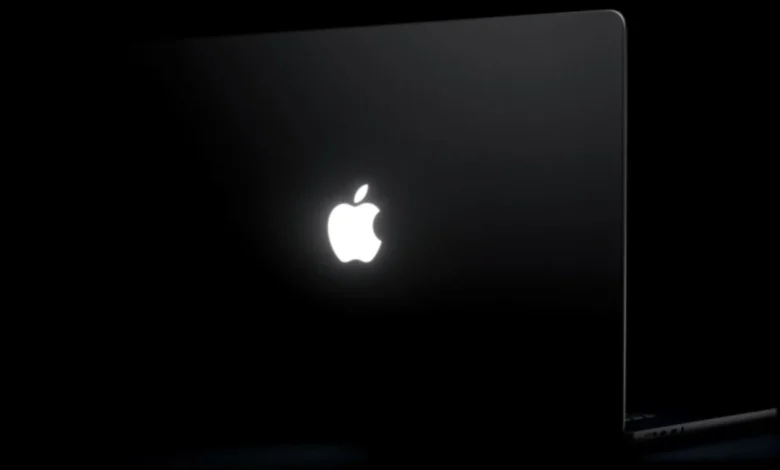
The iconic glowing Apple logo, a design hallmark of the MacBook aesthetic for over a decade, has officially returned to the forefront of portable computing. With the release of the 14-inch and 16-inch MacBook Pro models equipped with PROLED XDR displays, Apple has re-integrated the illuminated lid insignia that many enthusiasts considered a casualty of the company’s transition toward ultra-thin, backlight-free display technologies. However, the implementation of this feature is strictly governed by macOS system defaults, leaving little room for personalization—until now. A new third-party utility, Backglow, developed by designer Juan Buis, has emerged as the definitive solution for users looking to reclaim control over their hardware’s visual identity.
The Engineering Challenge: A Return to Form
To understand the significance of the Backglow app, one must first appreciate the engineering hurdle Apple overcame to reintroduce the glowing logo. For years, the original glowing logo was a passive component, illuminated by the light leaking through the display’s backlight unit. When Apple shifted to OLED panels, which function without a traditional backlight, the "glow" became technically impossible under the old architecture.
Industry analysts and reports from sources like Daring Fireball confirm that Apple’s engineering teams developed a bespoke, dedicated light source integrated into the lid. This allows the logo to remain illuminated without requiring additional chassis thickness—a feat of miniaturization that Apple representatives have described as a decision driven primarily by the "awesome" nature of the aesthetic. While the implementation is physically impressive, it remains tied to the system’s ambient light sensors and display brightness, which often proves too restrictive for users who prefer a consistent glow or specific, reactive lighting behaviors.
Functionality and Customization via Backglow
The Backglow app addresses the primary complaint among power users: the lack of granular software control. While Apple’s official documentation states that the logo brightness is synced to the screen and ambient environmental conditions, Backglow decouples these variables.
In its free version, the application provides a straightforward interface to manually set the intensity of the LED array. Perhaps most importantly for privacy-conscious users or those working in dark environments like theaters or auditoriums, the app allows for a one-click toggle to disable the light entirely. Previously, such a modification required complex commands within the macOS Terminal, a barrier that effectively excluded the average consumer from customizing their hardware.
The free tier also introduces "Breathe" mode. This feature mimics the rhythmic, pulsing amber sleep light found on older MacBook models from the mid-2000s, providing a nostalgic nod to Apple’s design heritage. By utilizing the new white LED array, the app software-modulates the light to create a slow, organic dimming and brightening cycle.
Advanced Features for the Pro User
For users seeking deeper integration with their workflow, the "Pro" version of Backglow—currently offered at an introductory price of $9—introduces two distinct modes that push the hardware into the realm of notification and status indicators.
"Music" mode utilizes real-time audio analysis to sync the logo’s illumination with the beat and frequency of system audio. While lighting synchronization is common in gaming peripherals, applying this to the professional-grade MacBook Pro chassis suggests a shift in how Apple perceives the "Pro" label, moving toward a device that is as much about personal expression as it is about workstation utility.
"Agents" mode represents a more utilitarian evolution. Designed for developers and power users, the app integrates with Claude Code. The logo serves as a hardware status indicator, pulsing to signify that the AI assistant is processing tasks and blinking specifically when the user’s input or attention is required. This effectively turns the lid of the MacBook Pro into a heads-up display, allowing users to monitor background processes without needing to switch windows or glance at the screen.
Chronology of the MacBook Pro Evolution
The return of the glowing logo is the latest in a series of design pivots that define the 2026 MacBook Pro lineup.
- 2015–2016: Apple begins the transition away from the glowing lid, citing the need for thinner displays and structural rigidity, replacing the white plastic inlay with polished metal.
- October 8, 2026: Reports from Bloomberg confirm that Apple is preparing a significant overhaul of the MacBook Pro, including the integration of touch-enabled PROLED XDR displays.
- October 28, 2026: Apple hosts its "Pro and Tell" event in Los Angeles, officially unveiling the 14-inch and 16-inch MacBook Pro models. The "glowing logo" is highlighted as a key feature, alongside the new touch-capable OLED panels.
- November 6, 2026: Designer Juan Buis releases the Backglow application, providing the first software-level customization for the new hardware feature.
- November 7, 2026: Early adoption of the software highlights a growing demand for hardware-level software control among the macOS user base.
Market Context and Implications
The excitement surrounding the glowing logo—and the immediate emergence of third-party software to manage it—speaks to the enduring brand loyalty Apple enjoys. The "Pro" market segment has historically favored utility over aesthetics, yet the popularity of the glowing logo suggests that for many, the machine remains a lifestyle object as much as a tool.
From a technical standpoint, the existence of the Backglow app raises questions about Apple’s future software roadmap. While the current hardware uses a white LED, the software-driven nature of the Backglow app proves that the lighting can be manipulated at high frequencies. Should Apple decide to implement a multi-color LED array in future generations, the precedent set by developers like Buis indicates that the community is ready to embrace more complex notification systems.
Furthermore, the integration with AI agents like Claude marks a shift in how we perceive hardware notifications. By moving status indicators from the internal screen to the external lid, Apple has implicitly validated the idea that a laptop should communicate its status even when closed. This "glanceability" factor is expected to influence future design choices across the industry, as laptop manufacturers look for ways to make their devices feel more "alive" and reactive to the user’s current task state.
Analysis of the "Pro" Experience
The pricing structure of the Backglow app—a one-time payment of $9 rising to $15—is a standard model for niche utility software on macOS. However, the adoption rate of such an app serves as a barometer for the new MacBook Pro’s user demographics. If a significant percentage of professional users opt to install software that pulses their logo to the rhythm of music, it suggests a blurring of the line between professional workstations and "prosumer" lifestyle devices.
Apple’s official stance on the logo has remained neutral; they treat it as an aesthetic choice meant to denote the machine is "awake." By allowing the logo to be software-controllable via third-party tools, Apple implicitly acknowledges that the power user community values customization. Whether Apple will eventually integrate these features into macOS directly—as they have done with other popular third-party utilities in the past—remains a subject of speculation. For now, the combination of high-end display technology and the return of the glowing emblem has created a unique intersection of nostalgia and modern computing that continues to drive engagement in the tech community.
As the 2026 MacBook Pro reaches more users, the Backglow app is likely to serve as a cornerstone of the customization community. It stands as a testament to the fact that even in an era of tightly controlled ecosystems, the desire for granular, personalized control over hardware remains a driving force for innovation. The glowing logo is no longer just a static brand marker; it is now a dynamic, programmable interface, and the landscape of Mac customization has been permanently altered as a result.