Mastering Google Find Hub A Comprehensive Guide to Protecting and Locating Your Android Ecosystem Devices

Google’s Find Hub, formerly known as Find My Device, represents a monumental shift in the Android security landscape, evolving from a basic GPS tracking tool into a sophisticated, crowdsourced network designed to rival Apple’s long-standing Find My ecosystem. For years, the ability to locate a lost or stolen device through a massive network of millions of other smartphones was a primary selling point for the iPhone. However, with the recent rebranding and technological overhaul of Google’s tracking services, Android users now have access to a robust infrastructure that leverages over a billion devices globally to keep tabs on phones, tablets, smartwatches, and Bluetooth accessories. Despite its power, a significant portion of the Android user base remains unaware of the platform’s full capabilities, often treating it as a last-resort tool rather than a comprehensive management suite for their digital hardware.
The Evolution of the Find My Device Network
The journey toward the current Find Hub began in earnest at Google I/O 2023, where the company announced a massive expansion of its tracking capabilities. Previously, Find My Device relied almost exclusively on a device having an active internet connection and GPS signal. If a phone was turned off or lost in a "dead zone" without cellular service, the tool was largely ineffective. The transition to the Find Hub model introduced a decentralized approach, utilizing Bluetooth Low Energy (BLE) beacons. This allows lost devices to communicate with nearby Android phones, which then securely and anonymously report the location back to the owner.
This rollout was notably delayed to ensure cross-platform safety. In an unprecedented move, Google collaborated with Apple to develop an industry standard for unwanted tracking alerts. This partnership ensured that both Android and iOS users would be notified if an unauthorized tracking tag—regardless of the brand—was moving with them. Once these safety protocols were finalized in early 2024, Google began the global deployment of the Find Hub, effectively turning every modern Android device into a potential beacon for the network.
Advanced Connectivity and Power Intelligence
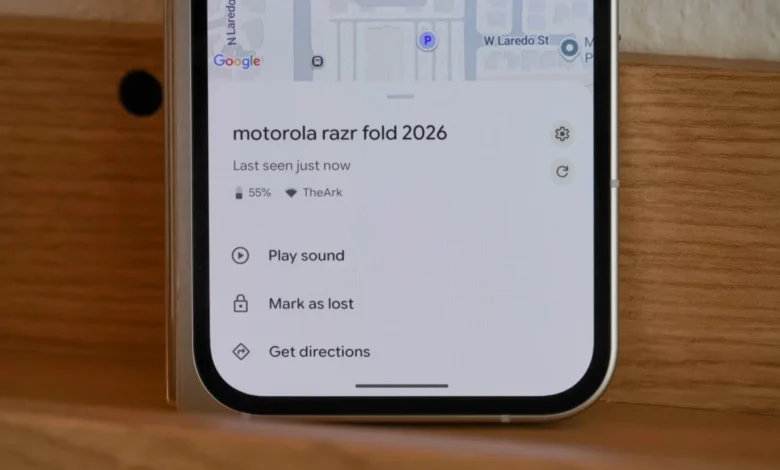
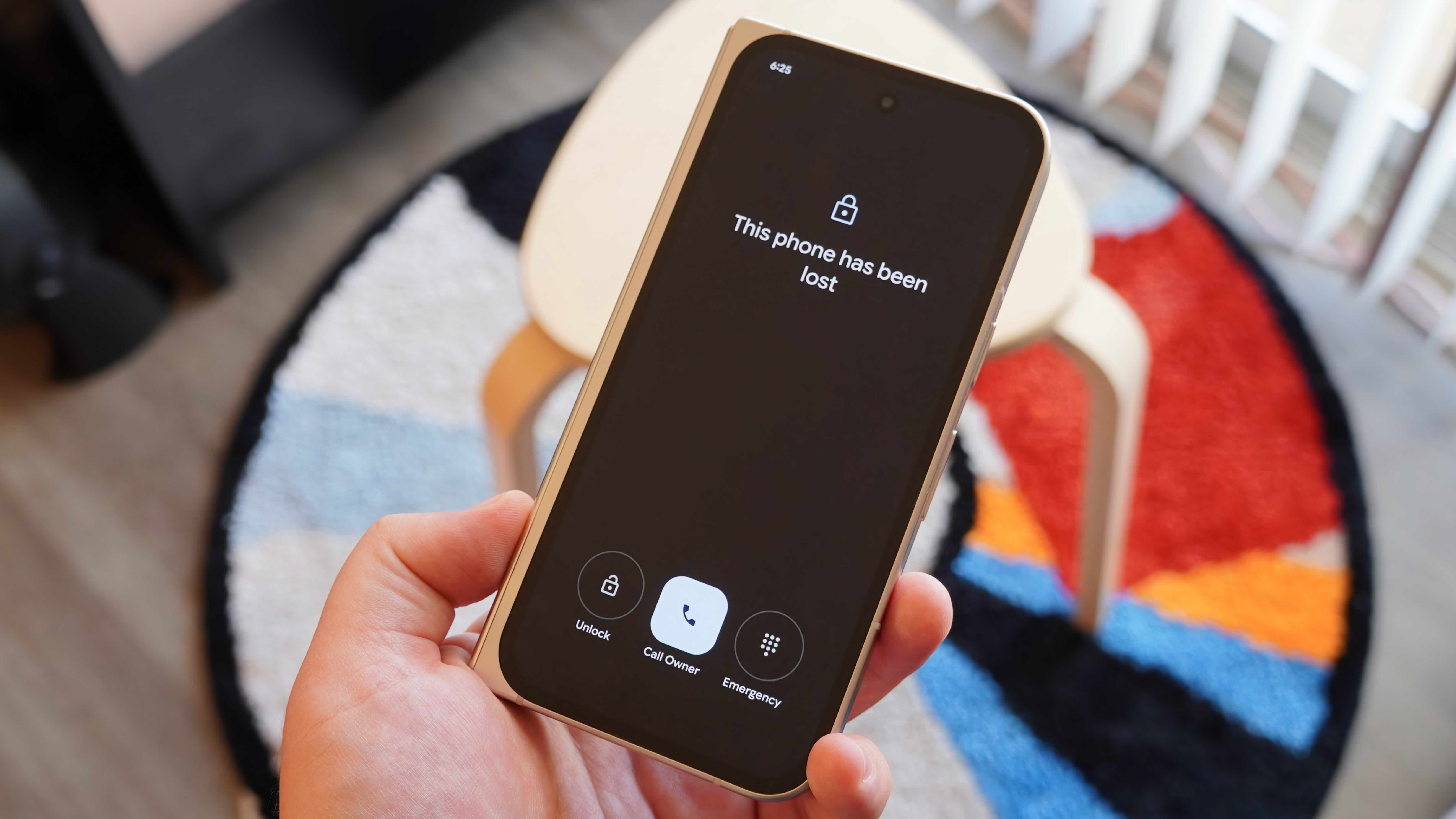
One of the most overlooked aspects of Find Hub is its ability to provide granular status updates that go beyond simple coordinates. When a user selects a device within the Find Hub interface, the platform displays the current battery percentage and the specific network status of the hardware. This data is critical for recovery efforts. For instance, knowing a phone has only 5% battery remaining creates a sense of urgency, signaling the user to initiate a "Mark as Lost" command or a remote wipe before the device loses power entirely.
Furthermore, the integration of Wi-Fi and cellular signal strength indicators provides contextual clues about a device’s environment. If the Find Hub shows a device is connected to a known home or office network with a strong signal, the user can safely assume the device is nearby, perhaps tucked between sofa cushions or left in a desk drawer. Conversely, a weak cellular signal might suggest the device is in a vehicle or a remote area. These technical metadata points transform Find Hub from a simple map into a diagnostic tool for recovery.
Precision Mapping and Navigation Integration
While GPS coordinates are the backbone of any tracking service, Find Hub enhances this data by integrating directly with Google Maps. Users can view a pin representing their device’s last known location and, with a single tap, generate a navigation route to those coordinates. This feature is particularly useful for items lost in public spaces, such as parks, malls, or transit hubs.
However, the technology is moving toward even greater precision. For devices equipped with Ultra-Wideband (UWB) chips—such as the Google Pixel Pro series and newer Samsung Galaxy devices—Find Hub offers "Finding Nearby" capabilities. This allows for centimeter-level accuracy, guiding the user to the exact spot where an item is hidden. Even without UWB, the integration with Google’s vast database of indoor maps for airports and shopping centers provides a level of spatial awareness that few other services can match.
The Role of Auditory Recovery
In many cases, a device is not "lost" in the traditional sense but is simply misplaced within a user’s immediate vicinity. The "Play Sound" feature remains one of the most frequently used tools in the Find Hub arsenal. When triggered, the lost device will emit a high-pitched, oscillating alarm at maximum volume, even if the device was previously set to silent or "Do Not Disturb" mode.
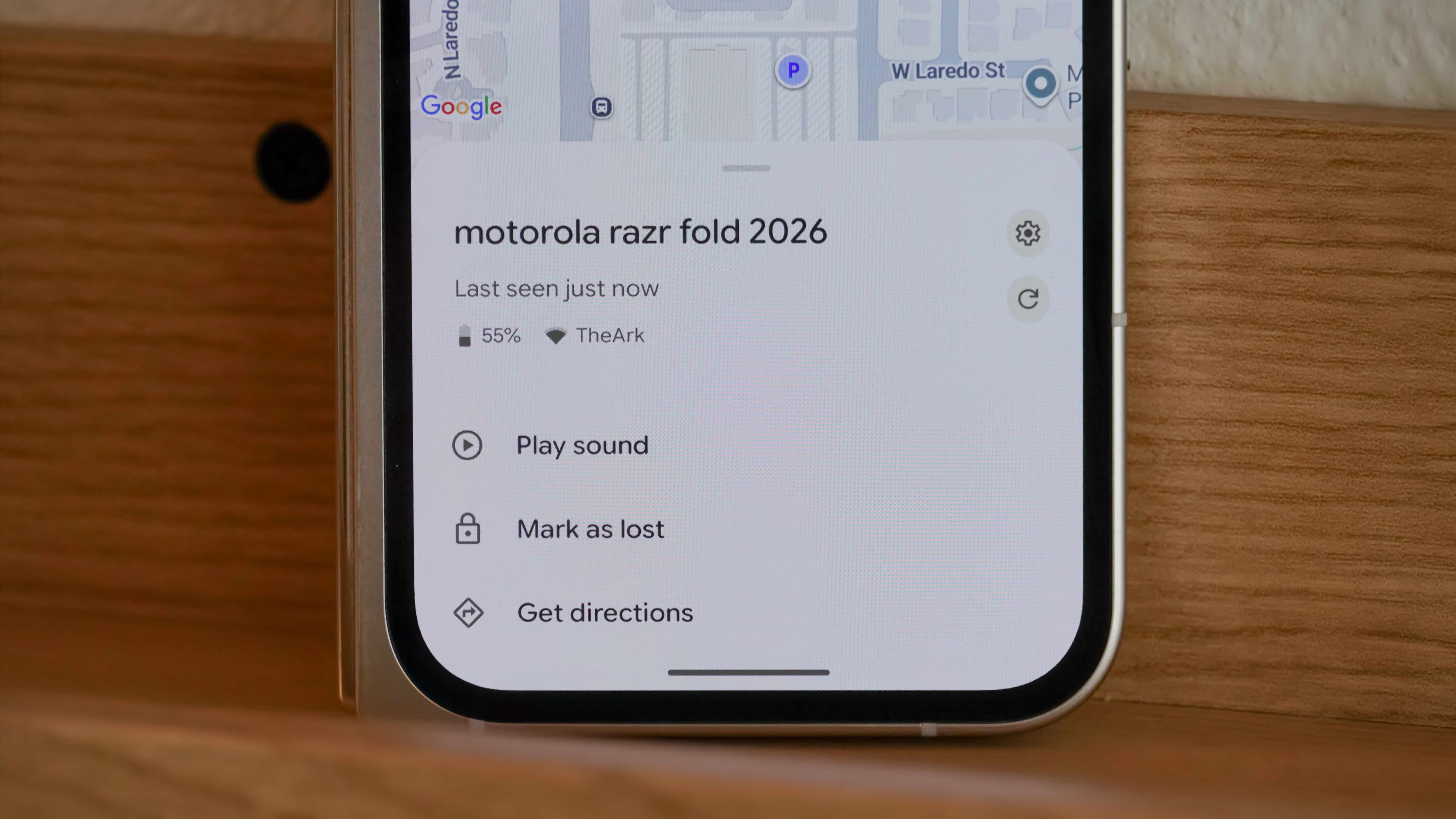
This feature has been refined to work with various accessory types. For example, if a user loses their Pixel Buds, they can choose to ring either the left or right earbud individually, or the charging case itself, provided the hardware supports it. This auditory feedback is often the final step in recovery after the mapping software has brought the user within a few meters of the lost item.
Collaborative Tracking: Sharing Ownership
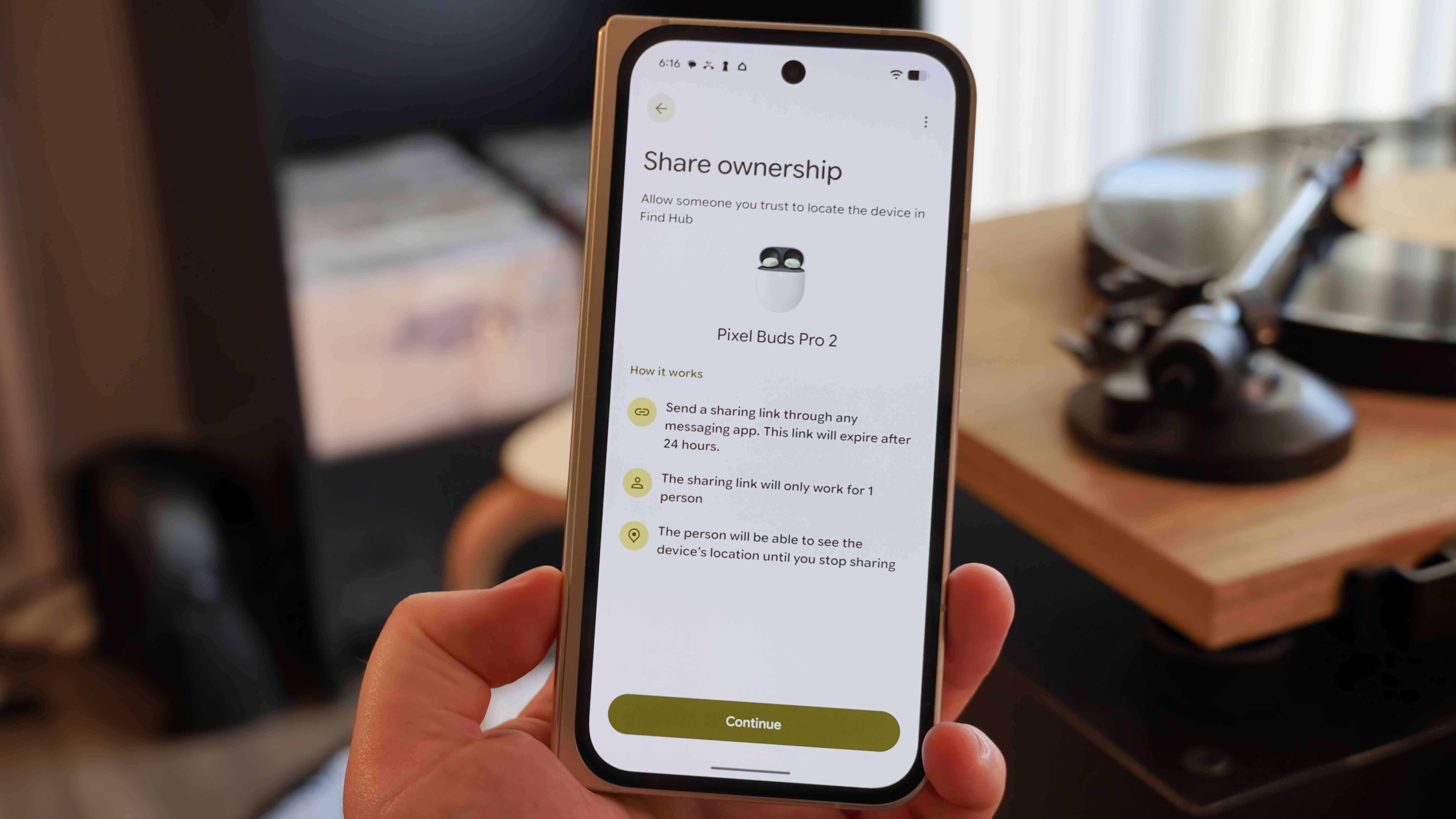
Recognizing that many gadgets are used by families or teams, Google introduced "Shared Ownership" within the Find Hub. This feature allows a primary user to grant tracking permissions for a specific accessory to another person. This is particularly valuable for shared items like television remotes (integrated with Google TV), family tablets, or Bluetooth trackers attached to shared keys.
The process is designed with security in mind: the primary owner generates a shareable link that expires after 24 hours if not accepted. Once accepted, both parties can see the device’s location. This eliminates the "stalking" risk associated with permanent, unconsented tracking, as the shared status is clearly visible to all parties involved. For families, this ensures that if a child misplaces a pair of headphones, either parent can use their own phone to locate the item without needing to log into a different account.
Security Protocols: Mark as Lost and Remote Wipe
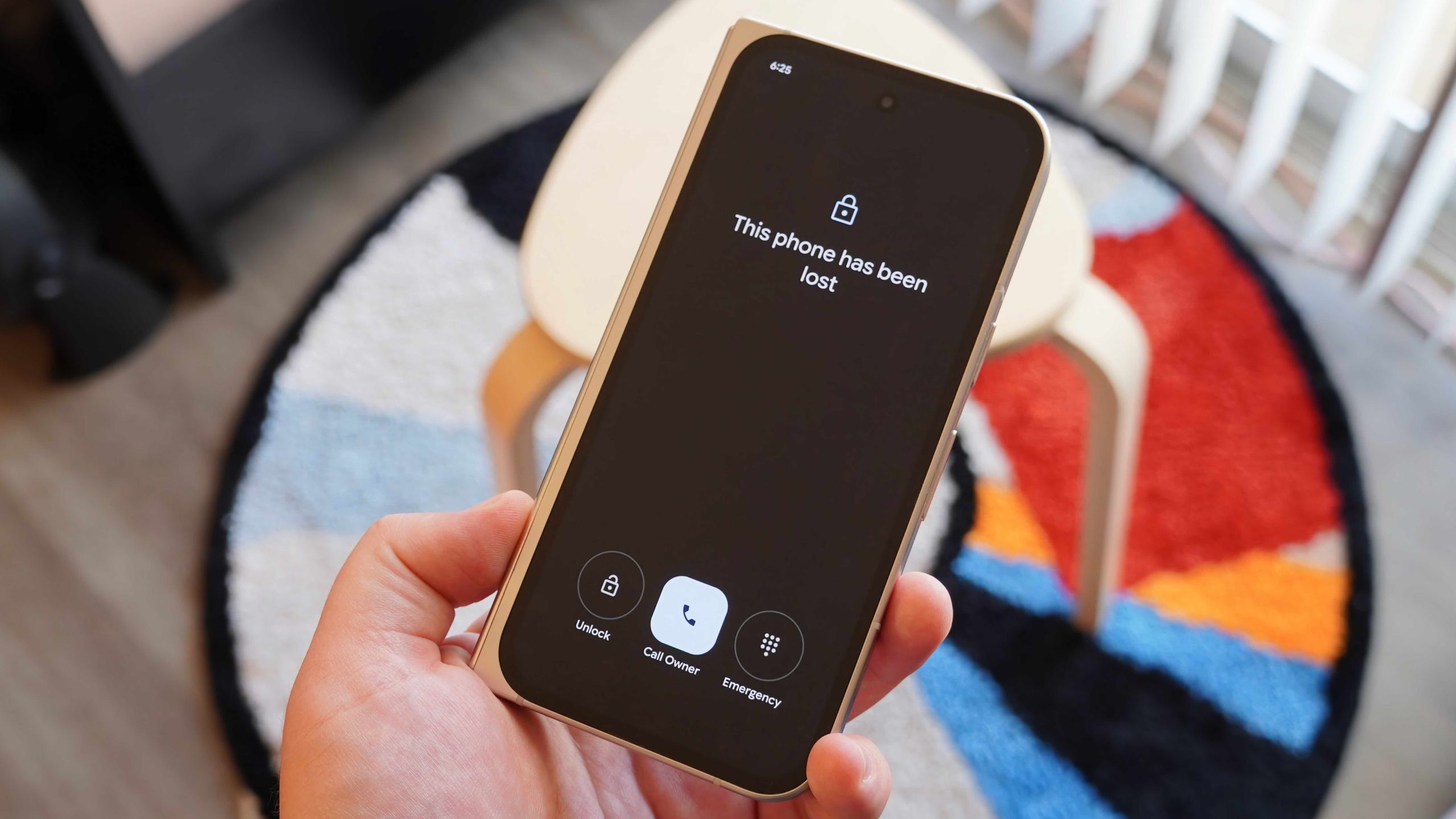
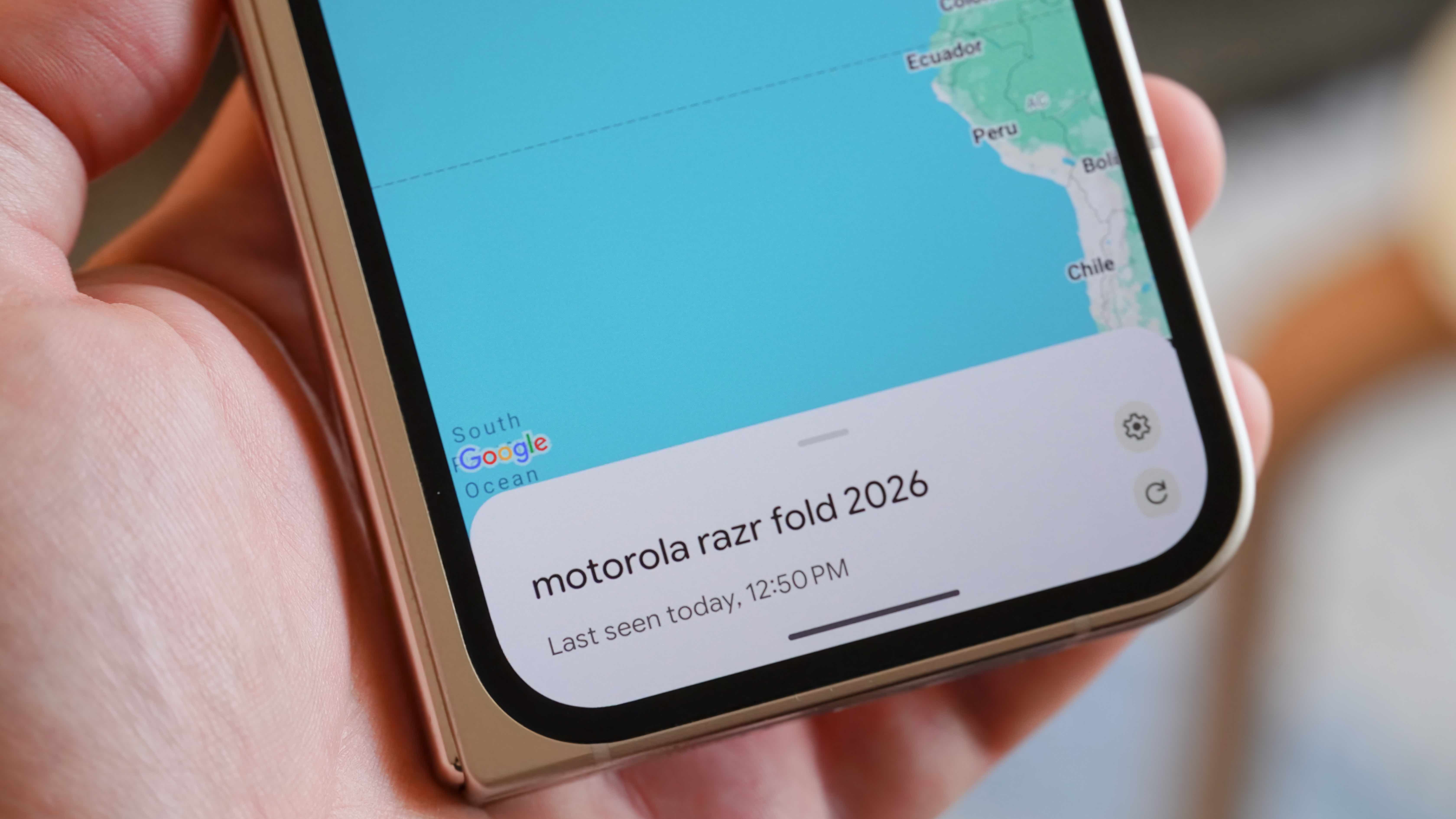
When a device is truly gone—whether stolen or left in a location that cannot be immediately reached—Find Hub offers two tiers of security. The first is "Mark as Lost." Activating this mode remotely locks the device, preventing unauthorized access to apps and personal data. A custom message and a contact phone number can be displayed on the lock screen, allowing a "Good Samaritan" to call the owner directly from the locked device.
The second tier is the "Nuclear Option": the Factory Reset. If a user determines that recovery is impossible, they can trigger a remote wipe. This process permanently deletes all data on the device, including photos, messages, and saved passwords. It is a critical tool for protecting one’s identity and financial information. Crucially, once a factory reset is performed, the device can no longer be tracked via Find Hub. This creates a difficult choice for users, but it remains a necessary feature for modern data privacy. To deter theft further, Google employs "Factory Reset Protection" (FRP), which prevents a thief from setting up the device as new without the original owner’s Google account credentials.
Technical Specifications and Privacy Analysis
The Find Hub operates on a foundation of privacy-centric engineering. Google utilizes end-to-end encryption for the location data reported by the network. This means that only the owner of the lost device can see its location; Google itself does not have access to the unencrypted location history. Furthermore, the network uses "aggregation by default," a safety feature that requires multiple Android devices to detect a lost item before its location is updated in certain high-privacy scenarios, preventing the system from being used to track individuals in private residences.
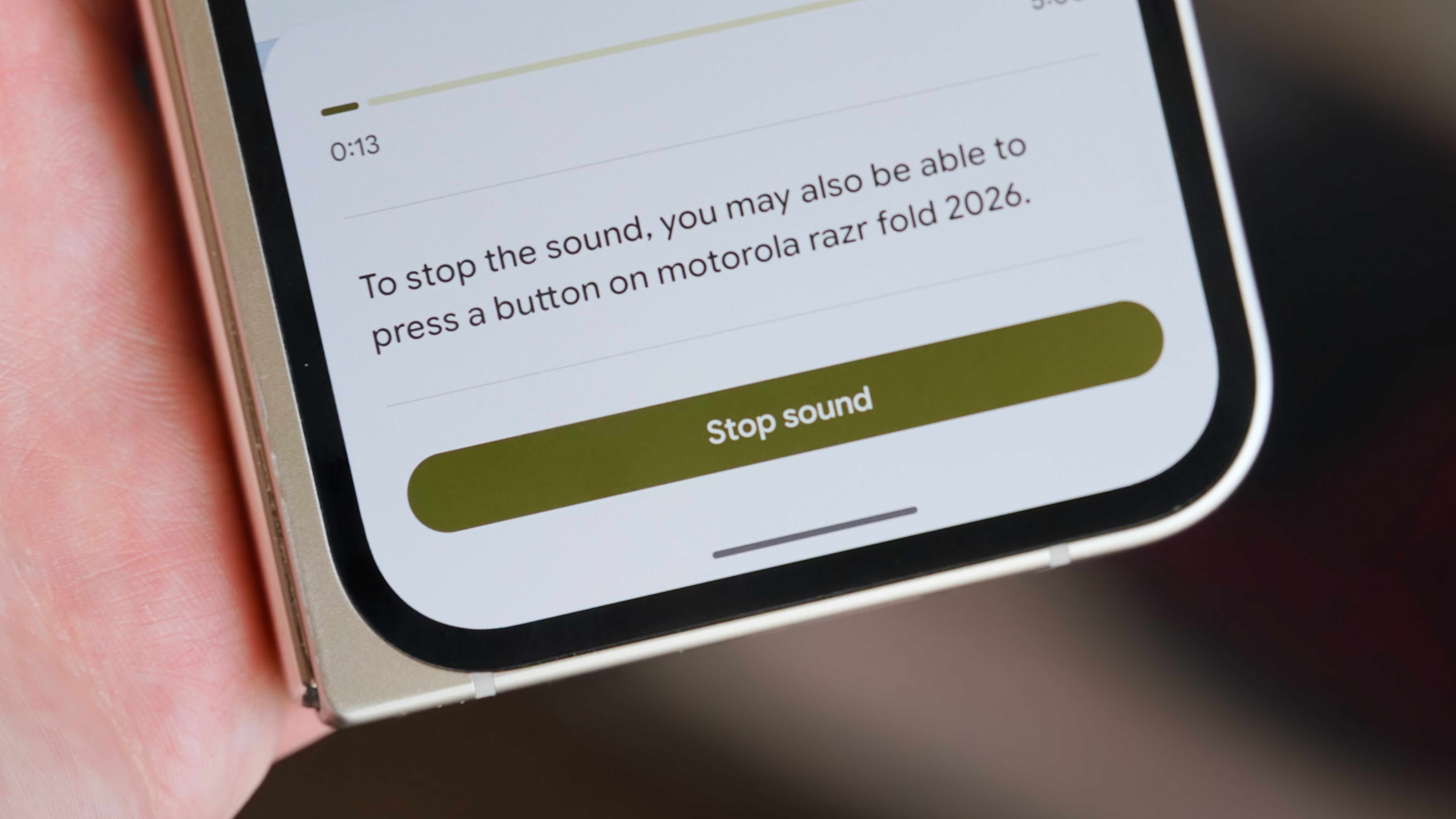
For the latest hardware, such as the Pixel 8 and Pixel 9 series, Google has introduced specialized hardware support that allows the Find Hub to locate devices even when they are powered off or have a dead battery. This is achieved by reserving a small amount of power for the Bluetooth chip, allowing it to continue broadcasting a signal for several hours after the main OS has shut down.
Broader Implications and Industry Impact
The strengthening of the Find Hub has significant implications for the global smartphone market. By closing the "tracking gap" with Apple, Google has removed a major hurdle for consumers considering a switch to Android. Furthermore, the expansion of the network to third-party manufacturers—such as Chipolo, Pebblebee, and Motorola—creates a competitive ecosystem for Bluetooth trackers, breaking the monopoly previously held by proprietary systems.
Law enforcement agencies have also noted the impact of these networks. While they advise against individuals confronting thieves directly, the high-accuracy data provided by Find Hub can be shared with authorities to assist in the recovery of stolen property. As the network continues to grow, analysts predict a downward trend in the resale value of stolen Android devices, as the difficulty of bypassing Google’s security locks makes them less attractive to criminals.
In conclusion, Google Find Hub is no longer just an app for finding a phone under a bed. It is a sophisticated security network that integrates hardware intelligence, crowdsourced data, and robust privacy protections. By mastering these five core features—status monitoring, precision mapping, auditory alerts, shared ownership, and remote security—Android users can navigate the digital world with the confidence that their devices and data remain under their control, no matter where they might end up.
Related posts: