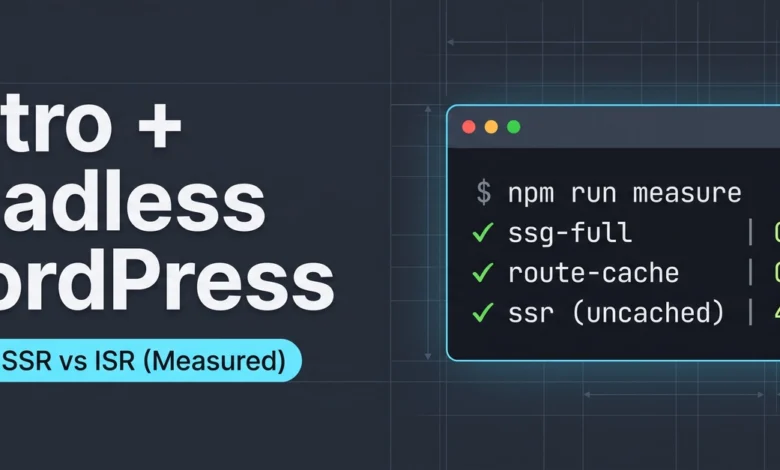
The landscape of modern web development is increasingly defined by the choices developers make regarding content rendering. Among the most debated are Static Site Generation (SSG), Server-Side Rendering (SSR), and Incremental Static Regeneration (ISR). While documentation often explains these concepts in abstract terms, a new resource, the astro-wp-seo-lab, offers a practical, code-driven approach to understanding their real-world performance and behavioral differences. Developed by Nimajafari, this open-source project allows developers to build and compare the same WordPress content using four distinct Astro rendering strategies side-by-side, providing empirical data rather than relying on theoretical explanations.
The astro-wp-seo-lab project, built with Astro version 7.1.1, aims to bridge the gap between conceptual understanding and practical application. By cloning the repository, installing dependencies, and running a single command, developers can initiate a comprehensive comparison. The lab clones a specified WordPress site and renders its content through four different Astro configurations: SSG, SSR, ISR (via route caching), and a hybrid SSR with CDN caching. Each generated version is then served concurrently, allowing for direct comparison of their performance characteristics.
"Most ‘SSG vs SSR vs ISR’ content out there is written from documentation," the project’s creator notes. "Someone reads the framework, restates it, and you’re left inferring the actual difference in performance and behavior. So I built a lab where you can just run the commands and see it yourself, no table to trust blindly."
A Practical Approach to Rendering Strategies
The core of the astro-wp-seo-lab lies in its ability to demonstrate the fundamental differences between build-time and request-time rendering. Upon launching the comparison, each generated version of the website is clearly marked with a distinct black bar at the top of the page, indicating which rendering strategy was employed and the precise time of its generation. This timestamp serves as a crucial indicator for performance analysis.
Initially, the build process for each variation can take several minutes as Astro fetches content from the WordPress API. However, subsequent builds benefit from the Content Layer loader’s caching mechanisms, significantly reducing the time required for updates. The lab is pre-configured to point to a live WordPress installation at oxyplug.com, but it is designed to be flexible, working with any public WordPress site that exposes its REST API.
Users can easily adapt the lab to their own WordPress sites using the npm run probe command, which analyzes a given WordPress URL for its API accessibility, Yoast SEO plugin presence, and permalink structure. This information is then saved under a user-defined name, allowing for personalized testing. The subsequent npm run compare command will then utilize the specified site’s content for the rendering tests.
Understanding Build Time vs. Request Time
The most immediate and impactful distinction between rendering strategies becomes apparent when examining the timestamps. For the ssg-full variation, the timestamp remains static across multiple reloads, a direct consequence of its content being pre-rendered and baked into a file at build time. Every user, regardless of when they access the page, receives the identical, pre-built version.
In stark contrast, the ssr variation displays a timestamp that fluctuates with every single page refresh, often changing by milliseconds. This indicates that the page is dynamically assembled from scratch for each individual request. This difference has significant implications for SEO. While SSR ensures content freshness, reflecting immediate edits in WordPress, it comes at the cost of increased server load. For search engine crawlers, such as Googlebot, visiting 10,000 URLs translates to 10,000 distinct rendering processes, each involving a live API call to WordPress, potentially leading to higher operational costs and slower indexing for dynamic content.
The Mechanics of Caching: ISR Explained
The route-cache arm of the lab vividly illustrates the principles of Incremental Static Regeneration (ISR). When a page served by this strategy is repeatedly reloaded, its timestamp remains constant, mirroring the behavior of SSG. Crucially, however, this arm is configured to render on demand, similar to SSR. The observed static timestamp is a direct result of the rendered output being cached. This cached version is served until a predefined Time-To-Live (TTL) expires, at which point the page is re-rendered upon the next request, and the cache is updated.
This caching mechanism is further demonstrated by inspecting HTTP headers. A curl command directed at the route-cache endpoint will show a "MISS" on the initial request, indicating that the cache was empty. Subsequent requests, however, will register as a "HIT," confirming that the cached version is being served.
The ssr-cdn variation introduces a more sophisticated caching strategy by leveraging distinct cache policies for browsers and Content Delivery Networks (CDNs). Browsers receive a conservative policy (max-age=0, must-revalidate) to prevent stale content from being served, while CDNs are instructed to cache aggressively (s-maxage=120, stale-while-revalidate=600). This approach acknowledges the immutability of browser caches once content is served, while allowing CDNs to serve stale content for a limited period during revalidation, offering a balance between freshness and performance.
To observe a real-world CDN in action, the lab provides instructions to integrate Varnish, a popular caching HTTP reverse proxy. By running Varnish and then querying the cached content, developers can witness the Age header incrementing with elapsed time, providing irrefutable proof that the response is being served from cache, a behavior consistent across various caching platforms like Vercel, Netlify, and Cloudflare.
What Crawlers Actually See: The Importance of Server-Sent HTML
A particularly insightful demonstration within the lab focuses on what web crawlers perceive. The "islands" arm, which utilizes deferred rendering for certain components, reveals a critical SEO consideration. When viewing the page in a browser, interactive elements like a "Related posts" list appear functional. However, examining the raw HTML source code (not the DOM rendered by JavaScript) shows a placeholder like <p data-island-fallback>Loading related posts...</p> instead of the actual related posts.
This discrepancy arises from the server:defer directive. While modern search engines like Google do execute JavaScript, their rendering process is often decoupled from the initial crawl, leading to potential delays in content discovery or even complete omission. Crucially, many other crawlers, including Bing and the AI-driven bots that are increasingly responsible for referral traffic, primarily fetch and process raw HTML.
The astro-wp-seo-lab quantifies this difference using a "parity check." This analysis reveals that the islands arm, with its deferred content, achieves only 87.5% parity compared to the ssg-full arm’s 100%. This means five internal links within the "Related posts" section are effectively hidden from crawlers that do not execute JavaScript. The takeaway for SEO is clear: any content intended for indexing and discoverability should reside within the static HTML shell and not be relegated to deferred JavaScript islands.
Measuring Performance: Beyond Averages
The npm run measure command offers a robust performance benchmarking tool. It builds each rendering arm, then executes 25 requests against four representative routes for each arm. This methodology carefully separates cold cache and warm cache requests, providing a more accurate picture of performance than simple averages, which can obscure the true behavior of ISR.
The results often present counterintuitive findings. The route-cache (ISR) configuration frequently outperforms static file serving, even though the latter is generally considered the performance benchmark. This is attributed to the ISR’s in-memory cache, which allows for faster retrieval than filesystem access required for static files, particularly on warm cache requests.
Conversely, the ssr-cdn performance at the origin mirrors that of plain ssr, validating the control setup. The true advantage of ssr-cdn is realized through the CDN layer, not through any inherent difference in its rendering code. Any divergence between these two metrics would indicate a flaw in the comparison methodology.
The provided data highlights these relative differences. For instance, on a localhost environment with no network latency, warm cache Time-To-First-Byte (TTFB) for ssg-full and route-cache are both remarkably low, often under 1 millisecond. The ssr and ssr-cdn arms, while still fast locally, show slightly higher TTFB values. When the same routes are tested through Varnish (simulating a CDN), the speedup for ISR configurations is substantial, ranging from 7.7x to 13.4x for cold cache requests compared to warm cache. These numbers, while influenced by the localhost environment, underscore the significant performance gains achievable through effective caching.
Ensuring Migration Safety with Comprehensive Crawling
A critical aspect of migrating a website, especially from a Content Management System like WordPress to a modern frontend framework, is ensuring that all content remains discoverable and accessible. The npm run crawl command in the astro-wp-seo-lab simulates a crawler’s behavior by traversing the site breadth-first, following only links present in the served HTML. This process uncovers crucial issues that individual page checks might miss.
The lab reports on several key metrics:
- Orphans: URLs present in the sitemap but unreachable via internal links. This is a common problem when migrating from systems where navigation is managed separately from content.
- Click Depth: The number of hops from the homepage, correlating with crawling frequency.
- Redirect Chains: Sequences of redirects that can impact crawling efficiency and user experience.
- Status Codes: Ensuring all pages return appropriate HTTP status codes.
- Canonical Consistency: Verifying that canonical tags are correctly implemented.
- JSON-LD Validity: Checking for proper structured data implementation.
A particularly striking example is provided by commenting out the SiteNav component in the layout. Rebuilding and re-crawling the site reveals a dramatic increase in orphans, with the vast majority of sitemap URLs becoming unreachable. This highlights how a headless frontend, by not automatically inheriting navigation menus from the CMS theme, can render entire sections of a site invisible to crawlers if not meticulously re-linked.
Furthermore, the npm run parity command offers a vital safety check for migrations. It compares the live WordPress sitemap against the built Astro site, verifying that every listed URL resolves correctly, checking for trailing slash consistency, and ensuring no canonical tags still point to the original WordPress origin. Without such checks, a build that completes with a "green" status could still be fundamentally flawed, leading to significant SEO damage post-migration. The lab demonstrates this by intentionally breaking the build (e.g., by deleting a category archive page) and showing how npm run parity would then flag these 404 errors, preventing them from going unnoticed in a production environment.
Rethinking Rendering Strategy Recommendations
The practical insights gained from the astro-wp-seo-lab prompt a re-evaluation of traditional recommendations for rendering strategies. Previously, a common approach was to favor SSG for content-heavy sites, SSR with caching for content requiring high freshness, and full SSR only for highly dynamic or personalized routes.
The data from the lab suggests a more nuanced perspective. The primary distinction isn’t SSG versus SSR, but rather cached versus uncached. Once a route is cached, whether at build time (SSG) or on first request (ISR), the Time-To-First-Byte (TTFB) falls into a similar performance tier. Astro’s Route Caching API, which powers ISR, effectively provides SSG-level warm performance without the commitment to full rebuilds for every content update.
This shift in understanding means the crucial question for a migration is no longer which rendering mode to pick, but rather how cache entries are invalidated upon content publication. The challenge lies in managing the window of time between a content update in WordPress and the cache purge firing across all distribution layers. While the harness/purge.mjs script in the repository demonstrates dependency-aware purging, its implementation in a production environment requires careful consideration and is a significant architectural decision, not a minor detail.
Empowering Developers with Hands-On Testing
The astro-wp-seo-lab is designed to be accessible and actionable for developers. All the experiments and analyses presented can be replicated on any public WordPress site by simply updating the SOURCE environment variable. The repository also documents various failure modes discovered during the lab’s development, including issues with sitemap plugins and inconsistencies in WordPress slug handling, serving as valuable educational material.
By providing a tangible, code-driven environment for exploring SSG, SSR, and ISR, the astro-wp-seo-lab empowers developers to move beyond theoretical discussions and make informed decisions about their web architecture. This hands-on approach not only demystifies complex rendering strategies but also offers a robust framework for ensuring the performance, SEO, and overall safety of modern web applications. The project’s availability on GitHub invites further exploration and contribution from the developer community.
Related posts: