Fake LastPass Authenticator Installer Uses Abused Windows Kernel Driver to Bypass Antivirus and Deploy Password Stealer

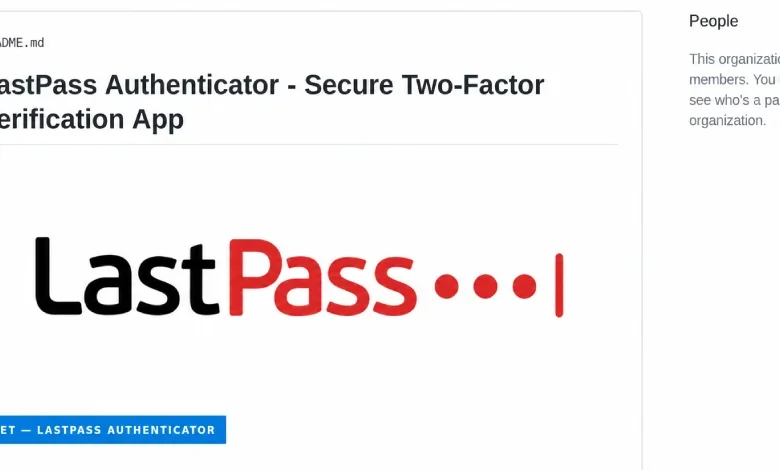
Cybersecurity researchers from LastPass and Delphos Labs have disclosed a sophisticated malware campaign utilizing a fraudulent GitHub repository to distribute a malicious payload disguised as the LastPass Authenticator. Disclosed on September 17, the attack mechanism relies on a technique known as "Bring Your Own Vulnerable Driver" (BYOVD). By leveraging a legitimately signed Windows kernel driver, the threat actors successfully disable endpoint detection and response (EDR) solutions and traditional antivirus software before executing a robust password-stealing payload.
Representatives from LastPass confirmed that none of their proprietary systems, corporate infrastructure, or customer vaults were compromised during this operation. The threat actors merely exploited the reputable brand name to lure unsuspecting victims into downloading malicious code. The campaign highlights a growing vector in cybercrime: the abuse of trusted software pipelines, search engine optimization (SEO) poisoning on code-sharing platforms, and the persistent security challenges posed by legitimate yet weaponizable third-party kernel drivers.
Anatomy of the Attack: From Search Engine to System Compromise
The operation begins with search engine optimization poisoning. The threat actors established a fraudulent GitHub repository mimicking an official LastPass product page, strategically optimized to rank prominently for queries such as "LastPass Authenticator download." When users search for multi-factor authentication tools, this rogue page often appears alongside or above legitimate resources, deceiving victims into believing they are accessing an authentic development portal.
Upon clicking the download button on the deceptive GitHub page (github.com/LastPass-Authenticator), visitors are redirected through a sequence of intermediary GitHub pages before ultimately reaching an external attacker-controlled server. From this server, the user is served a heavily bloated ZIP archive ranging between 127.9 megabytes and 148 megabytes in size. Security analysts discovered that the massive file size was artificially inflated using junk data specifically designed to bypass automated security scanners and endpoint inspection tools configured with strict file-size limitations.
Inside the archive, victims encounter a renamed copy of a legitimate Microsoft debugging utility named vsdbg.exe, accompanied by a malicious dynamic link library (DLL) file designated as vsdbg.dll. When the victim executes the supposed installer, Windows inadvertently loads the attacker’s DLL from the identical directory—a well-documented attack vector known as DLL side-loading.
Leveraging this execution flow, the malicious loader systematically escalates privileges. It employs multiple distinct methods to elevate access until it achieves SYSTEM-level permissions, the highest tier of access available within a Windows operating environment. Once elevated, the installer deploys a malicious Windows kernel driver as a system service.
The Mechanics of the BYOVD Technique and the Alinubx.sys Driver
Kernel drivers operate at a level deep within the Windows operating system architecture, residing below the user-mode environment where standard antivirus and EDR applications function. Because of this architectural hierarchy, user-mode security software is fundamentally blind to operations executed directly within the kernel.

The driver utilized in this campaign—designated by researchers as Alinubx.sys—is essentially a modified, renamed copy of CcProtect.sys, a kernel driver originally associated with a Chinese disk-encryption utility called CnCrypt. Public proof-of-concept code and identification details for CcProtect.sys have long been cataloged in the open-source LOLDrivers database, which tracks legitimately signed drivers that can be abused for malicious purposes.
The threat actors altered only the file name and internal file descriptions of the original driver, leaving its core product name, versioning data, and developer submitter details intact. This simple modification drastically altered its detection footprint: whereas the original, known vulnerable driver was flagged by approximately seven out of seventy security engines on VirusTotal in August, the newly renamed variant registered zero detections.
Crucially, the driver carries a valid digital signature issued through the Microsoft Windows Hardware Compatibility Publisher chain, bearing a signing date of March 2023—years prior to the execution of this specific campaign. This validity underscores a fundamental limitation in modern operating system trust models. As researchers aptly noted in their joint whitepaper, Microsoft attestation merely proves that a driver successfully traversed a designated trust pipeline; it provides no inherent guarantee that the driver’s ultimate function is benign or secure.
Upon initialization, the driver executes a pre-configured blocklist containing 145 distinct names associated with popular antivirus and security software processes. Operating from the kernel level, the driver systematically terminates every active security process matching its list, effectively blinding the host machine. Although the driver’s underlying source code possesses advanced capabilities—such as file cloaking, process injection, and web traffic rerouting—these features remained dormant during the campaign because the attackers omitted the necessary configuration files. Nevertheless, the termination of protective security tools proved entirely sufficient to facilitate the subsequent phases of the attack.
Execution of the Rapuncel Infostealer and Impact on Victims
With all defensive mechanisms incapacitated, the secondary payload—identified by LastPass researchers as the "Rapuncel" infostealer—executes unhindered. The stealer performs a comprehensive harvest of sensitive user data stored across the compromised workstation.
Targets include:
- Saved credentials across more than two dozen distinct web browsers.
- Local cryptocurrency wallet files and configuration data.
- Active login sessions and authentication tokens for popular platforms including Discord, Steam, and Telegram.
- Sensitive repository entries stored within the Windows Credential Manager.
- Files bearing specific keywords in their titles, such as "password," "seed," or "recovery."
To circumvent modern browser protections—such as Google’s app-bound encryption implemented in Chrome and Edge to thwart credential-scraping tools—the infostealer injects custom code directly into the browser processes. It then coerces the browser’s native internal services to decrypt and release stored passwords in plaintext. All harvested data is subsequently bundled into a compressed archive and transmitted via command-and-control channels to the attackers’ infrastructure.
Broader Industry Response and the Challenge of Driver Blocklists
The discovery of the campaign prompted immediate technical disclosures and reports to software vendors. On August 19, Delphos Labs formally reported the malicious driver to Microsoft, requesting its inclusion on the official Microsoft Vulnerable Driver Blocklist.

Microsoft responded by stating that the behavior did not strictly meet its internal definition of a security vulnerability, noting that the driver is not a native Microsoft component. The company directed the researchers to submit the driver through a separate evaluation channel dedicated to the driver blocklist, a submission Delphos completed the same day. However, as of the publication of the incident report on September 17, Alinubx.sys remained absent from the official blocklist.
Security analysts emphasize that Microsoft’s blocklist relies heavily on known file hashes. Because malicious actors can easily recompile, rename, or slightly alter a driver to generate a completely new cryptographic hash, static blocklists frequently lag behind dynamic threat evolution.
Furthermore, the scale of this campaign extends far beyond a single impersonated brand. According to LastPass telemetry, the attacker infrastructure hosted impersonation pages for at least 40 major global brands. A secondary, nearly identical GitHub-based phishing page targeting macOS users with a fake "macOS LastPass" installer was identified and successfully neutralized before it could be comprehensively analyzed.
This incident is part of a broader, troubling trend of threat actors exploiting open-source code repositories for malware distribution. Security firms have documented similar campaigns throughout the year. In March, Trend Micro detailed the propagation of the BoryptGrab infostealer via malicious GitHub repositories, while Arctic Wolf disclosed a massive wave of nearly 300 GitHub repositories utilizing similar SEO-poisoning tactics in July.
Attribution analysis by Delphos Labs indicates with high confidence that the loader utilized in the LastPass Authenticator campaign was constructed using the Cruciferra crypter, a commercial tool available on underground markets that conveniently features the exact same default list of 145 target security processes. With moderate confidence, researchers assess that the Rapuncel infostealer shares architectural lineage with the BoryptGrab family, pointing toward an organized, modular ecosystem of cybercrime-as-a-service operators.
Remediation and Recommendations for Affected Users
Due to the invasive nature of kernel-level compromises and the preemptive termination of defensive software, remediation on infected machines is complex. Cybersecurity experts stress that any computer which executed the fake LastPass Authenticator installer must be treated as a total system compromise.
Because the malicious kernel driver persists across reboots—automatically reloading upon startup to terminate security software and re-execute data harvesting scripts—standard user-mode disinfection tools are rendered ineffective. Organizations and individuals whose systems were compromised are strongly advised to take immediate corrective action:
- Isolate the Device: Immediately disconnect the affected machine from all local networks and the internet to prevent ongoing data exfiltration.
- Assume Total Credential Theft: Treat every password, session token, cryptocurrency wallet key, and sensitive document stored on the machine as permanently compromised.
- Change Credentials Securely: Modify all account passwords, enable multi-factor authentication (MFA) utilizing hardware tokens or authenticator apps (configured via official, verified channels), and review account activity logs. These actions must be performed exclusively from a separate, uncompromised device.
- Perform a Full System Rebuild: Given that rootkits and kernel drivers operate below the operating system’s normal visibility layer, simple clean-up scripts are insufficient. Affected machines should undergo a complete disk wipe and a clean operating system reinstallation, or be subjected to rigorous kernel-level forensic analysis before being returned to service.
Defenders and enterprise security teams are urged to shift their hunting strategies away from static file names and simple hash matching. Instead, security operations centers should monitor anomalous driver installation events, unexpected kernel-mode service creation, and unauthorized modifications to security software configurations across their network environments.
Related posts: