Google Brings Neural Expressive Redesign to Gemini for macOS Following Mobile and Web Rollout

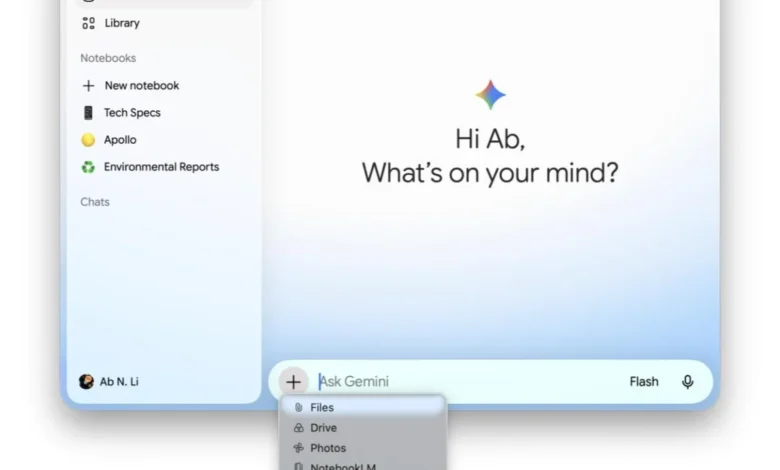
Google has officially extended its latest design paradigm, known as Neural Expressive, to the Gemini application for macOS, marking a significant milestone in the company’s effort to harmonize the user experience across its ecosystem. This update, coinciding with the launch of the Gemini 3.6 Flash model, represents a shift from the utilitarian aesthetic of previous iterations toward a more fluid, responsive, and visually engaging interface. By bringing the Mac client to version 1.86, Google is ensuring that desktop users have access to the same sophisticated design language that was first introduced for Android, iOS, and web platforms during the Google I/O 2026 conference in May.
A Unified Vision for Artificial Intelligence on Desktop
The transition to the Neural Expressive design language on macOS is more than a mere cosmetic update; it is a strategic alignment of Google’s AI identity. Since the rebranding of Bard to Gemini, Google has sought to create a "living" interface that reflects the dynamic nature of generative artificial intelligence. The macOS update brings a series of subtle yet impactful changes that alter how users interact with the AI assistant.
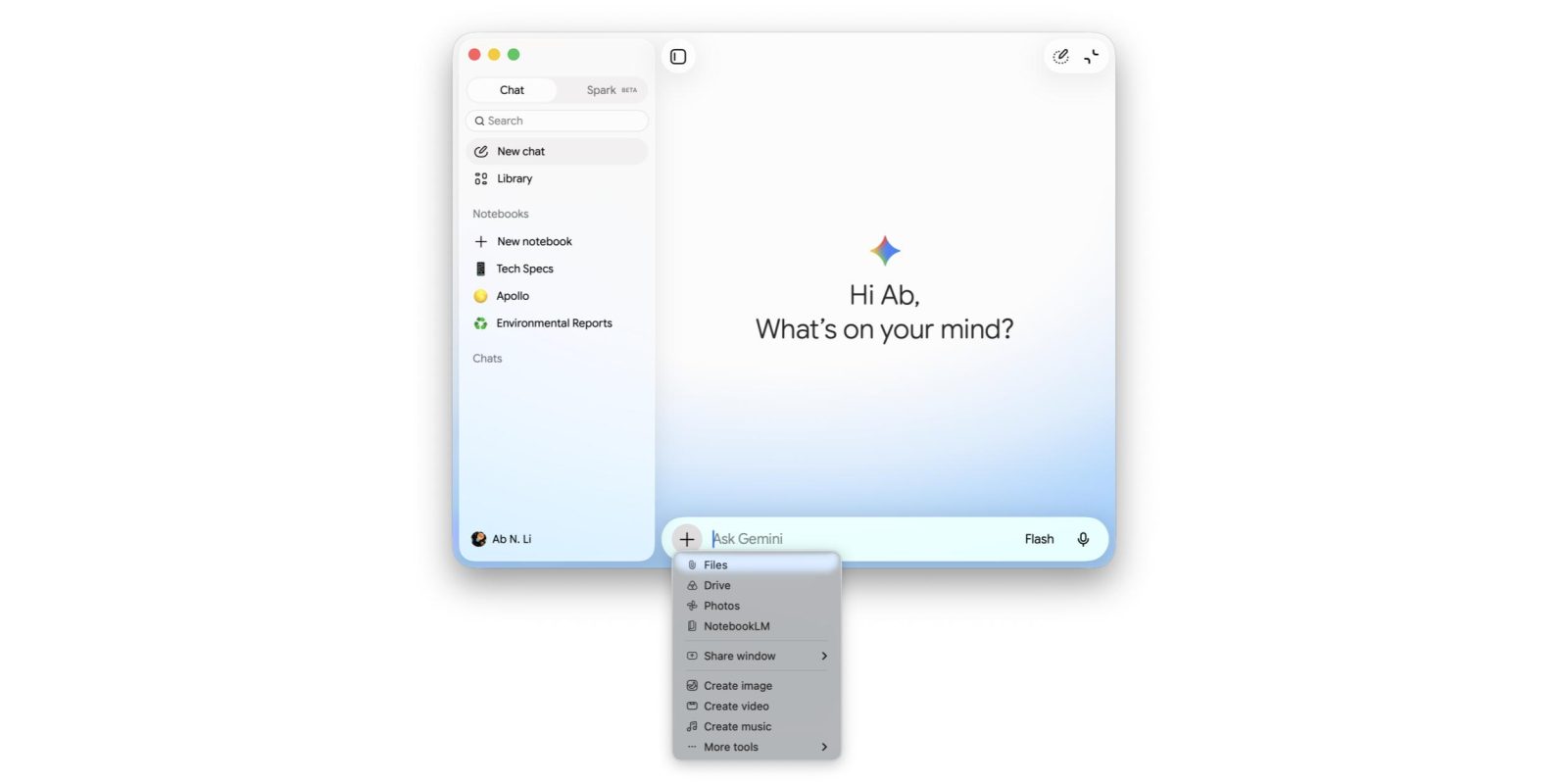
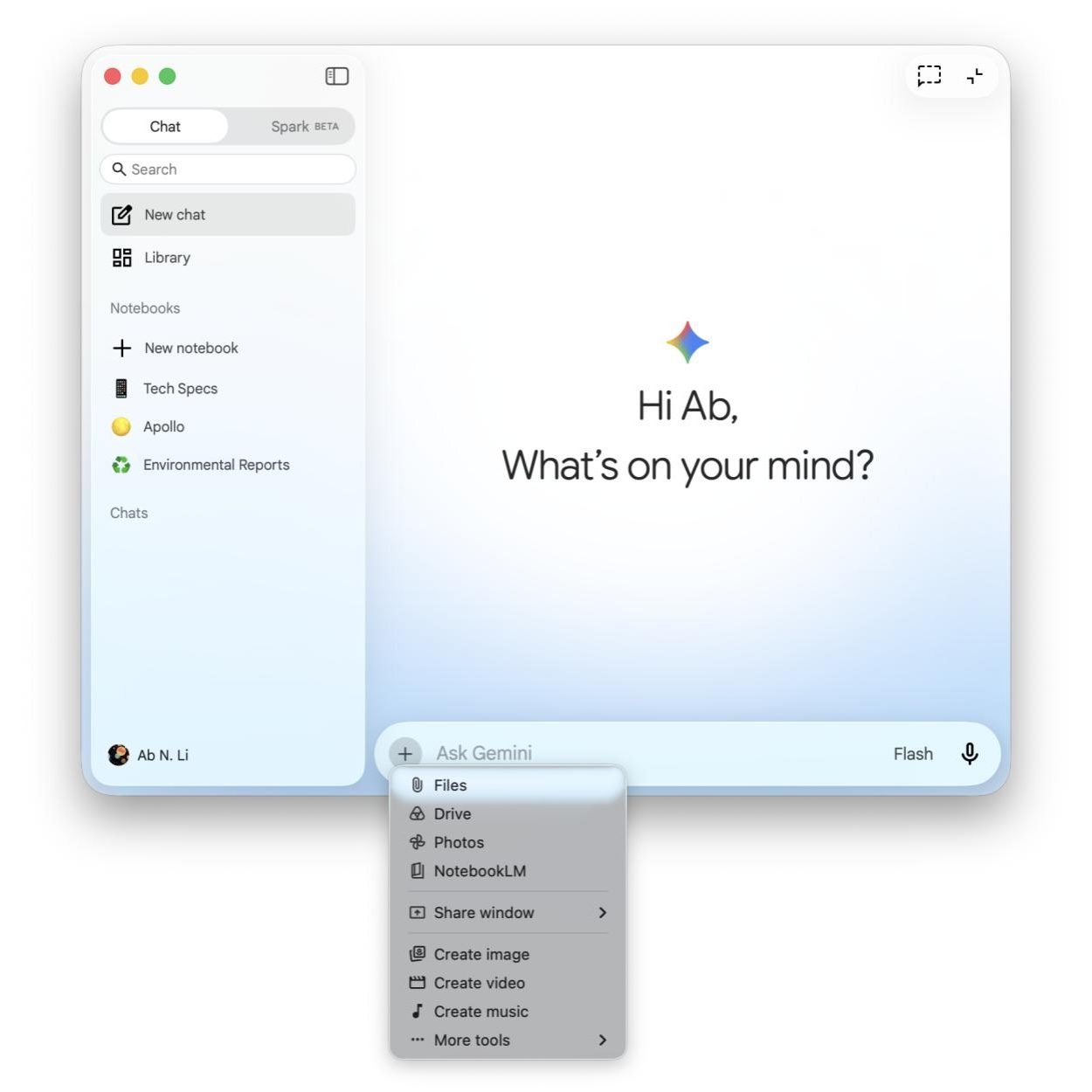
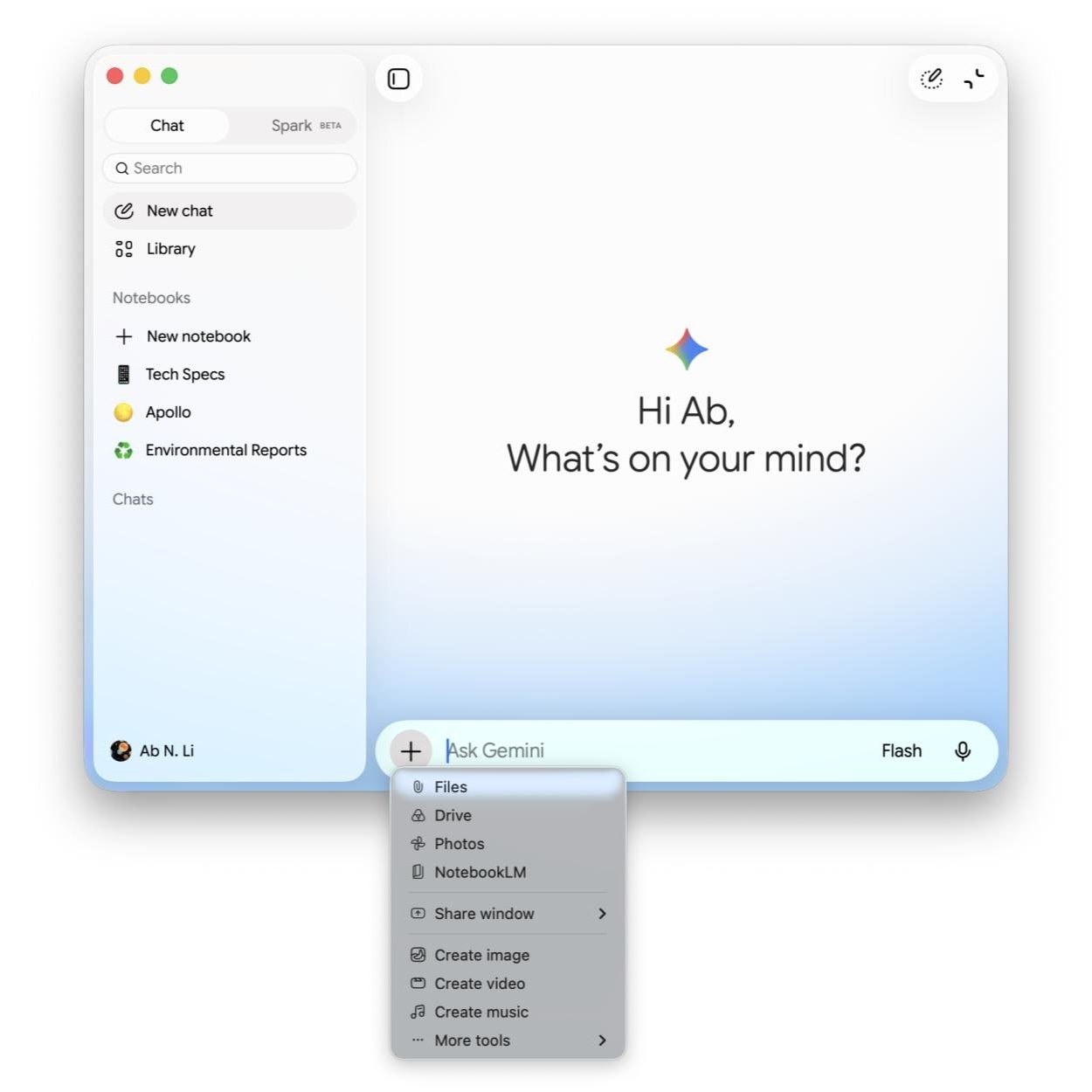
Upon launching the updated app, users are immediately greeted by a colorful, animated gradient that temporarily surrounds the prompt bar during initialization and processing. This visual cue is designed to simulate a sense of "thought" or activity, providing a more intuitive feedback loop than traditional loading bars. Furthermore, the iconography throughout the application has undergone a comprehensive overhaul. The previous solid or thick-lined icons have been replaced with a "thin outline" style, which offers a cleaner, more modern look that adheres to the broader Material Design 3 guidelines while incorporating elements unique to the Gemini brand.

Detailed Architectural and Visual Refinements
The Neural Expressive redesign introduces several specific structural changes to the Gemini for macOS interface. On the primary homepage, the side panel buttons, voice input triggers, and the "Temporary Chat" toggle have all been refreshed. One of the most notable changes is the transformation of the application’s view modes. The toggle between full-app view and the "mini" view has been redesigned with rounded corners and updated glyphs, making the transition feel more integrated into the macOS environment.
The navigation drawer, a central hub for user history and settings, now utilizes pill-shaped indicators to highlight the user’s current selection. This provides a clearer sense of place within the application’s architecture. Additionally, the "plus" menu—used for uploading files, documents, or images for analysis—now features updated icons that are consistent with the mobile versions of the app. This cross-platform consistency is vital for users who move between devices throughout their workday, reducing the cognitive load required to navigate different interfaces.
The Settings menu has also been streamlined. While the core functionality remains the same, the layout has been adjusted to prioritize readability and ease of access, reflecting a broader trend in software design toward reducing "visual noise."
The Evolution of Neural Expressive Design
To understand the significance of this update, one must look back at the timeline of Gemini’s interface evolution. In early 2026, Google’s design teams began moving away from the "bottom sheet" layout that had characterized many of its mobile and web products. The goal was to move toward a more "contextual" UI where the AI feels like an overlay rather than a separate destination.
- May 2026: Google I/O unveils the Neural Expressive design language, focusing on fluidity and responsive gradients. The rollout begins immediately for Gemini on the web and mobile apps.
- June 2026: Incremental updates to Android bring the "AI Mode" floating container, testing the waters for a non-docked prompt box.
- July 2026: Google launches Gemini 3.6 Flash, a high-speed, low-latency model. Simultaneously, the macOS app is updated to version 1.86, finally receiving the Neural Expressive overhaul.
This chronology highlights Google’s "mobile-first" but "desktop-essential" strategy. By delaying the macOS update by two months, Google was able to refine the design based on feedback from millions of mobile users before deploying it to the more productivity-focused Mac environment.
Technical Synergy: Gemini 3.6 Flash and Hardware Optimization
The visual update to the macOS app does not exist in a vacuum; it is powered by the concurrent release of the Gemini 3.6 Flash model. This model is specifically optimized for speed and efficiency, making it the ideal engine for a desktop application where users expect near-instantaneous responses. The "Flash" series of models is designed to handle high-volume tasks—such as summarizing long documents or generating code snippets—with minimal latency.
On macOS, this performance is further enhanced by Google’s optimization for Apple Silicon. By leveraging the Neural Engine in M-series chips, the Gemini app can process certain elements of the Neural Expressive interface locally, ensuring that the animations and gradients remain smooth even when the system is under heavy load. The integration of 3.6 Flash ensures that the "intelligence" of the app matches its new, modern "appearance."
Discrepancies in the Ecosystem: The Chrome Side Panel
Despite the broad rollout of Neural Expressive, one notable exception remains: the Gemini side panel in Google Chrome. As of late July 2026, the Chrome integration continues to utilize the previous design language. Industry analysts suggest this delay may be due to the technical complexities of rendering the advanced Neural Expressive gradients and animations within the constraints of a browser side panel without impacting the performance of active web pages.
The current version of the Chrome side panel still utilizes the docked prompt box and the older icon set. While Google has not provided a specific date for an update, it is expected that the browser integration will eventually be brought into alignment with the macOS and mobile apps to complete the brand’s visual unification.
Android Integration and the Shift to Floating Interfaces
While the macOS update is the headline for desktop users, Google has also introduced a significant tweak to the "AI Mode" on Android this week. Previously, the prompt box in Gemini’s AI Mode was docked to the bottom of the screen, functioning much like a traditional "bottom sheet" in Android’s UI kit.
In the latest update, the prompt box has been transformed into a "floating container." This design choice moves the input field slightly above the bottom edge of the screen, giving it the appearance of hovering over the content. This shift is intended to make the AI feel more like a lightweight utility that can be summoned and dismissed without disrupting the user’s primary task. Furthermore, the "plus" menu and the submit button have been placed within pill-shaped containers, mirroring the changes seen in the macOS navigation drawer.
This move toward floating elements suggests that Google is preparing for a future where AI assistants are even more integrated into the operating system’s UI, potentially paving the way for more advanced multi-window or "overlay" capabilities in future versions of Android and ChromeOS.
Market Positioning and Competition
The update to Gemini for macOS comes at a critical time in the competitive landscape of desktop AI. With Apple Intelligence beginning to roll out its deep integration into macOS, and OpenAI maintaining a strong presence with its native ChatGPT Mac application, Google is under pressure to provide a first-class experience for Mac users.
The ChatGPT Mac app set a high bar for native performance and UI elegance. By adopting the Neural Expressive design, Google is positioning Gemini not just as a web tool wrapped in a window, but as a premium, native-feeling application. The inclusion of features like "Temporary Chat"—which allows for off-the-record sessions that are not saved to the user’s history—demonstrates a commitment to matching the privacy features offered by competitors.
Strategic Implications and Future Outlook
The deployment of Neural Expressive to macOS signals Google’s broader intent to make AI an invisible yet omnipresent part of the computing experience. The design philosophy emphasizes "expression" and "neural" connectivity, suggesting that the interface should feel as smart as the model behind it.
From a journalistic perspective, these changes indicate a shift in how tech giants view AI. It is no longer a experimental feature; it is the core product. Consequently, the design must reflect a level of polish and reliability that users expect from an operating system-level tool. As Google continues to iterate on the Gemini platform, we can expect further refinements that blur the lines between local computing and cloud-based intelligence.

For the professional user, the version 1.86 update for macOS provides a more cohesive environment. The reduction in visual clutter and the standardization of icons across devices mean that a user can start a research project on their Android phone during a commute and finish it on their MacBook with no friction in the interface. This "seamless handoff" is a cornerstone of Google’s long-term strategy to retain users within its AI ecosystem.
In conclusion, the arrival of the Neural Expressive redesign on macOS is a vital step in the maturation of the Gemini platform. By combining the speed of the 3.6 Flash model with a sophisticated, unified design language, Google is making a strong case for Gemini as the primary AI assistant for desktop users, even within the competitive Apple hardware ecosystem. As the "bottom sheet" era comes to a close, the era of floating, expressive, and responsive AI interfaces has officially begun.