8BitDo Ultimate Mobile Gaming Controller – Xbox Edition: A Comprehensive Review and Market Analysis

The 8BitDo Ultimate Mobile Gaming Controller – Xbox Edition emerges as a significant entry in the rapidly expanding mobile gaming peripheral market, building upon 8BitDo’s established reputation for quality accessories. Launched in July 2025, this officially licensed Xbox variant takes the core design and functionality of its non-branded predecessor, introducing minor but notable changes, most prominently the replacement of a ‘Turbo’ button with a dedicated Xbox home button. Priced competitively at $49.99 / £43.99 / AU$89, it strategically undercuts rivals like the Backbone One (2nd Gen) and GameSir G8, positioning itself as an accessible option for a broad audience. While its robust build, innovative Hall effect components, and exceptionally secure phone grip deliver a premium experience for cloud gaming, its performance in native mobile titles and the functionality of its advertised rear buttons present a more nuanced picture for potential users.
The Evolving Landscape of Mobile Gaming and Cloud Streaming
The past decade has witnessed an unprecedented boom in mobile gaming, transforming smartphones from communication devices into powerful portable entertainment hubs. This growth, fueled by increasingly capable hardware and a vast ecosystem of games, has led to a demand for peripherals that bridge the gap between casual touch-screen play and a more traditional console-like experience. Gaming on the go is no longer limited to simple puzzle games or endless runners; complex RPGs, competitive shooters, and expansive open-world titles are now readily available on mobile platforms.
Concurrent with this mobile gaming revolution is the ascent of cloud gaming services. Platforms such as Xbox Cloud Gaming, NVIDIA GeForce Now, and Amazon Luna have democratized access to high-fidelity console and PC games, allowing users to stream them directly to their mobile devices, often without the need for powerful local hardware. Xbox Cloud Gaming, in particular, has leveraged the expansive Game Pass library, enabling subscribers to play hundreds of titles on their phones, tablets, and even smart TVs. This shift has created a significant market for mobile controllers that can replicate the familiar feel and precision of a traditional gamepad, making services like Xbox Cloud Gaming truly viable and enjoyable on portable screens.
8BitDo, a brand revered by many for its retro-inspired yet technologically advanced controllers, has been a key player in this evolving market. Known for its high-quality D-pads, ergonomic designs, and broad compatibility, the company has consistently delivered peripherals that cater to both nostalgic gamers and those seeking modern functionality. The release of the Ultimate Mobile Gaming Controller – Xbox Edition underscores 8BitDo’s commitment to adapting its offerings to meet the specific needs of cloud gaming enthusiasts, particularly those deeply embedded in the Xbox ecosystem.
Unveiling the 8BitDo Ultimate Mobile Gaming Controller – Xbox Edition
Upon its July 2025 release, approximately six months after its non-branded counterpart, the Xbox Edition of 8BitDo’s mobile controller maintained an identical pricing structure, setting it apart as a value-driven choice. Its retail price of $49.99 / £43.99 / AU$89 is notably lower than leading competitors. For instance, the Backbone One 2nd Gen typically retails for $99.99, while the GameSir G8 Wireless commands around $79.99. This aggressive pricing strategy makes the 8BitDo offering particularly attractive, especially when considering promotional discounts; the controller has been observed on sale for as low as $38.99 in the US via 8BitDo’s official store. For consumers less concerned with official Xbox branding, the original version of the controller, which now boasts similar iOS and Android compatibility, has been seen at even lower price points, sometimes reaching $25 during sales events. This financial accessibility positions the 8BitDo Ultimate Mobile Gaming Controller as a strong contender for budget-conscious gamers.
Design Philosophy and Ergonomics
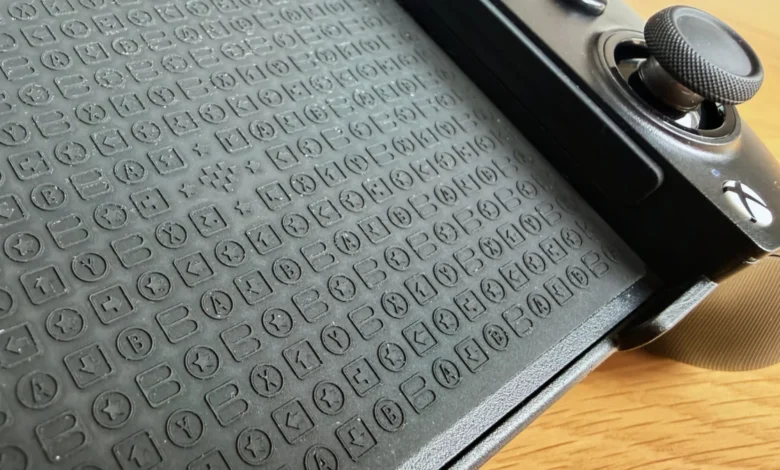
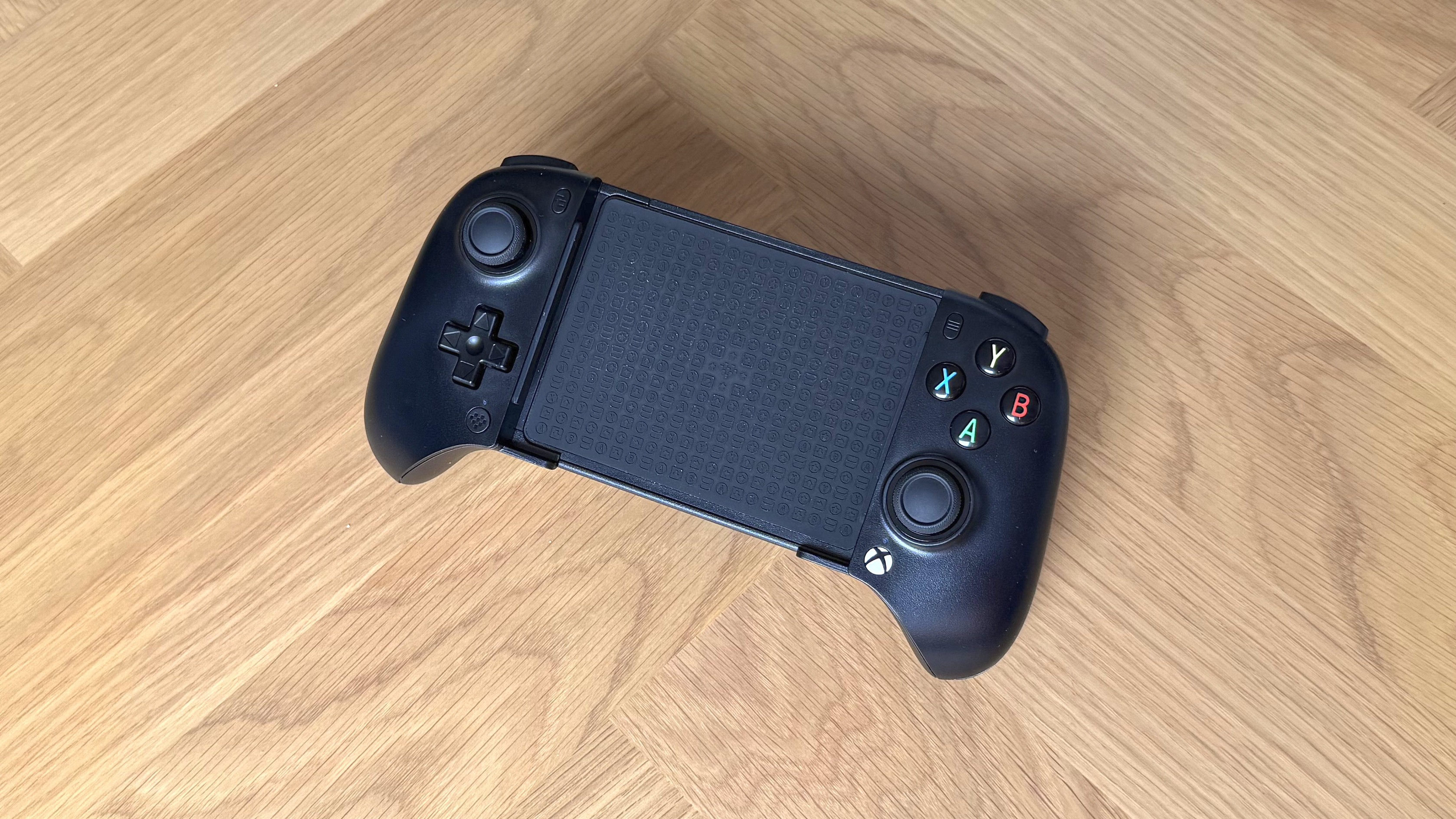
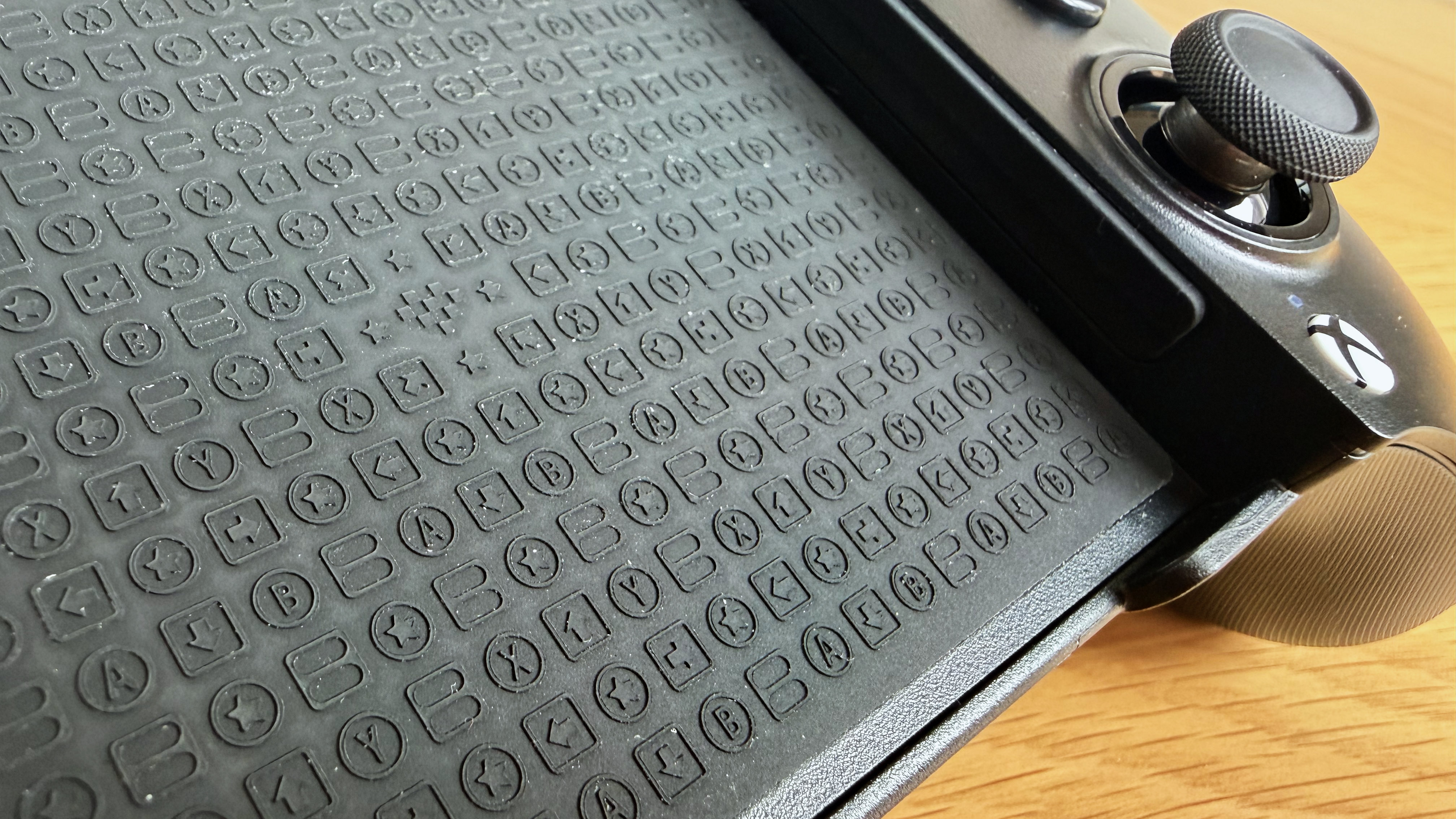
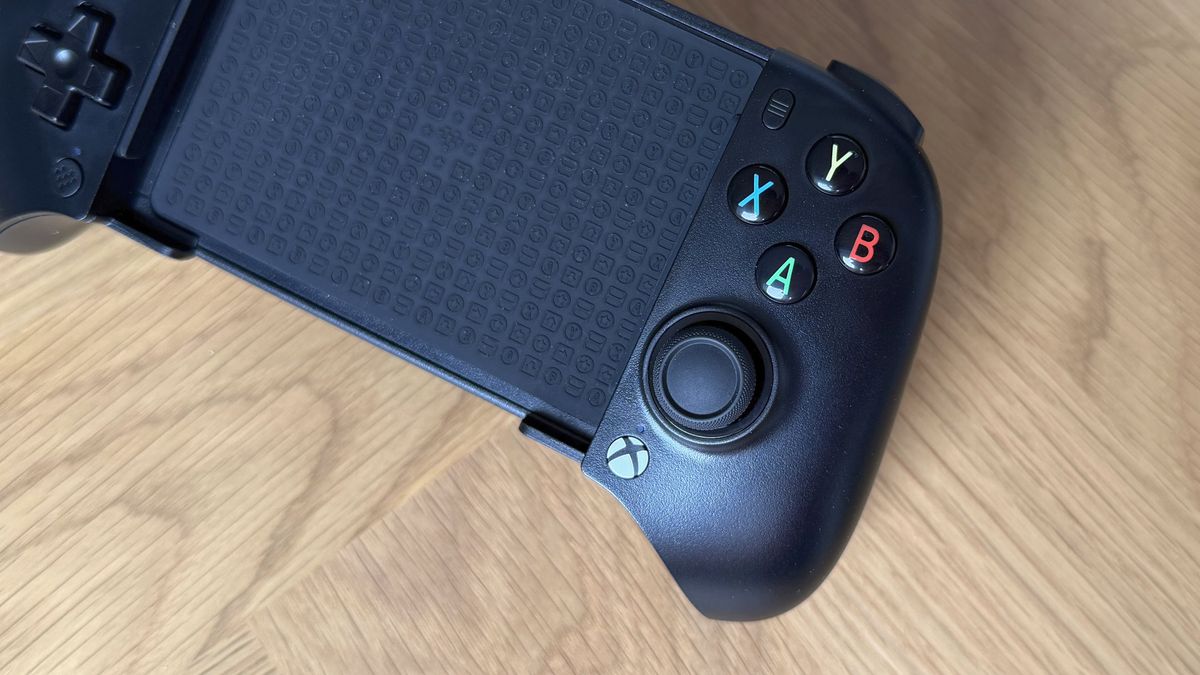
The aesthetic of the 8BitDo Ultimate Mobile Gaming Controller – Xbox Edition is immediately recognizable, featuring the brand’s signature rounded edges, which lend it a distinct, almost "melted" appearance. Despite this softened look, the build quality is robust and reassuringly solid. A standout design element is the textured rubber surface on the back of the phone deck, adorned with an engaging input-themed pattern, which not only enhances grip but also adds a touch of visual flair. Complementary texturing on the main grips provides a comfortable tactile experience, improving handling during extended play sessions. Available in both black and white, the black variant, while sleek, proved to be a magnet for greasy smudges during testing, suggesting that regular cleaning with a microfiber cloth might be necessary to maintain its pristine appearance.
Ergonomically, the controller presents a mixed bag. While generally comfortable, its slightly compact dimensions, particularly the shorter length of the main grips, may feel somewhat restrictive for users with larger hands. The left analog stick is well-placed for natural thumb positioning, but the right stick sits lower, almost at the base of the thumb, often necessitating a "claw-grip" on the right side to reach it comfortably. This aspect, while not a complete dealbreaker, represents a departure in comfort compared to a full-sized Xbox Wireless Controller or even larger mobile grips like the GameSir G8. For gamers with smaller hands, however, this more compact form factor could be a significant advantage, offering enhanced portability and a more natural fit.
Advanced Components and Input Precision
A notable inclusion, particularly at its price point, is the integration of Hall effect joysticks and triggers. Hall effect technology utilizes magnets and electrical conductors to detect movement, offering superior precision and, critically, eliminating stick drift – a common and frustrating issue with traditional potentiometer-based joysticks. The analog sticks on the 8BitDo controller exhibit excellent feel, providing just the right amount of resistance for accurate input. The triggers also offer a good level of granular control, essential for racing games like Forza Horizon 6. However, a peculiar design quirk sees both left and right triggers register their full input range before being physically depressed all the way, leaving approximately 5% of "dead travel" at the bottom of the press. This slight inconsistency, while minor, can take some getting used to, particularly in scenarios requiring precise throttle or brake modulation.
The bumpers provide sharp, satisfyingly clicky feedback, delivering a responsiveness that surpasses expectations for a controller in this price bracket. The face buttons (A, B, X, Y) offer a more standard experience; they are neither exceptionally precise nor noticeably disappointing, though they do exhibit a slight rattle. The D-pad, a hallmark of 8BitDo controllers, features a noticeable pre-actuation wobble, but once engaged, the input registers with a short, responsive click.
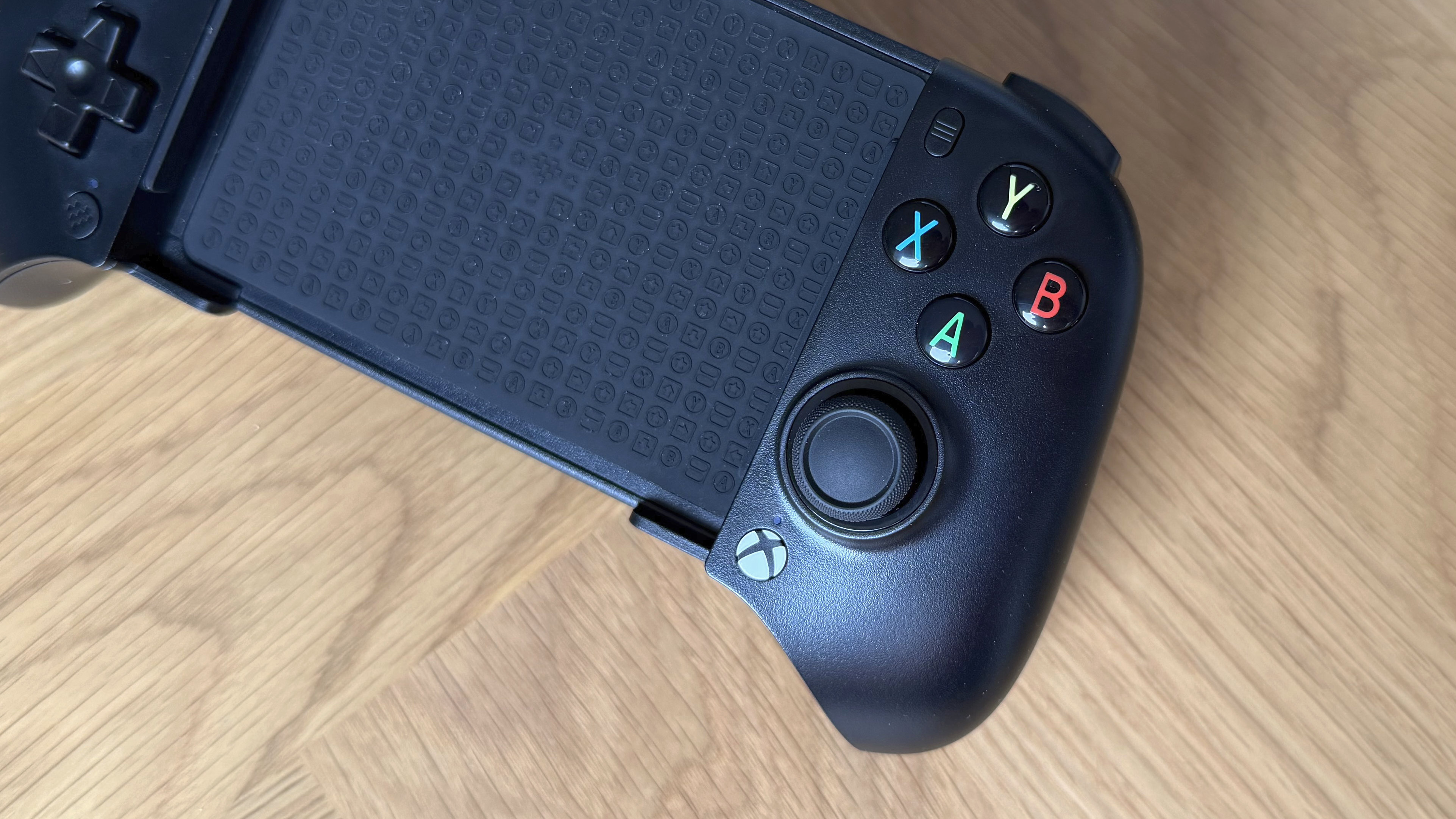
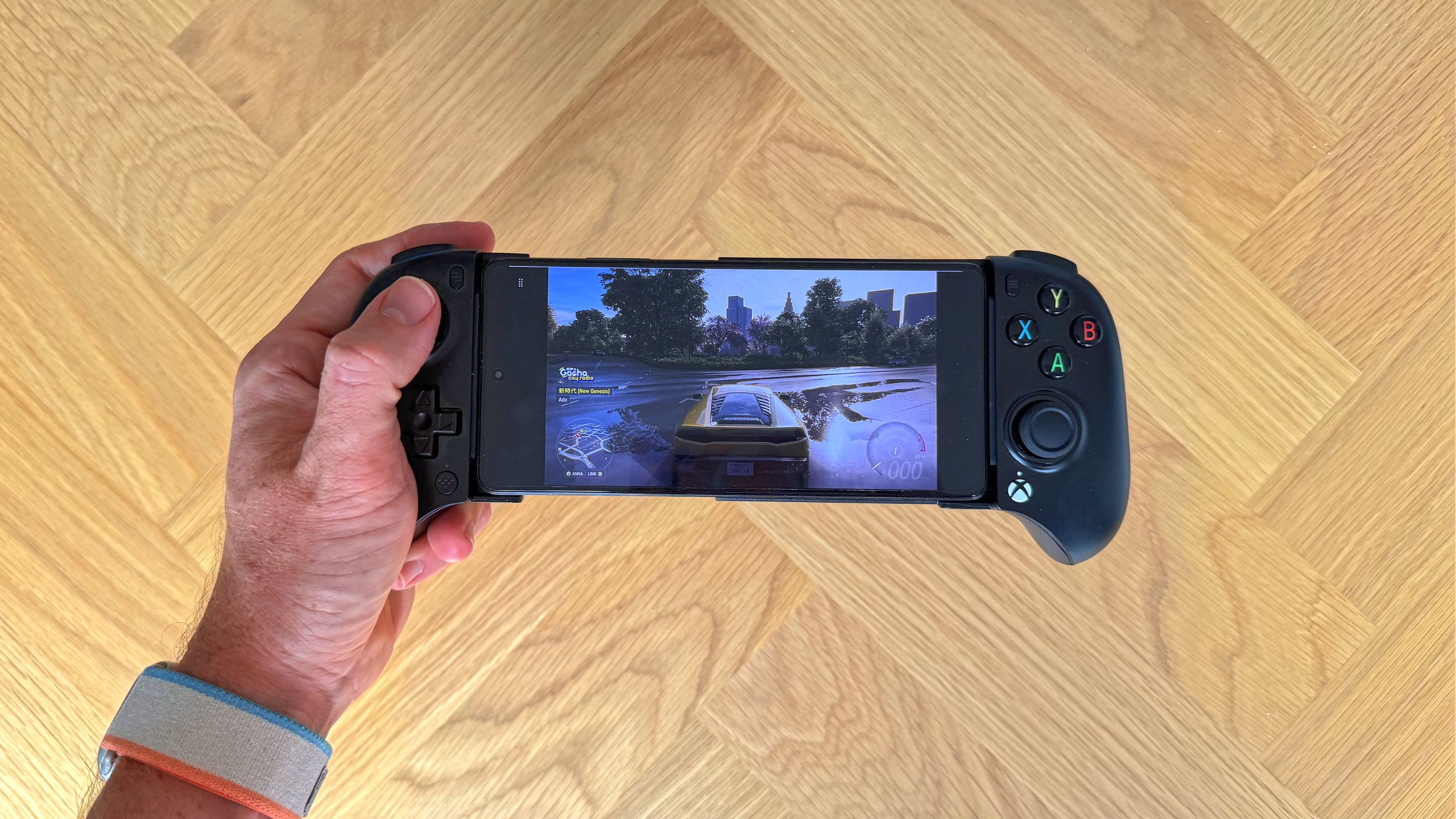
Perhaps the most impressive design element is the phone deck. The telescopic mechanism extends smoothly and securely, demonstrating remarkable stability. During rigorous testing, it confidently held both a slim POCO X5 Pro 5G and a bulkier iPhone 17 Pro (with a case attached) without any discernible flex, creaking, or risk of the device becoming dislodged. This robust and thoughtful design, devoid of fiddly replaceable pads or removable elements, ensures that the phone remains firmly in place, providing peace of mind during intense gaming sessions.
Performance Analysis: Cloud Gaming vs. Native Mobile Challenges
The 8BitDo Ultimate Mobile Gaming Controller – Xbox Edition truly shines when used with its namesake: Xbox Cloud Gaming. Its performance in this specific use case is, by a wide margin, its strongest asset. Initial pairing with various devices is commendably straightforward, largely thanks to a streamlined connectivity system that avoids the complexity of multiple modes found in some competing devices. The process of holding a button until a light flashes intuitively initiates pairing, requiring no consultation of user manuals for basic setup.
Across iOS, Android, and macOS, the Xbox Cloud Gaming experience proved to be excellent. Titles such as Forza Horizon 6 played seamlessly, with responsive controls and no perceptible Bluetooth latency, offering a near-console-quality experience on mobile screens. The Hall effect triggers provided ample granular control for accelerating and braking, though the aforementioned dead zone required a slight adjustment period for precise cornering. The absence of rumble or vibration support, while a missing feature, was not significantly missed, as cloud and native mobile titles rarely leverage haptic feedback to the same extent as their console counterparts.
However, the experience of switching the controller between multiple paired devices (e.g., iPhone, MacBook Air, Android phone) proved to be temperamental. The controller often clung to a previously connected device, even if its Bluetooth was deactivated, frequently necessitating a full re-pairing process rather than a quick reconnection. This led to multiple "Ultimate MGX" entries accumulating in Bluetooth device lists, indicating a potential area for software refinement.
Connectivity to traditional computing platforms also yielded mixed results. On macOS, connecting to a MacBook Air via Bluetooth led Steam to recognize the controller as a different, previously paired device, which then failed to function in-game. Direct USB-C connection to macOS was similarly unsuccessful, with Steam and Xbox Cloud Gaming failing to recognize it despite the operating system identifying the device by name. Windows, conversely, offered a much smoother experience. Via USB-C, the controller was instantly recognized as a general XInput device, fully mapped and compatible with both Steam and Xbox Cloud Gaming, demonstrating robust PC support.
A key feature derived from its Xbox licensing is the dedicated Xbox home button. Within the cloud gaming app, this button functions identically to its console counterpart, opening the Xbox guide. Outside of cloud gaming, it acts as a shortcut to the Apple Gaming app on iOS or as a universal home button on Android. While not a revolutionary feature, it adds a layer of convenience and enhances the integrated Xbox experience, proving more useful than a generic ‘Turbo’ button.
The Hurdles of Native Mobile Gaming and Unresponsive Features
The controller’s prowess diminishes significantly when transitioning from cloud gaming to native mobile titles. Compatibility with onboard smartphone games is inconsistent and largely dependent on individual game developer support. Fortnite, for instance, immediately recognized the controller on both iOS and Android, providing a responsive and reliable gameplay experience. However, a glaring issue emerged: the on-screen button prompts displayed PlayStation symbols (Circle, Cross, Square, Triangle) instead of the controller’s physical ABXY Xbox layout. This typically occurs when a controller identifies itself as a generic gamepad rather than an official Xbox device, highlighting a limitation in how the Xbox branding translates to native game recognition.
More critically, popular titles like Call of Duty Mobile, one of the largest mobile shooters globally, failed to recognize the controller entirely on both iOS and Android. This fundamental incompatibility, without any hardware mapping workarounds, severely limits the controller’s appeal for a significant segment of the mobile gaming community.
Perhaps the most frustrating functional limitation lies with the two rear paddle buttons. Physically, these buttons are well-designed, ergonomically placed, and require an appropriate amount of force to actuate. However, in every testing scenario – including native mobile games and all cloud gaming platforms – they remained entirely unresponsive. Even after attempting to bind them to specific inputs via the 8BitDo Ultimate Software V2 app, games simply did not register their presses. This renders a prominently advertised feature functionally useless, a significant drawback for players accustomed to or desiring additional customizable inputs.
Companion Software and Customization
The 8BitDo Ultimate Software V2 app, designed for controller customization on iOS and Android, is notably basic compared to competitors. Users are met with an initial hurdle of confusingly having two versions on app stores, with only V2 recognizing the controller. Furthermore, despite the device already being Bluetooth-paired, the app requires manual selection and pairing of the controller model during its own setup process.
Once inside the app, customization options are barebones, limited to basic button remapping, dead zone adjustments for joysticks, and trigger tuning. While these core functionalities work on both iOS and Android, any configurations made are device-specific and are not saved directly to the controller’s onboard memory. This means that personalized settings do not carry over seamlessly when switching between different phones or tablets, requiring re-configuration for each device. This lack of robust, controller-side profile storage is a notable inconvenience for users who frequently switch platforms.
Market Positioning and Competitive Landscape
The 8BitDo Ultimate Mobile Gaming Controller – Xbox Edition occupies a distinct niche in the mobile controller market, primarily catering to Xbox Game Pass subscribers who prioritize cloud gaming. Its compelling price point, coupled with premium features like Hall effect joysticks and an exceptionally secure phone grip, makes it an outstanding value proposition for this target audience.
However, its inconsistencies with native mobile game support and the non-functional rear paddles position it differently against its main rivals. The Backbone One (2nd Gen), despite its higher price tag ($99.99), remains a top recommendation for its compact form factor, reliable wired USB-C/Lightning passthrough connection, and broad native game compatibility. While it lacks Hall effect sticks, its superior integration with mobile gaming ecosystems makes it a safer bet for those whose primary focus is playing games installed directly on their device. The GameSir G8+ Galileo Wireless ($79.99), a direct wireless competitor, offers Bluetooth 5.3, Hall effect sticks and triggers, and functional back buttons, alongside broader platform support including Nintendo Switch. Its larger grips and additional connectivity options make it a more versatile, albeit more expensive, wireless mobile controller.
Strategic Implications and User Considerations
The 8BitDo Ultimate Mobile Gaming Controller – Xbox Edition is unequivocally designed for the dedicated Xbox Cloud Gaming enthusiast. Its seamless integration with the Xbox ecosystem, reliable wireless performance for streaming, and comfortable design for extended sessions make it an almost indispensable accessory for Game Pass subscribers who leverage their mobile devices for gaming. Its affordability further democratizes access to this high-quality cloud gaming experience. Moreover, its compact grip design makes it a more suitable and comfortable option for gamers with smaller hands who might find larger controllers cumbersome.
Conversely, potential buyers whose primary gaming involves native mobile titles should approach this controller with caution. The significant compatibility issues with popular games like Call of Duty Mobile and the incorrect button prompts in others like Fortnite make it a suboptimal choice. Furthermore, gamers who rely heavily on customizable rear paddle buttons for competitive play or enhanced control will find this feature entirely non-functional, rendering it a significant disappointment. For these user segments, investing in alternatives like the Backbone One or GameSir G8, which offer more robust native game support and functional advanced features, would be a more prudent decision, despite their higher cost.
Looking ahead, 8BitDo has an opportunity to refine this product. Addressing the software limitations, particularly improving native game recognition and enabling the functionality of the rear paddles, would significantly broaden its appeal. Enhancing device-switching fluidity and allowing on-controller profile storage would further elevate the user experience, transforming an already strong cloud gaming controller into a truly versatile mobile gaming peripheral.
How the 8BitDo Ultimate Mobile Gaming Controller – Xbox Edition Was Tested
The evaluation of the 8BitDo Ultimate Mobile Gaming Controller – Xbox Edition involved comprehensive testing across multiple platforms and game types. Mobile gaming performance was assessed using an iPhone 17 Pro and a POCO X5 Pro 5G. Native mobile game compatibility was rigorously tested with Fortnite (on both iOS and Android) and Call of Duty Mobile (attempted on both platforms). Cloud gaming performance was primarily evaluated through Forza Horizon 6 via Xbox Cloud Gaming across all supported devices, including Mac and Windows PCs.
The companion application experience, 8BitDo Ultimate Software V2, was tested on both iOS and Android for firmware updates, profile creation, and button remapping functionalities. Specific attention was paid to the functionality of the rear paddle buttons across all tested scenarios, including native games, cloud gaming, and through the companion app. Controller behavior and recognition on Steam, encompassing calibration and in-game performance, were also thoroughly examined. This multi-faceted testing approach aimed to provide a holistic understanding of the controller’s capabilities and limitations in real-world gaming environments.