IOS 27.2 introduces a seamless system-level migration tool to simplify app replacement for users and developers.

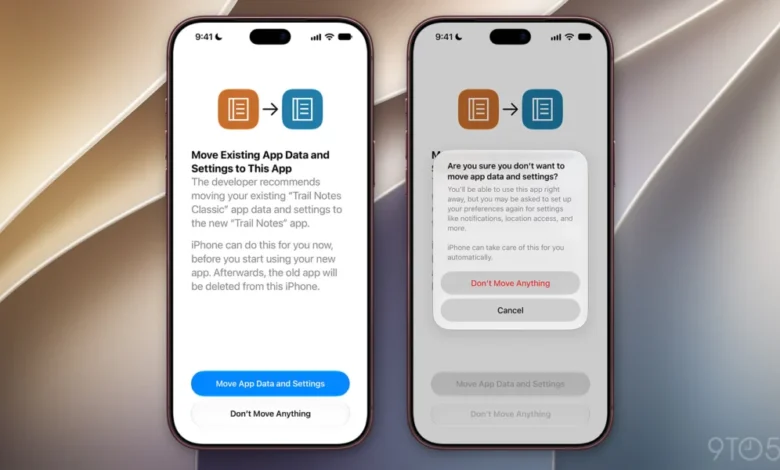
The transition from a legacy software application to a newer version or a successor platform has long been a point of friction for mobile users. Historically, when a developer decides to sunset an existing application in favor of a redesigned or rebranded successor, the burden of migrating local data, configuration files, and system permissions has fallen almost entirely on the user. With the introduction of iOS 27.2, Apple is fundamentally changing this dynamic, implementing a native, system-managed migration framework that automates the transfer of user data and app-specific preferences from an old application to a designated replacement.
This development, first observed in the initial beta release of iOS 27.2, signals a significant shift in how Apple manages the lifecycle of third-party software on its ecosystem. By integrating migration protocols directly into the iOS kernel, the company aims to reduce the "churn" associated with app updates and migrations, ensuring that users do not lose critical settings or local data when developers force a transition to a new app store listing.
The Technical Mechanics of the Migration Flow
The core of this new feature lies in a standardized handshake between the legacy app and its successor. When a developer registers a new app as the "designated successor" to an existing one, the iOS system recognizes the relationship during the installation process. Upon the initial launch of the successor, or potentially during the installation phase, the operating system triggers a specialized migration alert.
The user-facing prompt is designed for clarity and security. The notification explicitly informs the user that the developer recommends moving data from the legacy app to the successor. By offering a binary choice—"Move App Data and Settings" or "Don’t Move Anything"—Apple ensures that the user maintains agency over their data. If the user opts for the migration, the system handles the background task of moving local databases, caches, and system-level configurations.
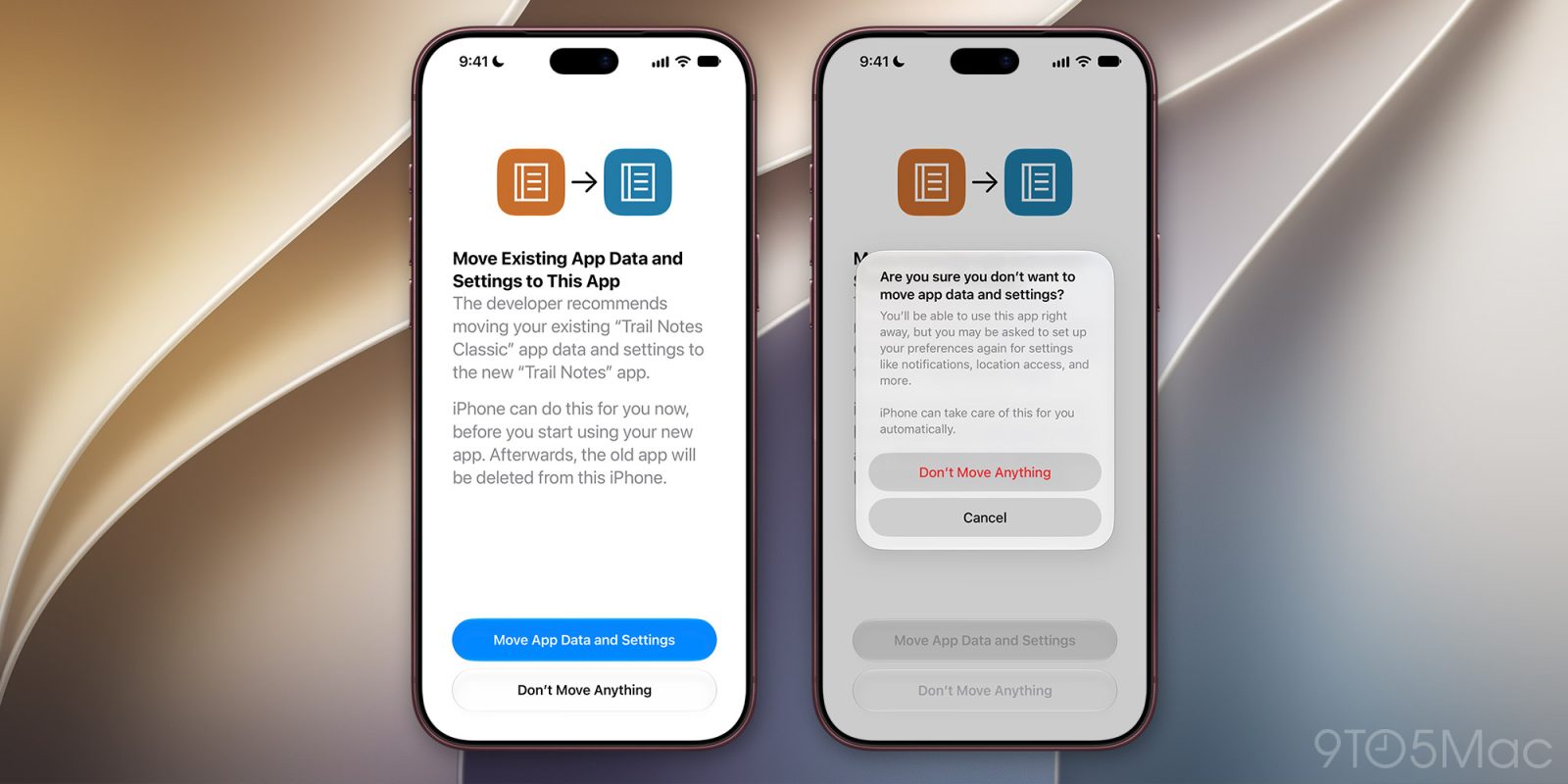
Once the migration is confirmed as successful, the system provides a secondary benefit: it automatically handles the removal of the legacy application. This creates a "clean slate" experience for the user, removing the redundant app icon and clearing out local storage without requiring manual intervention.
Historical Context and the Need for Change
The history of mobile application development is littered with instances where developers were forced to launch "App 2.0" as an entirely separate entry in the App Store. This often occurred due to technical debt, the need for a new bundle identifier, or changes in business models (such as shifting from a one-time purchase to a subscription model).
Previously, developers had to rely on complex, cloud-based synchronization services to ensure that a user’s history, preferences, and local data moved from the old app to the new one. If an app did not utilize cloud storage, the user was often left with a blank slate, leading to high abandonment rates and user frustration. Many developers would resort to "in-app prompts" that asked users to manually export and import files, a process that was not only cumbersome but prone to failure.
By centralizing this process within iOS 27.2, Apple is essentially providing a "data bridge" that operates independently of the developer’s specific server architecture. This is a vital evolution for the platform, particularly as apps become more complex and data-heavy.
Analyzing the Implications for Developers and Users
For developers, this feature serves as a retention tool. A major barrier to launching a new, superior version of an existing app is the fear of losing the current user base during the transition. If a migration is difficult, users are likely to stop using the service entirely rather than deal with the friction of re-authentication or data loss. By providing a "one-tap" migration, developers can ensure a higher conversion rate when moving users to modern versions of their software.

For the average user, the impact is a more cohesive experience. Features like notification permissions, location access, and background refresh settings are often tied to specific bundle identifiers in the iOS system. Previously, these had to be re-granted manually upon the installation of a new app. Under the new framework, these permissions are part of the data bundle that can be migrated, meaning that if a user granted location access to "Legacy App," that permission can be seamlessly inherited by "Successor App" upon authorization.
However, it is important to note the scope of this feature. Based on the current implementation in the beta, this functionality is restricted to apps owned by the same developer. This is a critical security boundary. Apple is not allowing third-party apps to "scrape" data from one another; rather, it is providing a controlled environment where a single developer can move their own assets from an old container to a new one within the sandbox. This preserves the strict security and privacy protections for which iOS is known.
Security and Privacy Considerations
Apple’s implementation of this migration tool is inherently privacy-centric. By requiring a explicit user confirmation, the system prevents unauthorized data migration or "data squatting" by malicious actors. The process is managed by the system, which means that the actual migration occurs within the sandboxed environment of the user’s device.
The data being moved is limited to local settings and application-specific data. It does not appear to provide a mechanism for developers to access data that was previously restricted by privacy controls, nor does it circumvent Apple’s App Tracking Transparency (ATT) requirements. The move is strictly an internal house-cleaning exercise intended to maintain the continuity of the user experience.
Anticipated Challenges and Limitations
While the prospect of a native migration tool is broadly positive, there are potential challenges that developers may face. For instance, how does the system handle schema changes? If the database structure of the new app is fundamentally different from the old one, the system must either perform a transformation or the developer must provide a mapping layer. Apple has yet to release full documentation on the "migration mapping" requirements, but industry analysts anticipate that developers will need to define how their data structures translate from the legacy format to the new format.

Furthermore, there is the issue of "orphaned" data. If a user rejects the migration, the old app remains on the device. While this gives the user control, it could lead to fragmented storage where users have two versions of the same app consuming space. Apple will likely need to implement smart reminders or storage management suggestions to help users identify and delete these legacy applications if they are no longer in use.
A Look Ahead at the iOS 27.2 Beta Cycle
As the beta cycle for iOS 27.2 progresses, developers and analysts will be watching closely to see how the API matures. Initial reports suggest that the framework is currently in a preliminary state, with limited documentation available in the Xcode preview tools.
The coming weeks will be crucial. If Apple expands the capability of this migration tool—perhaps by allowing for more complex data transformations or by providing better integration with iCloud sync—it could fundamentally change the way apps are updated on the App Store. It is expected that as the public release of iOS 27.2 nears, Apple will release detailed developer guidelines, potentially including a "migration manifest" that developers must include in their app bundles to facilitate the transition.
Conclusion: A Maturity Milestone for iOS
The introduction of the app migration flow in iOS 27.2 is a testament to the maturation of the mobile ecosystem. In the early days of smartphones, the focus was on the initial installation and the performance of the app itself. Today, as the average user holds onto their devices for longer periods and relies on a stable set of core applications, the focus has shifted toward longevity, data continuity, and user-centric transitions.
By acknowledging that apps are not always static entities—and that developers sometimes need to replace their own software—Apple is taking a proactive step toward minimizing the friction inherent in digital evolution. While it remains a niche feature for most casual users, for power users and those heavily invested in specific software ecosystems, this update will provide a much-needed layer of convenience and reliability. As the industry monitors the rollout, the success of this feature will likely be measured by how many developers adopt it to ease the transition of their users into more modern, secure, and feature-rich software experiences.
Related posts: