Google Previews Persistent Status Bar for Future Wear OS Release in Android Studio Canary Build

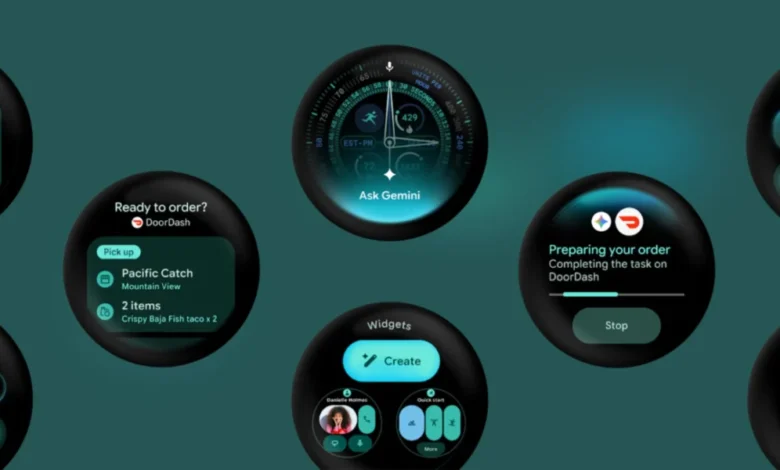
Google has taken a significant step toward unifying the user experience across its hardware ecosystem by introducing a persistent system status bar for Wear OS. The announcement, which surfaced following the release of a developer-focused canary emulator through Android Studio, marks a notable design evolution for Google’s smartwatch platform. By bringing a familiar smartphone and tablet convention directly to the wrist, the Mountain View-based technology giant aims to standardize how time, notifications, and system indicators are displayed across varying applications and circular display configurations.
The feature, initially detailed in late October 2026, was rolled out as part of a specialized developer preview environment. While smartwatches have historically relied on app-specific implementations for timekeeping and status alerts—often requiring users to swipe or exit active windows to check basic system metrics—this upcoming architectural shift promises a more cohesive and glanceable interface. As wearable technology matures and smartwatches increasingly handle complex, standalone tasks, Google’s latest initiative reflects a broader industry push toward software consistency and streamlined navigation.
The Canary Emulator Release and Technical Specifications
On October 26, Google officially deployed a new Wear OS canary emulator via Android Studio, designed explicitly for developers eager to test upcoming platform features and user interface modifications ahead of public consumption. This early-access environment gives third-party creators a controlled sandbox to evaluate how their software will adapt to upcoming platform shifts before any consumer-facing hardware deployment.
According to release documentation tied to the Canary build, the software environment is formally identified as Wear OS 7.1, operating on API level 37.2-beta1. Notably, this version is underpinned by Android 17, carrying the internal codename CinnamonBun alongside the specific build ID CP41.260831.001.E8.
Within this canary build, the most prominent addition is a persistent system status bar positioned at the very top of the circular display, hovering over active Wear OS application windows. This bar is engineered to house the current time alongside essential system status indicators. To ensure design uniformity, Google has mandated standardized clock typography, precise icon placement, and a dedicated backplate across the platform. These elements are designed to integrate seamlessly not only with native system UI but also with third-party applications, creating a uniform visual language regardless of the software being utilized.
However, developers utilizing the canary build will notice an early placeholder state; the system currently renders a generic star icon rather than functional, real-time system status indicators. Furthermore, Google has clarified that while this canary emulator serves as an early testing ground for the feature, the system status bar will not be packaged into the upcoming stable release of the Wear OS 7.1 emulator. Instead, the persistent bar is officially slated for a "later platform release of Wear OS," signaling that extensive developer feedback and refinement phases remain ahead.

Chronology of Wear OS Interface Evolution
To understand the weight of introducing a persistent status bar, it is necessary to examine how Wear OS’s graphical user interface has evolved since its inception as Android Wear in 2014. In the early days of circular and square smartwatches, screen real estate was treated as a precious commodity. Designers favored edge-to-edge experiences, hiding the time or displaying it only when a wrist gesture triggered the active display mode.
Over successive iterations—most notably the transition to Wear OS 3 in partnership with Samsung, and subsequent updates under Wear OS 4, 5, and 6—Google gradually refined how information is presented. Quick settings panels and notification shades became more accessible via intuitive swipe gestures (downwards and sideways, respectively), bringing the watch operating system closer to the interaction paradigms of Android smartphones.
Despite these iterative improvements, the core application window remained strictly separated from persistent timekeeping or connectivity indicators. Users running a fitness tracking app, a navigation tool, or a media controller frequently found themselves losing sight of the baseline time unless the application specifically coded a clock element into its layout. The introduction of a persistent system status bar represents the first major structural overhaul of the top-level UI architecture in years, moving Wear OS from a fragmented, app-centric display model toward a unified operating system environment.
Developer Integration and Customization Guidelines
The success of a system-level interface change on a circular display depends heavily on developer adoption and flexibility. Because smartwatches utilize round screens with varying bezel sizes and pixel densities, a rigid overlay could easily obstruct vital interactive elements within an app, such as top-aligned navigation buttons or headers.
To mitigate usability friction, Google has built specific accommodations into the Wear OS development kit. While the system status bar enforces standardized typography and backplates to maintain visual consistency, the platform also provides developers with the necessary APIs to manage fullscreen integration. Applications that demand an immersive, uninterrupted visual experience—such as media streaming interfaces, full-screen workout maps, or specialized watch-face companions—will retain the capability to programmatically hide the status bar when required.
This balancing act between system-wide uniformity and app-level customization is critical for developer relations. By allowing early testing via the Android Studio canary emulator, Google is proactively gathering feedback on how edge-radius clipping, touch target interference, and visual crowding affect usability on circular hardware. Developers are encouraged to test their current layouts against the emulator to ensure that critical UI components do not collide with the newly reserved top-screen real estate.
Broader Industry Context and Ecosystem Implications
Google’s move to align Wear OS interface guidelines closer to standard Android on phones and tablets reflects a mature design philosophy. As smartwatches evolve from secondary notification mirrors into independent computing devices capable of running complex local applications, cellular connectivity, and standalone messaging clients, the user experience expectations have shifted.

Consumers who transition fluidly between an Android smartphone, a tablet, and a smartwatch benefit from cognitive continuity. When interface elements—such as status indicators, clock placements, and notification flags—occupy predictable spatial zones across all form factors, the learning curve for navigating new hardware drops significantly. This design convergence is particularly vital as hardware manufacturers push the boundaries of wearable form factors, experimenting with varying bezel widths, crown interactions, and proprietary display technologies.
Competitors in the smartwatch space have historically adopted varying approaches to system-level indicators. Apple’s watchOS, for instance, utilizes subtle top-level icons and color-coded status pills (such as green indicators for active phone calls or blue dots for active navigation sessions) that overlay the display without imposing a permanent, heavy status bar. By introducing a structured system status bar with a dedicated backplate and standardized typography, Google is charting a distinct path that emphasizes high visibility and immediate legibility, tailoring the classic Android notification philosophy to the constraints of a circular canvas.
Analysis of Future Platform Releases and Timeline Expectations
The strategic timing of the canary emulator drop provides clear insight into Google’s internal software development pipeline. By publishing Wear OS 7.1 (API level 37.2-beta1) built on Android 17 CinnamonBun, Google has signaled that the underlying operating system foundations are progressing on a predictable annual or semi-annual cadence.
However, the explicit disclaimer that the system status bar is excluded from the upcoming stable Wear OS 7.1 emulator highlights a deliberate, phased rollout strategy. Google is intentionally decoupling the core OS point release from this specific user interface paradigm. This ensures that developers are given ample runway to update their applications, test edge-case scenarios on circular screens, and provide actionable telemetry without forcing consumers to interact with an unpolished feature on commercial hardware prematurely.
Industry analysts anticipate that as Android 17 matures across the broader mobile ecosystem, subsequent point releases or major version upgrades—likely targeting late 2026 or early 2027 hardware cycles—will serve as the consumer vehicle for the persistent status bar. Until then, the canary emulator remains an exclusive laboratory for early adopters, system architects, and third-party developers preparing their applications for the next generation of wrist-based computing.