The Evolution of Apple Intelligence in Photo Editing
The most prominent updates in macOS 27 are concentrated within the new Tools pane, which leverages the enhanced computational power of Apple Intelligence. These features are specifically optimized for Macs equipped with Apple Silicon, reflecting the company’s ongoing push to shift heavy processing tasks from the cloud to on-device hardware.
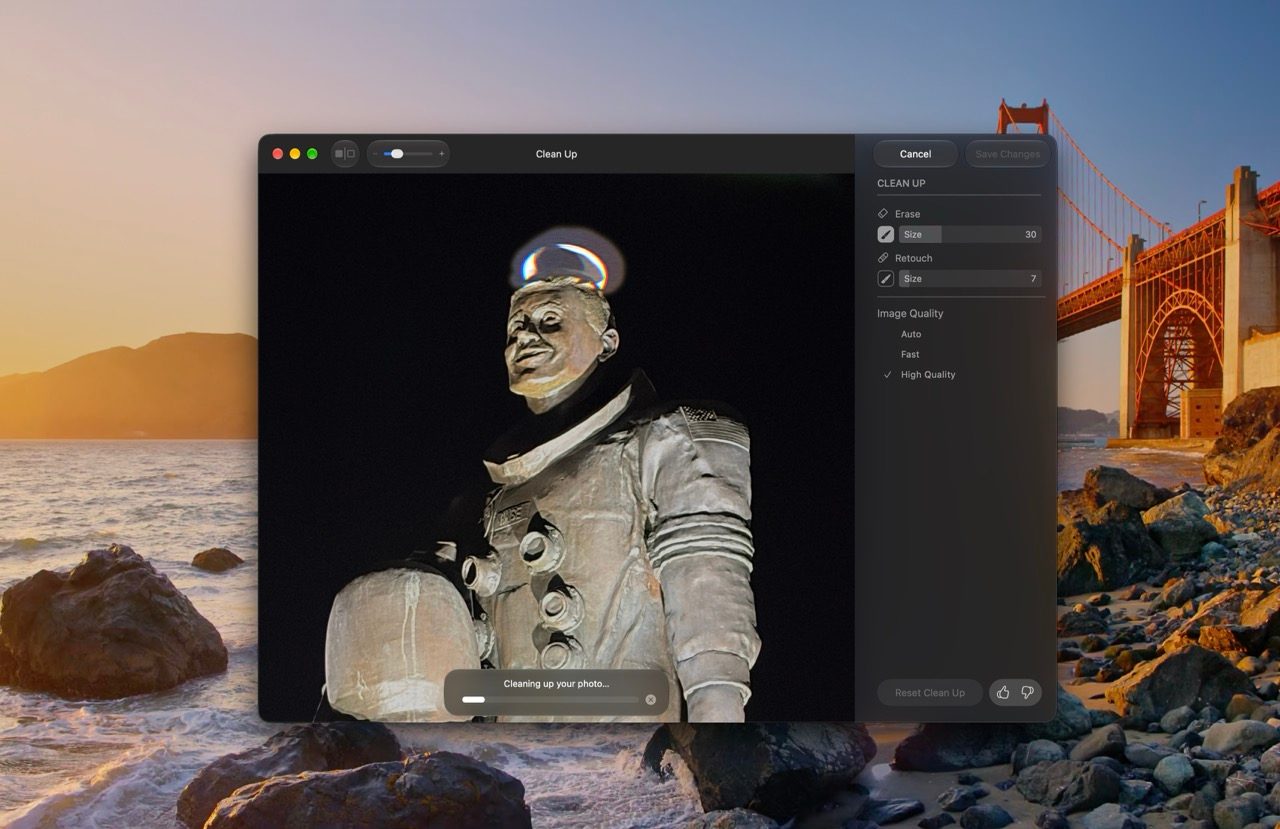
The "Clean Up" tool has received a substantial performance upgrade. In previous iterations, the tool often struggled with complex backgrounds or large, overlapping objects. The new version utilizes advanced generative models to analyze spatial depth and texture, allowing users to remove unwanted distractions with greater precision. Apple has introduced a tiered approach to this feature: a high-speed mode for minor blemish correction and a high-quality mode that utilizes deeper neural processing for intricate, professional-grade edits.
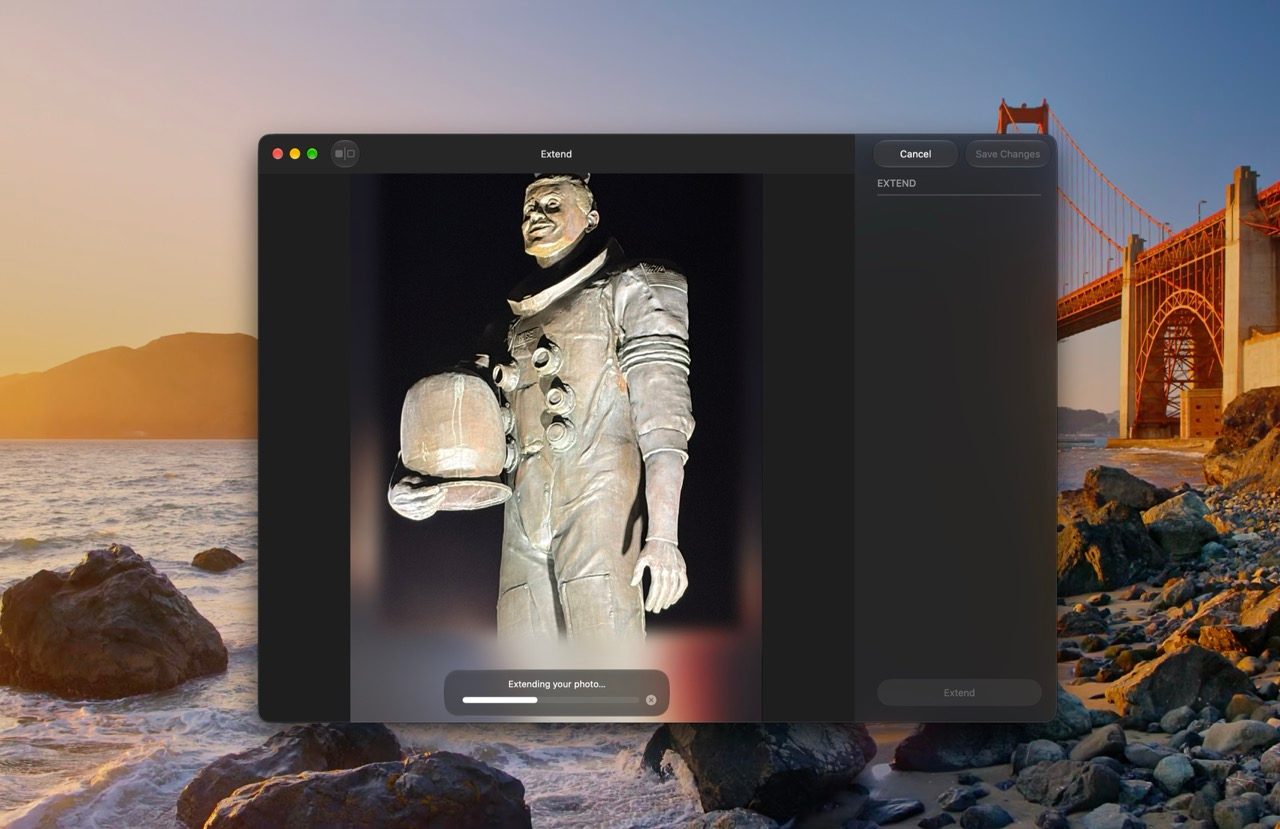
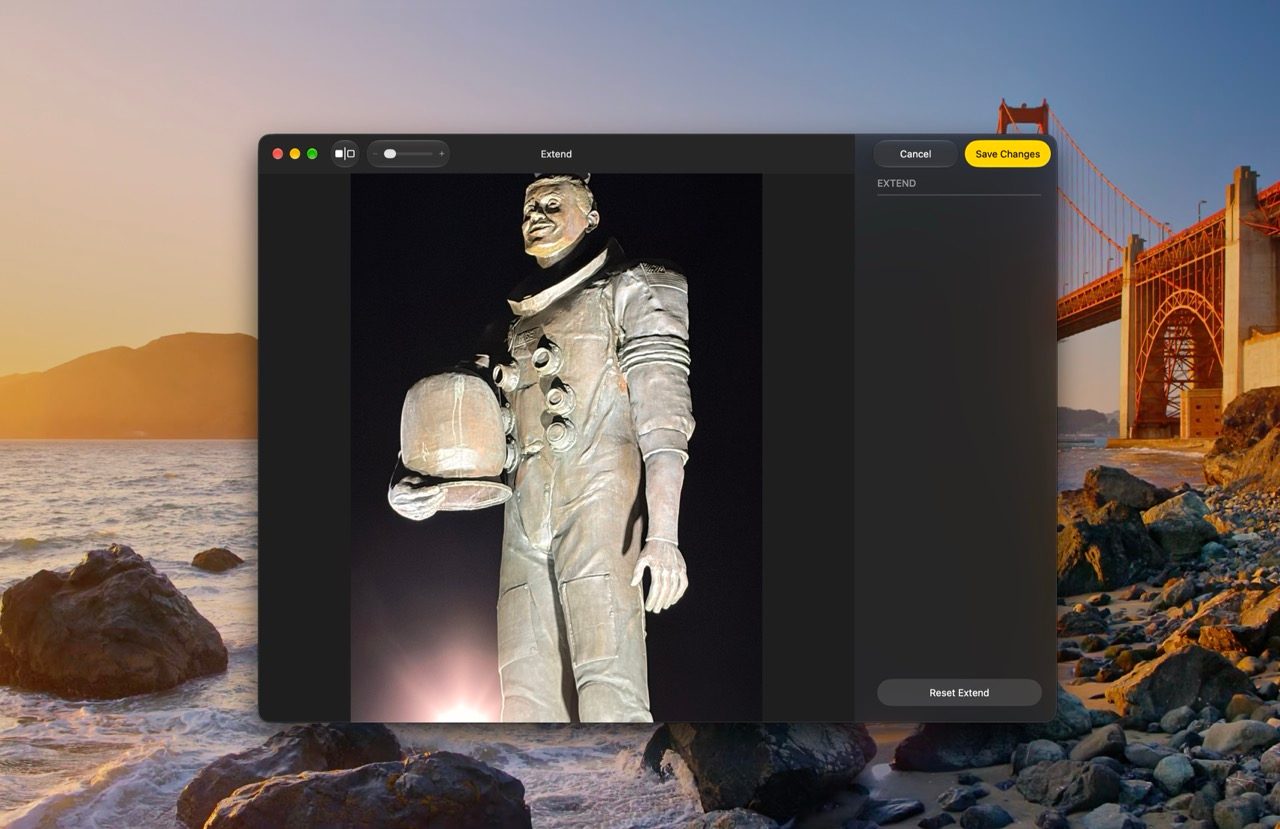
Further expanding the editing toolkit, the new "Extend" feature addresses a common pain point for digital photographers: composition. By using generative AI, the system can now intelligently synthesize pixels to expand the boundaries of an image. This is particularly useful for correcting horizon lines that were slightly off-kilter or for adjusting a photo’s aspect ratio without losing subject integrity. This feature is now integrated directly into the Crop tool, making it accessible during standard editing workflows.
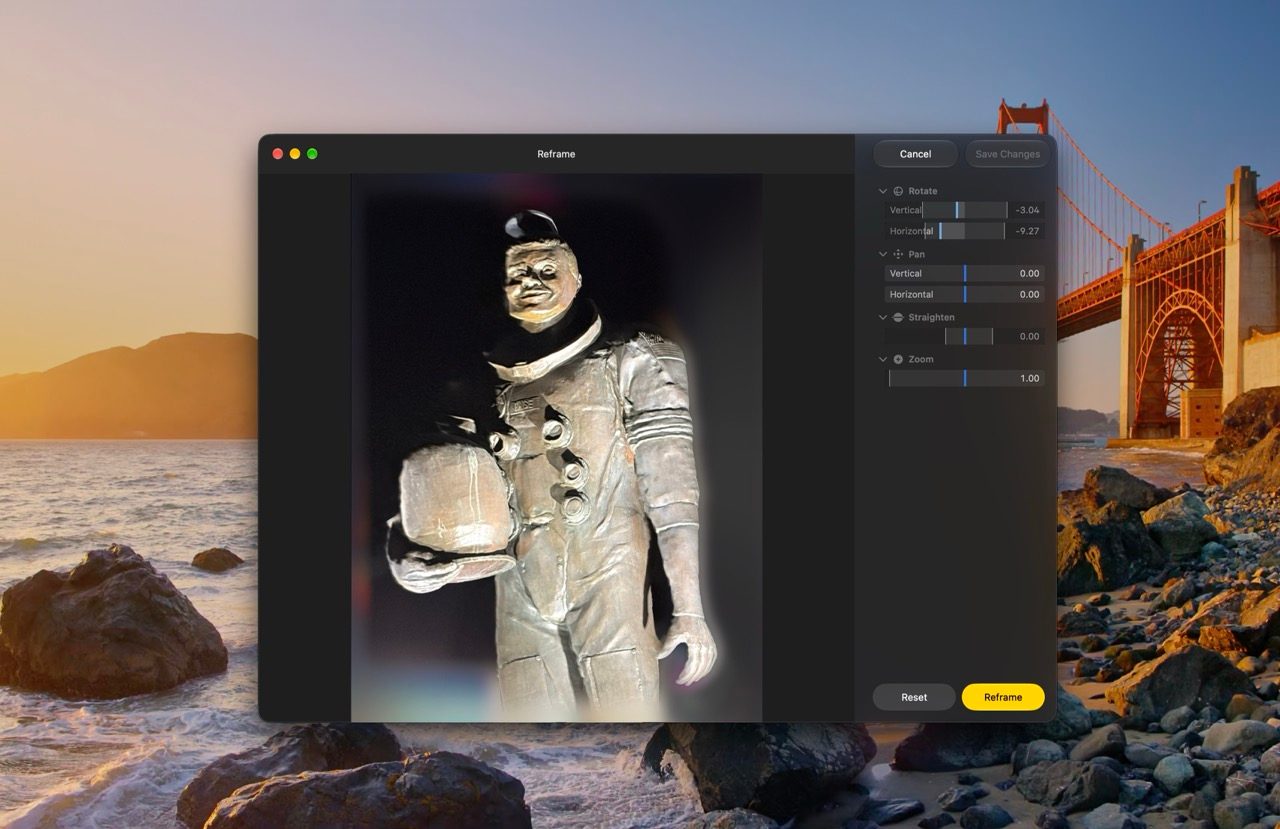
Perhaps the most ambitious addition is "Spatial Reframing." By constructing a 3D model of the scene captured in a 2D image, the software allows users to adjust the camera perspective after the fact. This provides the illusion of panning or zooming as if the photographer were physically repositioning themselves. When such maneuvers expose previously unseen areas, the generative model fills in the gaps, maintaining stylistic consistency with the original photograph.
Rethinking Collaboration and Shared Albums
Apple has historically faced criticism regarding the interoperability of its ecosystem. With macOS 27 Golden Gate, the company is taking a significant step toward broader accessibility. iCloud Shared Albums now support full-resolution media, ensuring that quality is no longer sacrificed for the convenience of sharing.
More importantly, the barrier between Apple and non-Apple users has been lowered. Individuals using Android or Windows devices can now access Shared Albums via a web interface on iCloud.com. These participants are no longer relegated to passive viewing; they can contribute their own high-resolution photos and videos to the collective pool. This move represents a strategic shift in Apple’s service philosophy, acknowledging the reality of mixed-platform households and professional collaborative environments.
To manage the influx of content, users now have a "save-all" function that migrates an entire shared album to a personal library with a single click. For transient events, such as weddings or conferences, a new 30-day expiration setting allows for automated cleanup, preventing long-term clutter in iCloud storage.
Enhanced Organization and Presentation Tools
Beyond generative editing, macOS 27 introduces practical organizational tools for power users. The return of customizable slideshows is a notable inclusion for those who rely on the Photos app for presentations. Users can now curate specific selections and adjust transition styles, slide durations, and musical scores. Unlike previous versions, these slideshows can be exported as standalone video files, allowing for seamless sharing across platforms without the need for the recipient to utilize Apple software.
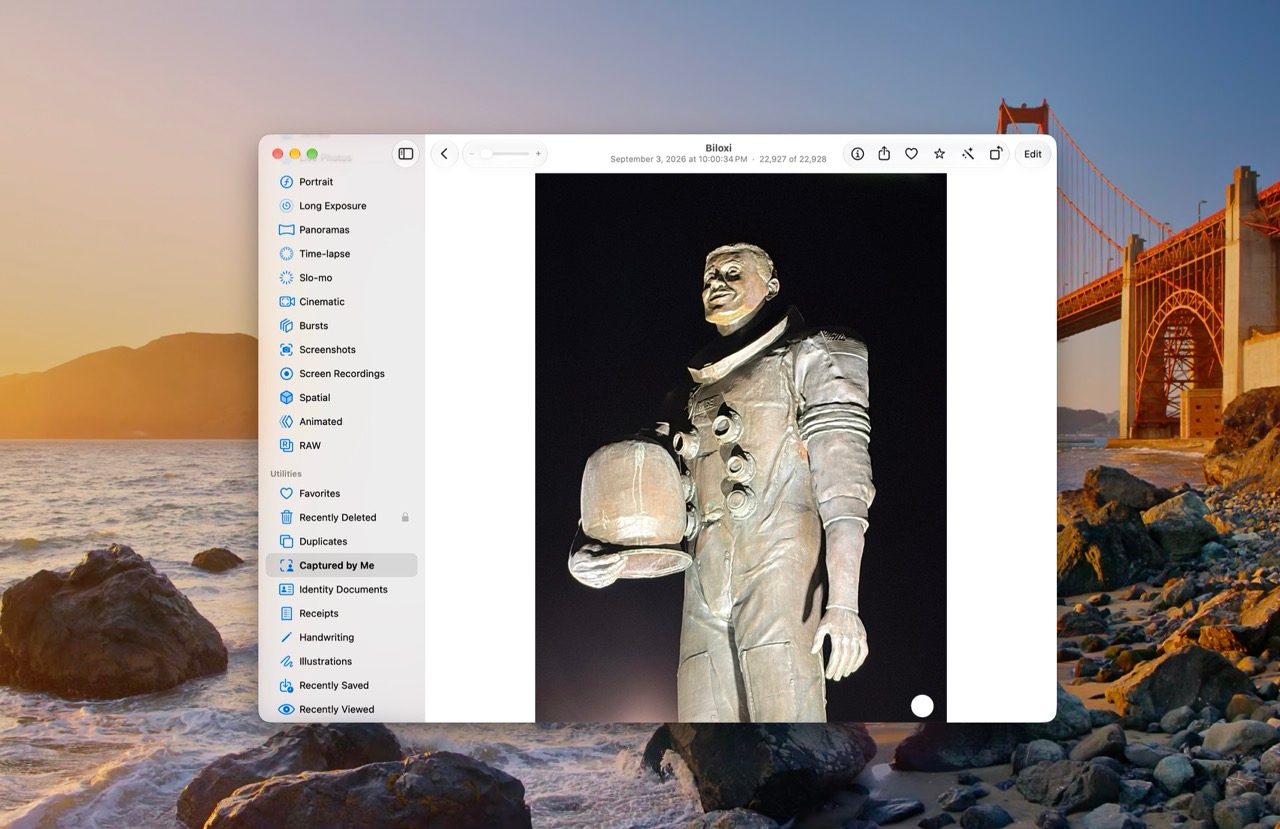
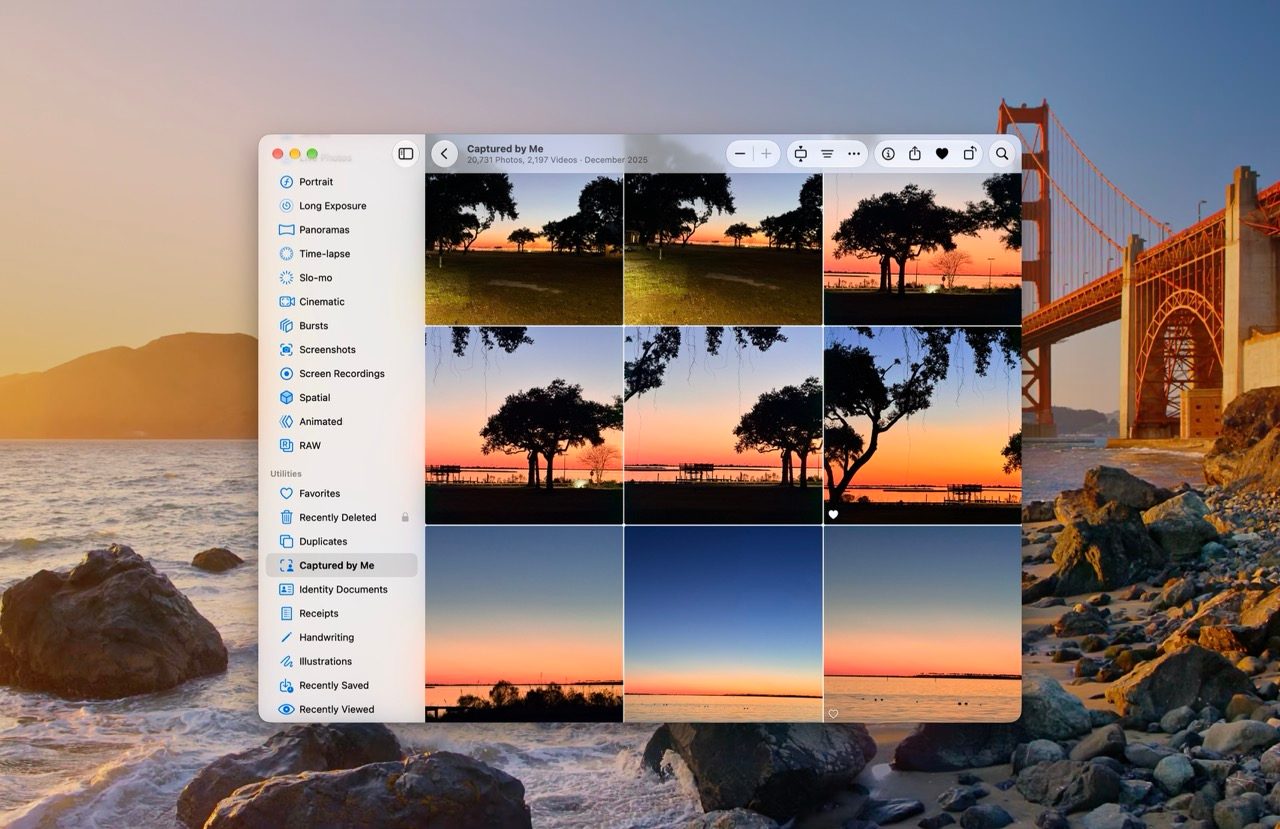
For those with massive libraries, the new "Captured by Me" collection provides an automated filter that segregates images taken by the user from those received via messaging apps or downloaded from the web. This distinction is critical for photographers looking to curate their portfolios. Furthermore, the introduction of a one-to-five-star rating system brings a professional-level taxonomy to the native app, which can be used to filter or sort libraries via the updated search and indexing system.
Performance and Infrastructure Improvements
While the user-facing tools attract the most attention, the underlying infrastructure of macOS 27 has seen significant revision. Apple has overhauled the search foundation that powers Spotlight, Mail, and the Photos app. This unified indexing system is designed to keep content searchable in near real-time, reducing the latency often experienced when importing large batches of high-resolution RAW files.
Additionally, users now have granular control over iCloud upload priorities. By allowing users to designate specific albums or batches for "priority sync," the system ensures that critical photos are pushed to the cloud and synced to other devices immediately, rather than waiting for background tasks to complete. This is a direct response to the needs of professional photographers and journalists who rely on the ecosystem for rapid deployment of visual content.
Broader Implications and Market Context
The release of macOS 27 Golden Gate comes at a time when the digital asset management market is increasingly competitive. Adobe, Google, and independent developers are all vying for the attention of the average consumer through AI-driven features. Apple’s strategy remains unique: it does not seek to replace professional software like Lightroom but rather to elevate the "default" experience for hundreds of millions of users.
By integrating these features directly into the OS, Apple is setting a new baseline for consumer expectations. The reliance on on-device processing for these AI features underscores Apple’s focus on privacy—a core pillar of its brand identity. By keeping data processing local, the company avoids the common pitfalls of cloud-based generative AI, which often raises concerns regarding data ownership and security.

A Chronology of Recent Photo Innovations
To understand the trajectory of these updates, it is helpful to look back at the last three years of macOS development:
- macOS 25: Focused on basic categorization and the introduction of "People & Pets" recognition.
- macOS 26: Introduced the initial iteration of the "Clean Up" tool and basic iCloud Shared Photo Library integration.
- macOS 27 (Golden Gate): Marks the pivot toward generative AI, cross-platform interoperability, and professional-grade organizational metadata like star ratings.
Professional Outlook and User Impact
The decision to make star ratings an "opt-in" feature in the settings is a subtle nod to the diverse user base. It acknowledges that while casual users may find the interface cluttered by such granular controls, professional photographers and hobbyists have been demanding such features for years.
The integration of CleanMyMac by MacPaw (as highlighted in the release context) remains a relevant partner in this ecosystem, as the sheer size of high-resolution libraries often pushes the storage limits of standard Mac configurations. As Apple continues to enhance the Photos app’s capabilities, the demand for optimized storage and system health will only grow.
In summary, macOS 27 Golden Gate does not aim to reinvent the wheel. Instead, it rounds out the rough edges of the digital photography experience. By combining the ease of use that defines the Apple experience with the high-end utility of generative AI and professional-grade file management, the latest update creates a compelling, cohesive, and highly capable environment for modern digital content creators. Whether one is a casual snapper or a dedicated photographer, the refinements in this release represent a meaningful step forward in the management and preservation of digital memories.