Wondershare Filmora Leads with Advanced AI and Comprehensive Editing Capabilities in Competitive Video Software Market

Wondershare Filmora has solidified its position as a frontrunner in the video editing software industry, distinguishing itself through an aggressive integration of artificial intelligence (AI) and a robust suite of traditional editing tools. The platform, developed by Wondershare, has consistently evolved, augmenting its core capabilities with cutting-edge AI functionalities designed to streamline workflows and unlock new creative possibilities for users ranging from aspiring enthusiasts to seasoned professionals. This strategic pivot towards AI has not only enhanced Filmora’s operational efficiency but also broadened its appeal in a rapidly expanding market driven by the escalating demand for digital content.
The Evolution of Filmora: A Strategic Embrace of AI
Filmora’s journey reflects a broader industry trend where software developers are increasingly leveraging AI to empower users with more intuitive and powerful creative tools. Wondershare, a company known for its diverse portfolio of multimedia software, identified the transformative potential of AI early on. Over time, Filmora has transitioned from being primarily a user-friendly video editor to a comprehensive AI-powered content generation and editing platform. This evolution culminated notably with the release of version 15, which introduced a significant repertoire of both AI and advanced video editing features, underscoring Wondershare’s commitment to innovation and staying ahead of technological curves.
The global video editing software market, valued at approximately $2.5 billion in 2022, is projected to grow at a compound annual growth rate (CAGR) of over 6% in the coming years, driven largely by the proliferation of social media, the rise of the creator economy, and increasing demand for video content across various industries. Within this dynamic landscape, AI-powered tools are emerging as critical differentiators, offering efficiencies that traditional methods cannot match. Wondershare’s strategic investment in AI for Filmora positions it strongly to capture a significant share of this growth, catering to users who seek both advanced capabilities and ease of use.
Unpacking Filmora’s Feature Set: Innovation at the Forefront
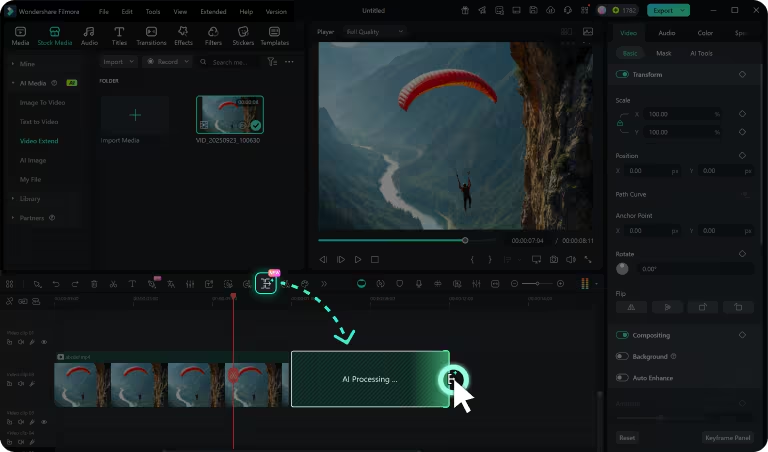
Filmora’s latest iteration boasts an impressive array of features, many of which are designed to tackle common editing challenges with AI-driven precision. Among the standout additions is the AI Video Extender, a tool that intelligently expands footage forward or backward based on simple text prompts. This feature proves invaluable for crafting seamless intros, outros, or transitions when original footage falls short, demonstrating a practical application of generative AI in everyday editing scenarios. Users simply drag the "Smart Pen" onto the editing dashboard and input a descriptive prompt to guide the AI in generating the desired video extension.
Building on this prompt-based interaction, Prompt Video Editing allows users to manipulate video elements—adding, replacing, or removing objects—through intuitive text commands, significantly reducing the manual effort traditionally required for such tasks. This capability marks a shift towards more natural language interfaces in video production, making complex edits accessible to a wider audience.
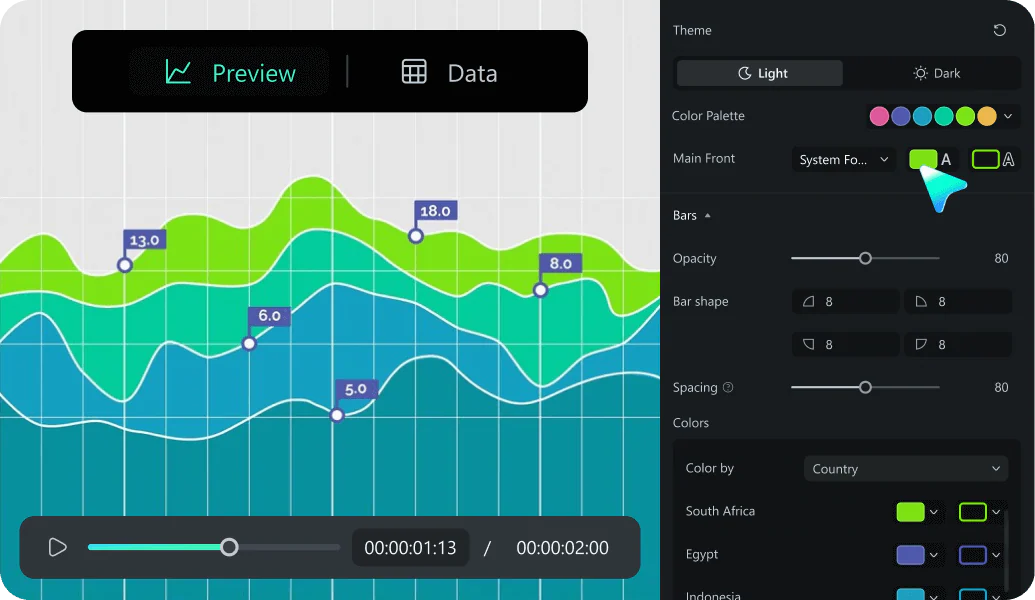
For professionals and businesses, the introduction of Animated Charts is a game-changer. By enabling the import of CSV or Excel files, Filmora can generate dynamic line, area, and pie chart animations. This feature is particularly beneficial for commercial teams and educators looking to create engaging presentations, reports, or educational content with visually compelling data visualizations, transforming static data into captivating narratives.
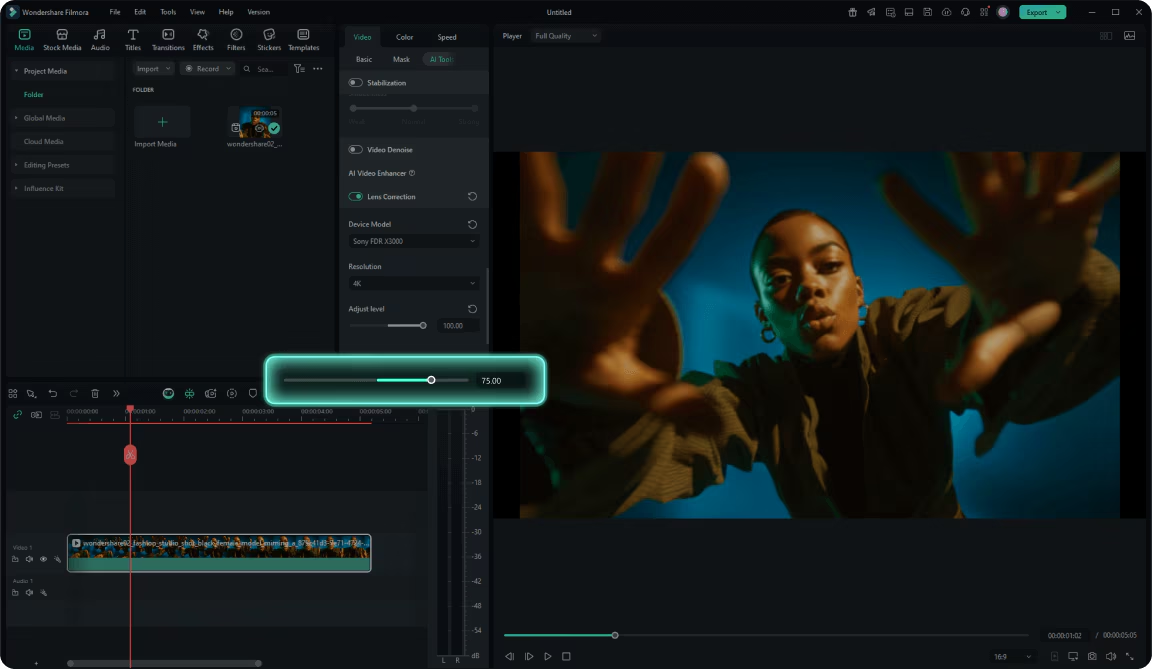
Addressing the perennial problem of shaky footage, Filmora has significantly enhanced its Video Stabilization feature with advanced pixel tracking and motion compensation algorithms. This ensures that even action-camera footage or handheld shots can be rendered smooth and professional, eliminating distractions and improving viewer experience. Similarly, the Lens Correction option provides precise tools to rectify optical distortions common in wide-angle or fisheye lenses, such as barrel, pincushion, vignetting, and keystone distortions. This level of correction is crucial for maintaining the integrity of architectural shots or ensuring natural-looking perspectives in diverse video projects.
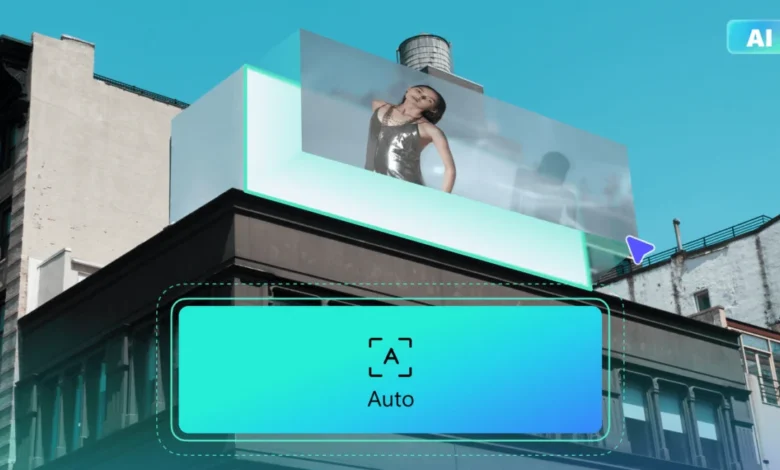
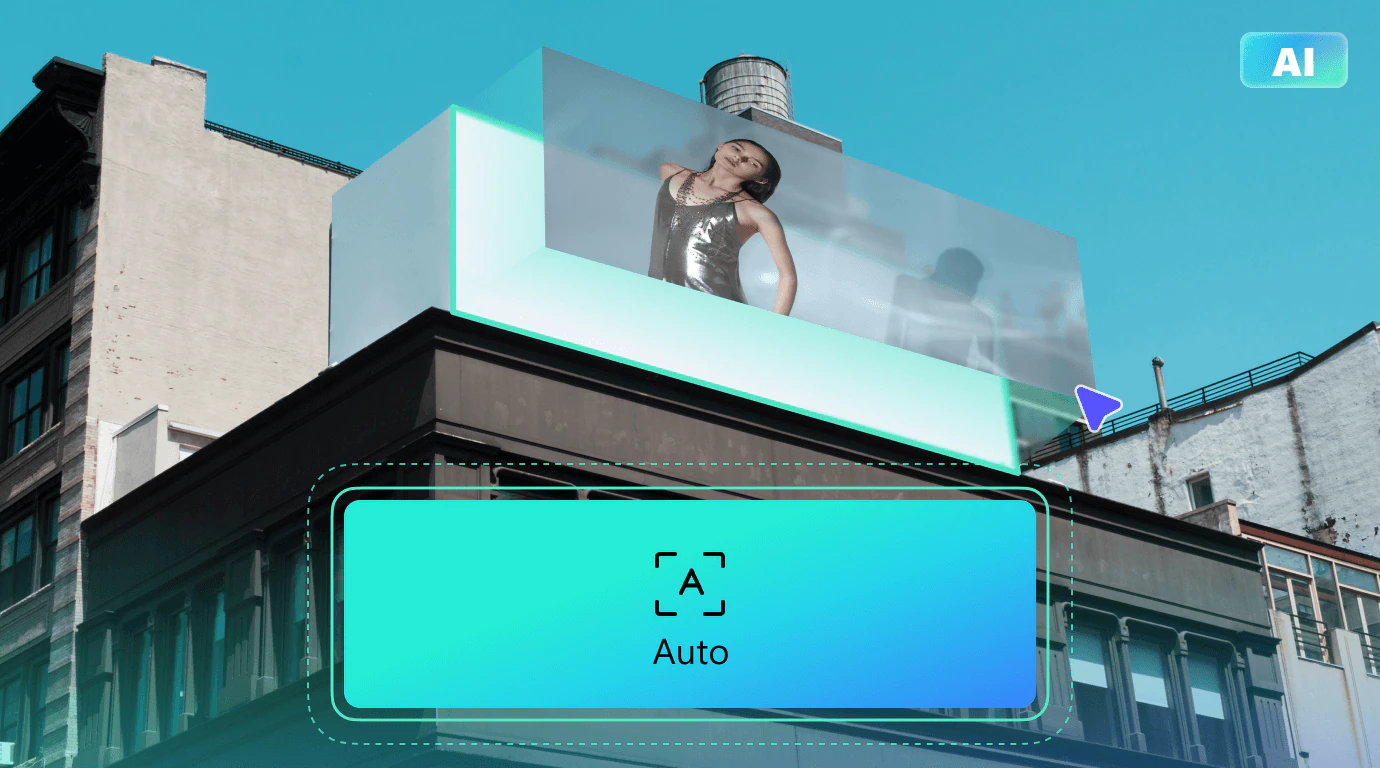
Furthermore, Advanced Planar Tracking represents a sophisticated addition, allowing users to accurately track an entire flat surface within a moving video. This enables the seamless integration of images, videos, text, logos, or mosaics onto dynamic surfaces like moving vehicles, billboards, or storefront signs, opening up new avenues for creative advertising and branding within video content. The precision of this tool reflects the growing demand for professional-grade visual effects capabilities within accessible editing platforms.
Beyond these highlights, Filmora includes a host of other AI functionalities such as Text to Object, Text to Speech, AI Music generation, AI Images, and AI Copywriting, demonstrating a holistic approach to AI integration across various aspects of content creation.
A Wealth of Creative Assets: Fueling Inspiration
Filmora distinguishes itself further with one of the most extensive libraries of creative assets available in the market. While typically offered as a paid add-on, the Creative Assets package unlocks a vast reservoir of premium effects and media, critical for elevating video production quality. This includes:
- Over 1.5 million stock media assets, encompassing a wide range of images and videos.
- More than 100,000 royalty-free audio tracks, providing diverse musical backdrops and sound effects.
- Professionally designed title templates, offering polished typographic solutions.
- A wide array of basic and professional transitions to ensure smooth scene changes.
- Aesthetic and cinematic effects and filters for diverse visual styles.
- An assortment of stickers and graphic elements to add flair.
- Over 10,000 ready-made templates, accelerating project starts.
- More than 500 AI-powered effects, pushing the boundaries of automated creativity.
This expansive collection ensures that users have access to high-quality resources, minimizing the need to source assets externally and consolidating the creative workflow within Filmora. This comprehensive offering is a significant advantage for content creators who require diverse elements to produce engaging and high-quality videos consistently.
Navigating the Interface: Power vs. Simplicity
Upon first encountering the Filmora dashboard, new users, particularly beginners, might find its comprehensive layout a bit overwhelming. The interface is meticulously designed, divided into three primary panes: an editing and elements panel for audio, titles, transitions, and effects; a preview pane for real-time visualization of edits; and a horizontal editing timeline at the bottom, where various elements are dragged and dropped to construct the project.
However, Filmora’s strength lies in its intuitive interaction once the initial learning curve is overcome. Essential options like Media, Filters, Transitions, Effects, and Templates are conveniently located at the top of the dashboard, allowing users to quickly access and drag desired elements onto the timeline. When a video segment is selected in the preview panel, a right-hand toolbar activates, offering granular control over video settings such as width, height, rotation, and flip. Crucially, this panel also houses a range of AI functions, including motion tracking, planar tracking, motion blur, and stabilization. The simplicity of activating these advanced features—often with a mere toggle or a drag-and-drop action—is a testament to Filmora’s user-centric design, removing the complexity often associated with professional editing software. Additional advanced editing options like speed adjustments, animation controls, color grading, and AI palettes are also readily available on this same right-hand panel, consolidating powerful tools in an accessible manner.
While it may demand a short period of acclimatization, Filmora proves to be an exceptionally rewarding platform for those who invest the time, thanks to the sheer breadth and depth of its editing capabilities.
Pricing and Value Proposition in a Crowded Market
Filmora’s pricing strategy is designed to offer flexibility and value, though its free plan notably differs from some competitors. Unlike platforms such as Kapwing, Adobe Firefly, or Fliki, Filmora’s free-forever plan, while allowing video editing and limited access to creative assets, does not include any AI credits. This means users cannot generate AI videos or images for free, which might be a point of consideration for those prioritizing AI content generation from the outset.
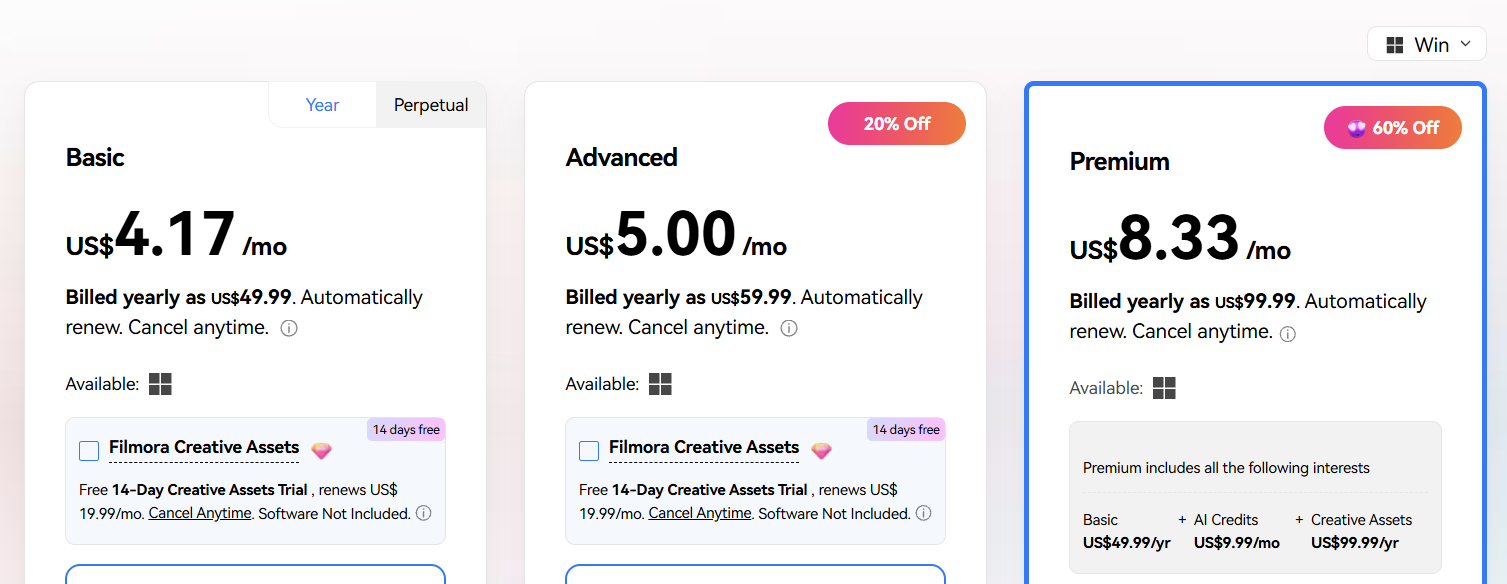
Filmora’s paid plans begin at $4.17 per month for the Basic plan, which offers 500 uses of its proprietary AI Mate and 1GB of cloud storage, largely mirroring the free plan’s core editing capabilities. Users have the option to augment this with the Filmora Creative Assets add-on for an additional $19.99 per month, though a 14-day trial is available. A one-time perpetual license for the Basic plan is also available at $79.99, but this excludes future updates, requiring an additional fee for newer versions.
The Advanced plan, priced at $5 per month, is where AI content generation capabilities unlock, providing 1,000 AI credits. This tier enables access to powerful AI tools like Text to Object, Text to Speech, AI Music, AI Images, and AI Copywriting, along with 10GB of cloud storage and limited Creative Assets access. This plan stands out as one of the most affordable entry points for AI content generation, especially when compared to rivals like Veed ($12 per user per month) or Kapwing ($16 per user per month for comparable AI access).
The Premium plan, at $8.33 per month, is positioned as Filmora’s best value-for-money option. It bundles the full Creative Assets package, offering 2,000 AI credits per month and a generous 100GB of cloud storage. The included Creative Assets package alone comprises over 12,000 effects and filters, more than 7,000 transitions, and access to 1.5 million stock media assets, making it an attractive proposition for serious content creators.
It’s important to note that Mac users face slightly higher pricing: the Basic plan costs $5.83 per month (or $99.99 for a perpetual license), the Advanced plan is $6.67 per month, and the Premium plan is $10 per month. Despite these marginal differences, Filmora’s pricing across all tiers remains highly competitive and generally more affordable than many comparable video editing and AI generation tools on the market. This aggressive pricing strategy, particularly for its AI-enabled plans, demonstrates Wondershare’s intent to make advanced video editing and AI content creation accessible to a broader demographic.
Performance Under Scrutiny: Hands-on Testing Insights
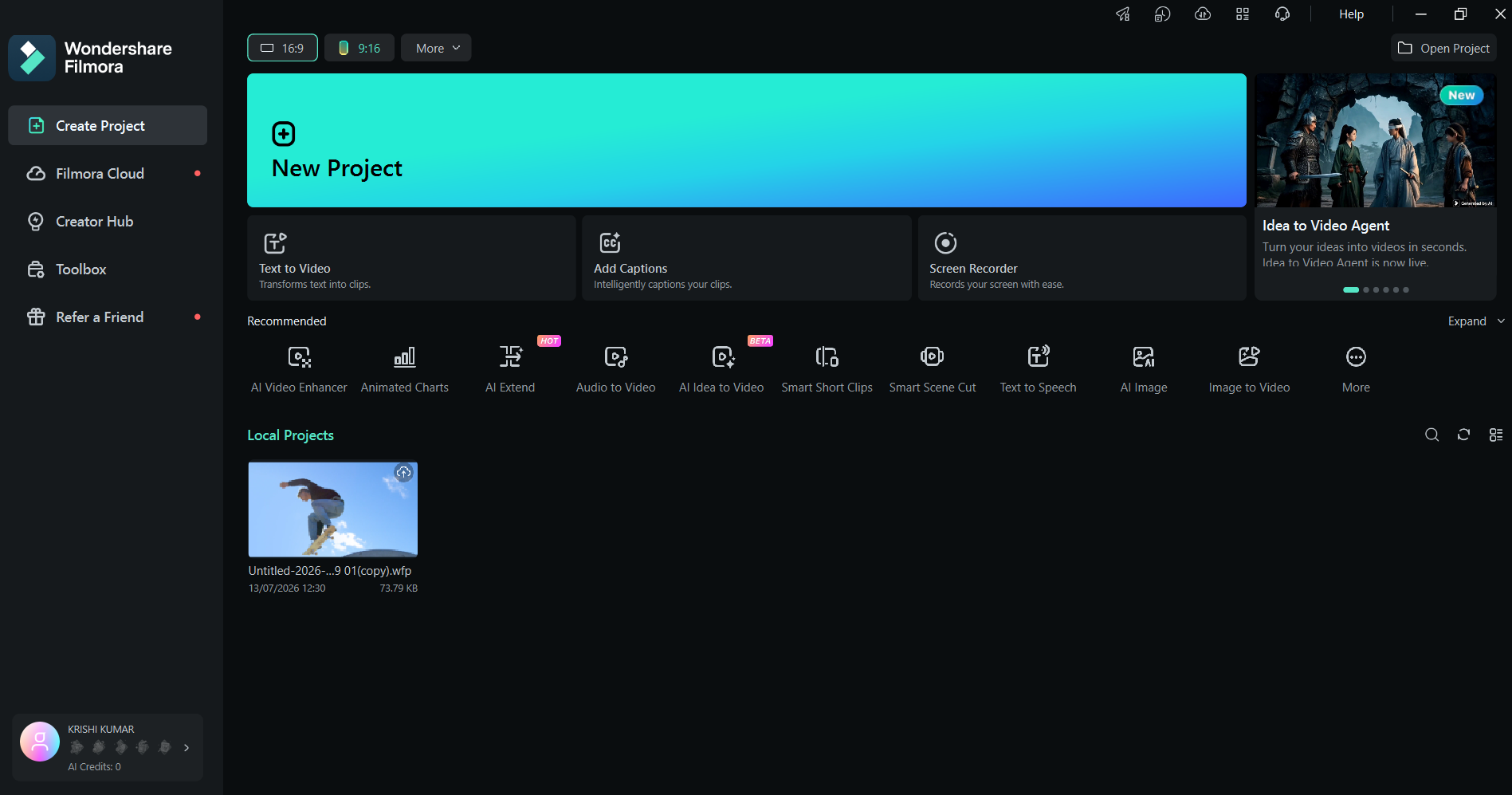
While the free plan’s restriction on AI content generation precluded a direct test of Filmora’s AI capabilities, a thorough evaluation of its core editing functions provided clear insights into the platform’s performance. The application download and setup on a Windows 11 PC were swift, taking less than two minutes.
During testing, using stock media, Filmora demonstrated remarkable accuracy and responsiveness. Applying an RGB Stroke effect to a video of a skateboarder, for instance, showcased the software’s ability to precisely identify and track the subject, applying the effect flawlessly. The drag-and-drop functionality for adding effects and transitions proved seamless and intuitive, requiring minimal effort. Adjustments to various video and audio settings were applied almost instantaneously, with no perceptible lag or buffering, even when handling complex or longer video segments. This robust performance suggests a well-optimized software architecture capable of handling demanding editing tasks efficiently, a critical factor for professional users who cannot afford workflow interruptions.
Competitive Landscape and Alternatives
Filmora’s emphasis on advanced video editing features, bolstered by its AI integrations, places it in a strong position against competitors. However, the market offers several alternatives, each with its own strengths.
For users specifically seeking free AI video and image generation, tools like Kapwing or Fliki present viable options. Kapwing excels in generating AI characters, offering a diverse range from everyday individuals to fantastical creatures, which can be a niche but powerful tool for specific content types. Fliki, on the other hand, provides extensive pre-video generation customization, allowing users to define video format, templates, AI avatars, voiceovers, and captions before the video is generated, thereby significantly reducing post-generation editing time.
However, these alternatives come with their own trade-offs. Kapwing’s highest-tier plan can reach an expensive $50 per user per month, while Fliki can cost up to $44 per month. Compared to Filmora’s Premium plan at $8.33 per month, Filmora offers a significantly more affordable entry point for comprehensive features. Furthermore, many of these AI-focused alternatives often lack the depth of advanced editing options found in Filmora, such as planar tracking and sophisticated video stabilization, which are crucial for professional-grade productions. Filmora’s ability to balance cutting-edge AI with a rich suite of traditional editing tools, all within a competitive pricing structure, gives it a distinct advantage in the broader market.
Strategic Implications and Market Impact
Wondershare Filmora’s strategic development trajectory, characterized by its aggressive adoption of AI and maintenance of a powerful traditional editing suite, carries significant implications for the video editing software market. By offering advanced features like planar tracking and AI Video Extender at competitive price points, Filmora democratizes capabilities previously reserved for high-end, more expensive software. This approach appeals to a wide spectrum of content creators:
- Amateurs and Enthusiasts: Benefit from AI-driven simplifications that make complex edits achievable, fostering greater creative output.
- Semi-Professionals and YouTubers: Find the balance of advanced tools, vast asset libraries, and affordability ideal for producing high-quality, consistent content.
- Small Businesses and Marketing Teams: Leverage features like Animated Charts and prompt-based editing for efficient creation of engaging promotional and informational videos without extensive training or dedicated design teams.
Wondershare’s commitment to continuous updates, as evidenced by version 15, suggests a long-term vision to remain at the forefront of video technology. This not only builds user loyalty but also exerts competitive pressure on other software providers to innovate and reassess their own feature sets and pricing models. The lack of free AI credits in Filmora’s basic plan, while a minor drawback, is offset by the sheer value offered in its paid tiers, particularly the Premium plan, which bundles an extensive creative asset library. This strategy targets users who are serious about video creation and willing to invest a modest sum for a powerful, comprehensive toolset.
Conclusion: A Feature-Packed Powerhouse with a Learning Curve
Wondershare Filmora stands out as one of the most feature-packed AI content generation and editing tools currently available. Its comprehensive offering spans fundamental AI capabilities like image-to-video and script-to-video generation, extending to advanced editing functionalities such as planar tracking, storyboard generators, sophisticated video stabilization, AI video and audio extenders, dual-monitor editing support, animated charts, and precise lens correction. Complementing these powerful tools is Filmora’s expansive library of stock assets, including licensed music, diverse effects, transitions, stickers, and a staggering collection of over 10,000 templates, providing an unparalleled resource for creative endeavors.
However, potential users should be aware that Filmora’s rich interface, while ultimately powerful, does present a learning curve that might initially challenge beginners. Furthermore, the absence of AI content creation capabilities in its free plan is a notable limitation compared to some competitors. For those for whom free AI generation is a non-negotiable requirement, alternatives like Adobe Firefly or Kapwing might be more suitable. Yet, for creators willing to navigate an initial learning phase and invest in an incredibly robust, affordable, and continuously evolving platform, Filmora offers a compelling and comprehensive solution for virtually any video editing and AI content generation need. It remains a top contender for those seeking professional-grade results without the exorbitant costs or steep learning curves typically associated with high-end editing suites.